optional feature you have purchased. When you click on this
item, you will browse for a license key file (Qd.lic) that you have
obtained from Quantum Data Customer Support.
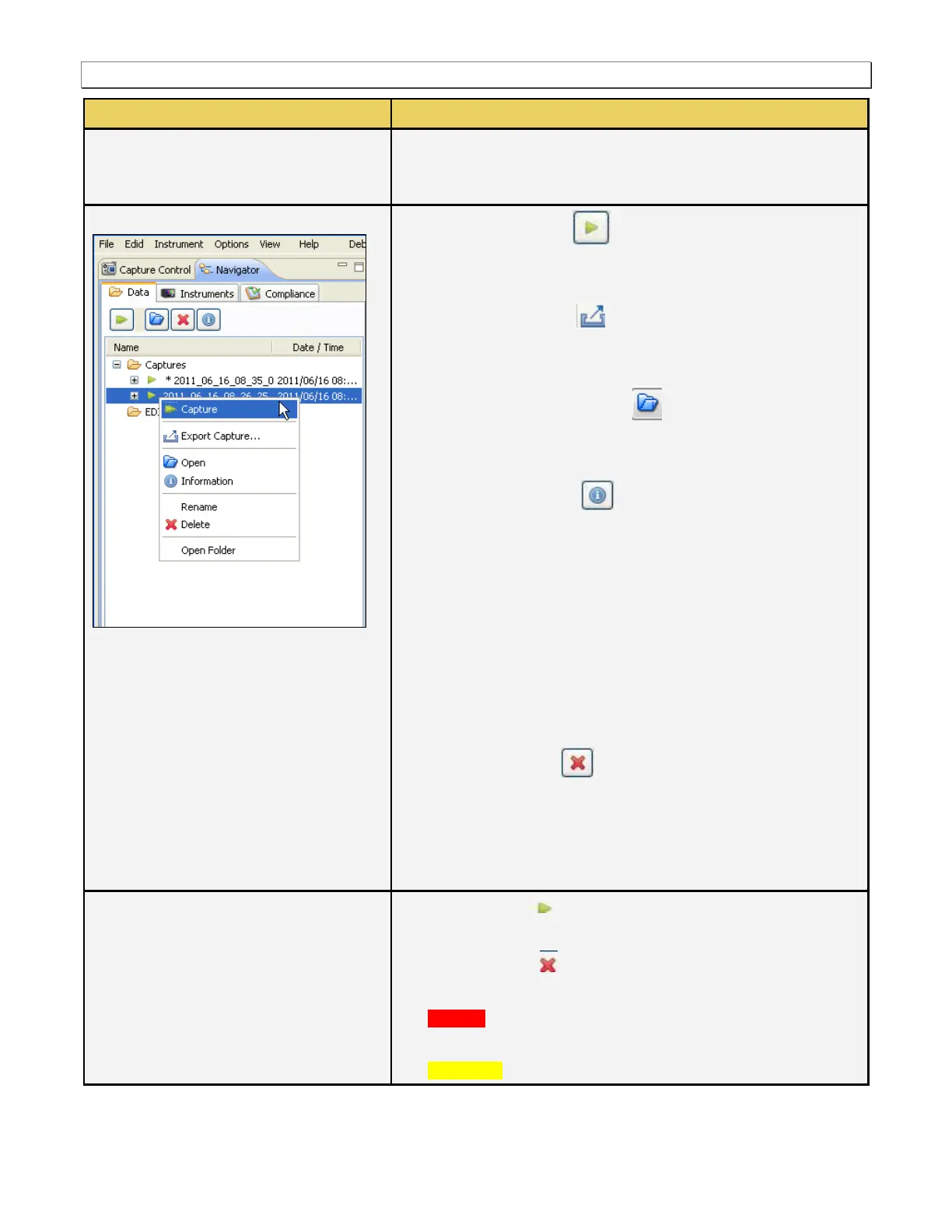
[Execute a] Capture - Initiates a capture on the selected
980 device. This requires that your source device is connected
to the 980 and that it is sending video.
Export Capture Data - Enables you to export a capture
file that resides on the 980 Manager host PC. All captured data
is zipped up into a single file.
Open [the Selected Capture] - Loads the selected
capture into the 980 Manager for viewing and analysis. The
capture that is currently loaded has an asterisk next to it.
[Capture] Information - Provides information about the
selected capture and the 980 used to capture the data:
o Creation date and time of the capture.
o Status of the capture, i.e. was it successful or were there
errors.
o Configuration of the triggering and pre-capture filtering.
o All information shown above for the Instrument Information.
Rename - Enables you to rename a capture file. A useful
practice might be to rename the file to include the device
tested.
Delete [a Capture] - Enables you to delete a capture
from the 980 Manager application.
Open Folder [Containing Capture] - Opens an Explorer window
to the folder where the selected capture resides. This enables
you to access the captured data directly.
Capture Valid - Indicates that the capture completed
successfully and all data was saved.
Capture Invalid - Indicates that the capture did not
complete successfully but there may be some valid data.
Red text - Indicates that an error occurred and some or all of
the data is not valid.
Yellow text – Is a warning indicating that at least some of the



 To Next Page