980 User Guide Rev. B29
Page 45 August 5, 2011
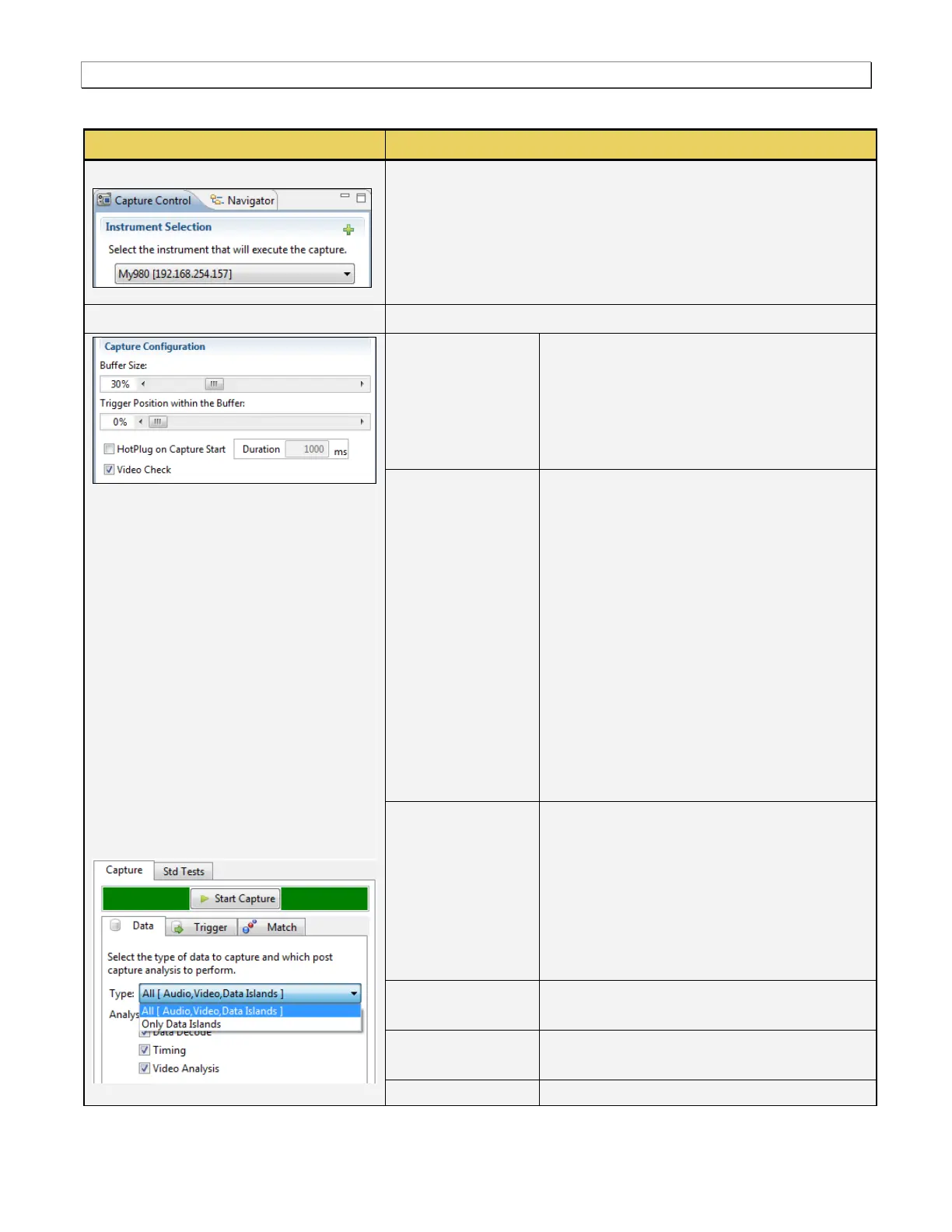
The following table describes the functions of the Capture Control panel.
Capture Control Panel - Function
Enables you to select the 980 that you want to use for a capture. Note
that in some cases you might have more than one 980 defined in the
980 Manager.
Enables you to define the capture criteria. Use the information below.
[Capture] Buffer
Size Slidebar
Enables you to set the size of the captured
data in percent. This is a slidebar that provides
an indication (on the left) of the percent of the
total possible size to be captured. A lower
value will require less time for the captured
data to accumulate.
[Capture] Buffer
Position Slidebar
Enables you to set the position of the trigger
event within the captured data. This is a
slidebar that provides an indication (on the left)
of the location of the trigger event within the
captured data. The value is expressed as a
percent. A value of 0% indicates that the
trigger event occurs at the beginning of the
resulting captured data and 100% indicates
that the trigger event occurs at the end of the
resulting captured data. A value of 50%
indicates that the trigger event is in the middle
of the captured data.
Note: The Buffer Position Slidebar is not
applicable when you select Vsync as the
trigger condition.
Generate HotPlug
on Captured Start
Causes a hot plug event when the data
capture begins, in other words when you click
on the Start Capture activation button. Enables
you to specify the length of the hot plug pulse
in milliseconds. A hot plug pulse, issued by the
980, will reinitiate HDCP authentication if the
video content from the source is content
protected.
Verifies that there is incoming video prior to a
capture.
Start Capture
(Capture Tab)
Initiates a capture using the criteria defined in
the Data, Trigger and Match tabs below.
Enables you to specify the type of data that



 To Next Page