you want to capture. This could be:
All [Audio, Video, Data Islands] - The 980
will capture all the audio packets, video
data and the data islands. If you select All
you can then refine your selection to
include or exclude Timing data and Video
data using the associated check boxes
under the Analysis heading.
Only Data Islands - The 980 will only
capture the data islands (not the video
packets)
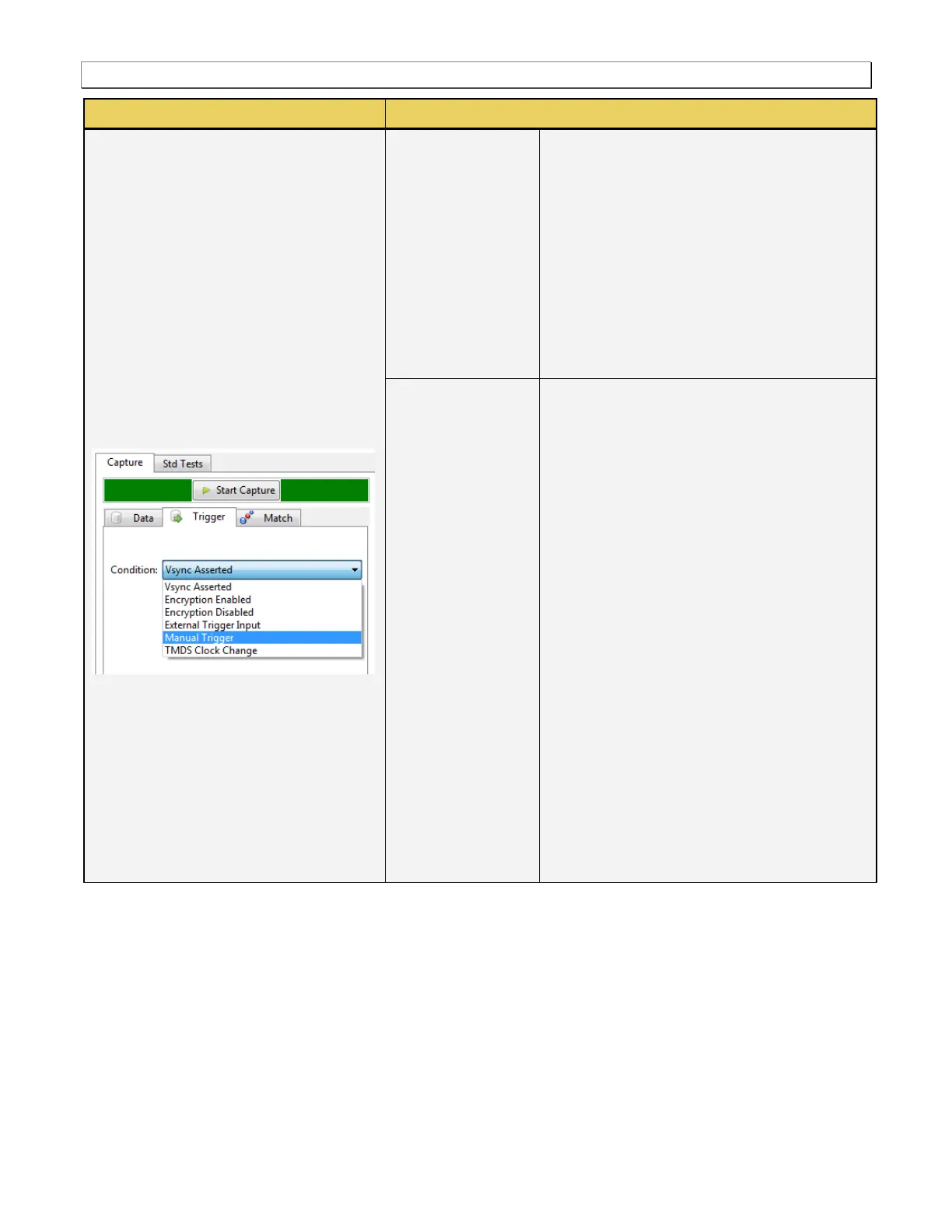
Enables you to specify the trigger condition
that you want to use for the capture. This could
be:
Vsync Asserted - Capture begins when a
vsync control is detected.
Encryption Enabled - Capture begins
when an encryption enable pulse is
detected.
Encryption Disabled - Capture begins
when encryption is disabled.
External Trigger Input - Capture begins
when a pulse is detected on the BNC
input.
Manual Trigger – Enables you trigger
manually. Typically this would be used
when you are observing the behavior of a
connected sink and then manually initiate
the trigger when a particular symptom
exhibits itself.
TMDS Clock Change - Capture begins
when a change in the TMDS clock is
detected.



 To Next Page