980 User Guide Rev. B29
Page 54 August 5, 2011
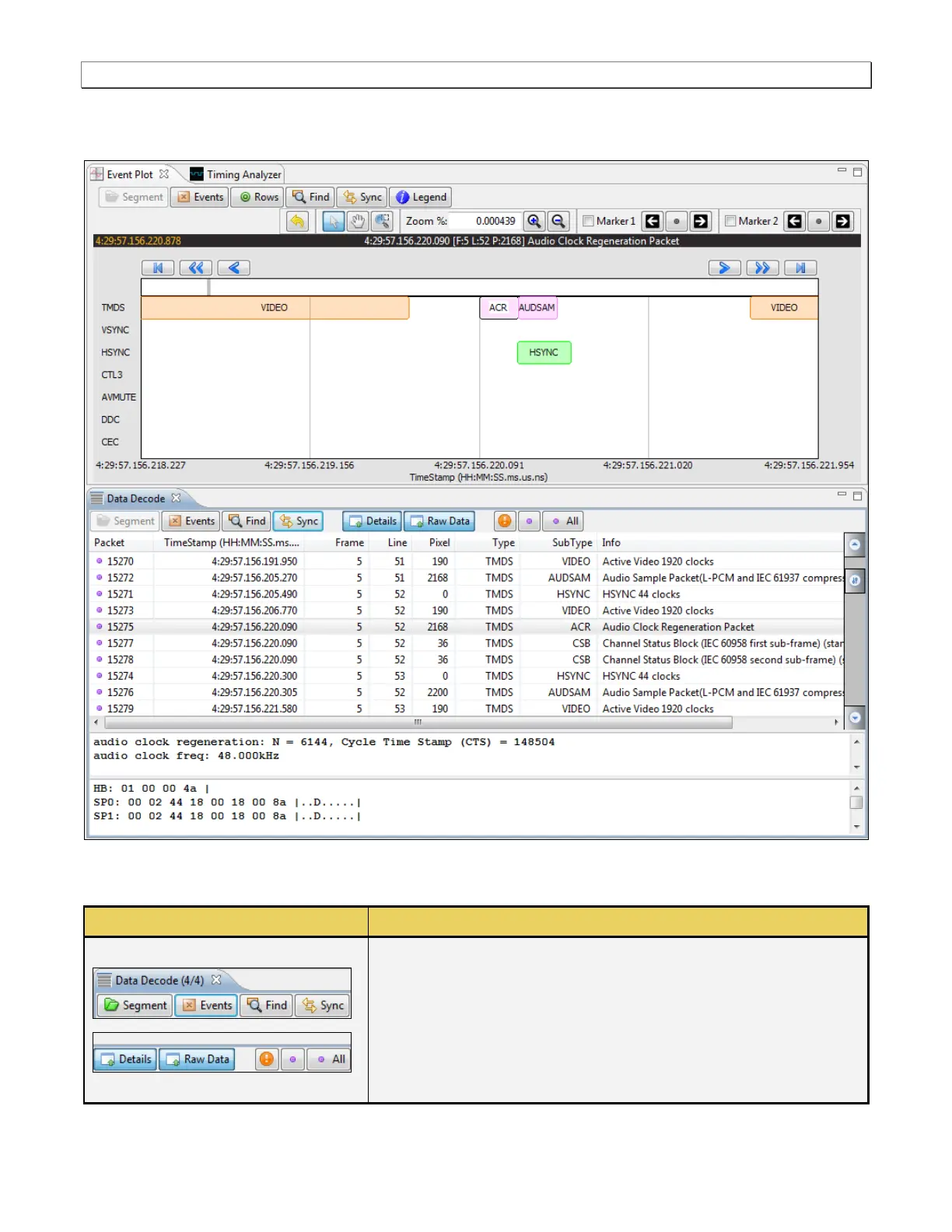
When you select a packet in the Data Decode panel that packet is highlighted in the Event Plot panel. It is only
visible if the Event Plot is zoomed to show each distinct packet. Refer to the screen shot below.
The following table describes the activation buttons available through the Data Decode panel. In some cases
clicking on these buttons opens up dialog box. These dialog boxes are described in detail following the table.
Segment – Large captures are broken into smaller distinct
sections called segments to make them more manageable and to
improve speed and performance. When you click on the Segment
activation button, a dialog box appears enabling you to select and
load another segment. This dialog box is described further below.
Events – The Events activation button enables you to filter the
captured data by type. When you click on the Events button a



 To Next Page