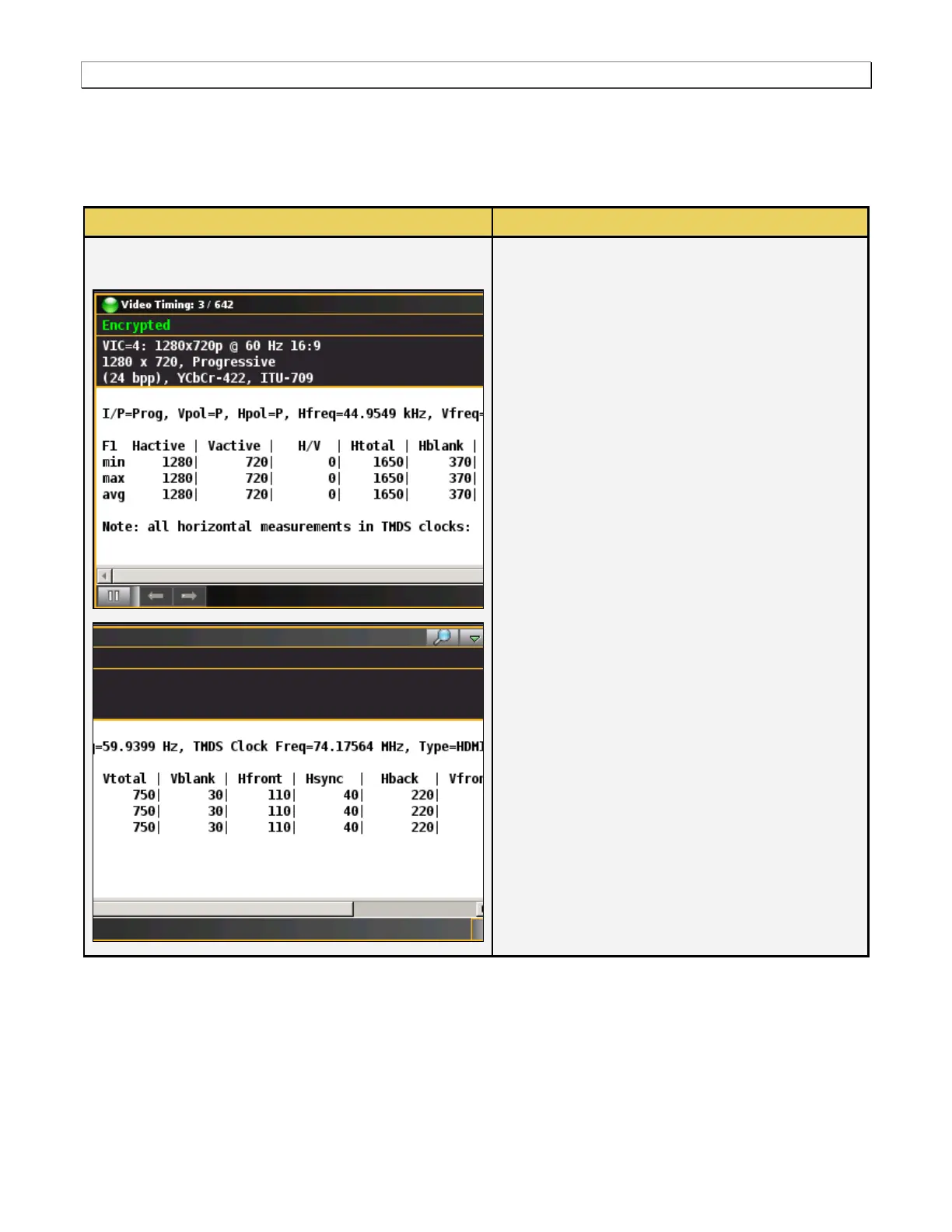
The following information is provided in the Video
Timing dialog box:
VIC – The Video Identification Code is the CEA
number assigned to a particular timing.
Resolution - The horizontal and vertical
resolution is shown. In this example the
resolution is 720 by 480.
Scanning mode – The scanning mode is
indicated; either progressive or interlaced. In the
example the scanning mode is progressive.
Aspect Ratio – The aspect ratio is provided on
the top line. In this example the aspect ratio is
16:9.
Color depth – The color depth is provided in bits
per pixel. In this example the color depth is 24
bits per pixel.
The Color mode and sampling is provided. In
this example the color mode is YCbCr with 4:4:4
sampling. Other options are RGB and YCbCr
4:2:2.
Colorimetry standard – The colorimetry
standard is presented on the third line. In this
example the standard is ITU-709.
Timing Data – The horizontal and vertical timing
parameters are shown.



 To Next Page