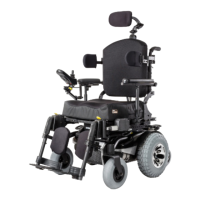
Jive Up 29
Rev.2.0
7.7 Seat Memory Position
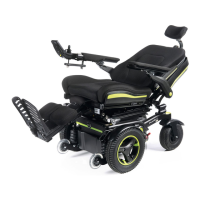
The control system on the Jive Up / QM-710 Stand Up
has 5 predefined seat memory positions. Each memory
location has a set of factory seat positioning presets:
Seating, Stand-Up, Lie-Down, Transfer and Relax. There
is a 6th Memory position (Custom Position) that can be
used as a customized seat position. The Seat actuators
are all working with a feedback system to track their
positions and movements.
This is important:
a) to reach the required memory position.
b) to prevent mechanical clashes of the seat.
c) to operate the actuators especially towards the
memory positions in an ergonomic, smooth and safe
way.
Although there is one free programmable seat Memory
position, all predefined Memory positions, if not suitable
for the user, can be changed and customized to the
needs required.
The software takes into account the range of the
available mechanical movements and also all safety
aspects.
7.7.1 Retrieving a Memory Seat Position
(F i g.7.4 -7. 6)
1. Press the ”Mode” button, (A), one or more times until
a seat icon appears in the LCD control panel display.
2. Move the joystick to the left or right to select a
memory seat position (Seating, Stand-Up, Lie-Down,
Transfer, Relax or Custom Position). A seat icon and
the memory description for the relevant position are
shown in the LCD control panel display.
3. Move and hold the joystick forwards. The seat adjusts
to the factory preset position. The movement can be
stopped at any time and started again when moving
the Joystick forward.
4. In any of the 6 Memory seat position moving the
Joystick backwards brings the seat into the “Seating”
memory position. Once the seat has adjusted to the
saved position, it stops moving.
NOTE!
• Movement of the seat can be stopped at any time by
releasing the joystick.
• During a stop period, another memory position can be
selected with a right or left movement of the Joystick.
After selecting a new Memory position, moving the
joystick forward will operate the seat into the new
selected position.
Fig.7.4
MODE
PROFILE
A
Fig.7.5
Fig.7.6


 To Next Page