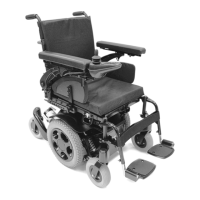
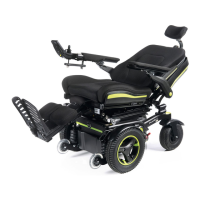
50 Jive Up / QM-710 Stand Up
Rev.2.0
14.4.2 Cleaning controls
Should the control of your wheelchair become soiled
or dirty, it can be wiped with a damp cloth with a dilute
disinfectant until clean.
WARNING!
This is important should the wheelchair be used by more
than one person to ensure there is no cross infection.
Speciality controls
WARNING!
• Ensure that wafer boards, joysticks (all variants), head
arrays and switches (all variants) are cleaned with
a mild disinfectant and a cleaning cloth to avoid any
cross infection possibilities. Following removal from
chair regularly wash the sip and puff mouth piece and
tube to maintain cleanliness and functionality.
• Ensure control is switched off before cleaning.
14.5 Lighting maintenance
WARNING!
Maintaining lights and indicators is a safety critical task.
If your lights and indicator system shows a defect, please
contact your Sunrise Medical Approved Dealer.
All lights and indicators are state of the art LED low
energy, no maintenance units. There are no light bulbs
used. The high intrinsic reliability of these units means
that they are extremely unlikely to fail under normal
usage. If a failure should occur, (may be as a result of an
impact), the damaged light assembly must be replaced in
its entirety. The individual LED’s cannot be replaced.
CAUTION!
We recommend the use of Sunrise Medical authorised
spare parts only.
NOTE: Be advised that all lighting circuits are
electronically protect ed. In the event of a short circuit
current will be limited to a safe level. Once the fault is
removed the system resets automatically.
14.6 Electrical connections
When inspecting electrical connections, pay attention to
the battery connections, the connection of batteries to
power loom and plug in sockets for the joystick, control
box and lights and indicators.
14.7 How to connect the cables to the batteries
WARNING!
If you are in any doubt about performing any
maintenance on your wheelchair, please contact your
Sunrise Medical authorised dealer.
Parts in the battery box:
• Two 12v Deep Cycle Mobility Batteries.
• Two Fused Battery Loom Assemblies.
• One Power Loom
WARNING!
• Before connecting the batteries it is very important
to identify the correct connection for each battery
terminal. Failure to do this may result in the
wheelchair not functioning or possibly a blown fuse.
• Connect all battery terminals before connecting the
plugs.
• After connecting battery terminals and connectors
ensure all wiring is tidy and can not get entangled in
any moving parts and the rubber covers fit fully over
the battery terminals.
NOTE: After connection of the batteries wait 2 minutes
for the system to reset, before switching on the control
system. This reset time is required every time the
batteries are disconnected.
Connecting / Disconnecting the Batteries:
(Fig.14.19 - 14.24 Next page).
• Undo the two seat interface screws, (Section 12.1).
• Flip the seat frame backwards until the automatic
lock pin clicks to secure it in place. Ensure the seat
is secure before letting go, (Fig.14.19).
• Lift off the battery box lid, (Fig.14.19).
• The Front battery has RED to Positive (+) & BLACK
to negative (-). (Fig.14.20 - 14.21).
• The Rear battery has RED to Positive (+) & BLACK
to negative (-). (Fig.14.20 - 14.21).
• Connect the GREY plugs to the power loom,
(Fig.14.22 - 14.23).
WARNING!
Ensure the two seat interface screws are fully tightened
before using the wheelchair, (Section 12.1, Fig.12.1).



 To Next Page