Cardiac Stress Treadmills Service Manual Repair/Replacement and Calibration 4-25
3. Run the treadmill for at least one minute to observe the tracking.
Adjustments to belt tracking take some time to become apparent.
4. Repeat steps 2 and 3 as required.
Caution! Do not overtighten the adjustment screw. Overtightening
can damage the walking belt and assemblies.
5. Increase the speed to 8 mph, then repeat steps 2 and 3 as required.
Rear Roller Guard Adjustment
Check the position of the rear roller guards each time you readjust the belt
tracking or the belt tension. The roller guards are located at the rear of the
treadmill between the rear roller and the deck. Adjust the guards when the
gap between the roller and the guard exceeds 3/8 in. (9.5 mm).
1. Loosen, but do not remove, the two screws attaching the rear roller
guard to the deck (hold the nuts on the underside of the deck frame
with your finger).
2. Slide the rear roller guard towards the rear roller until the gap
between the two is approximately 3/16 inch.
3. Tighten the mounting screws loosened in step 1.
Caution! Do not let anyone stand on the treadmill belt when it is
started.
4. Use the controls on the stress monitor to turn on the treadmill.
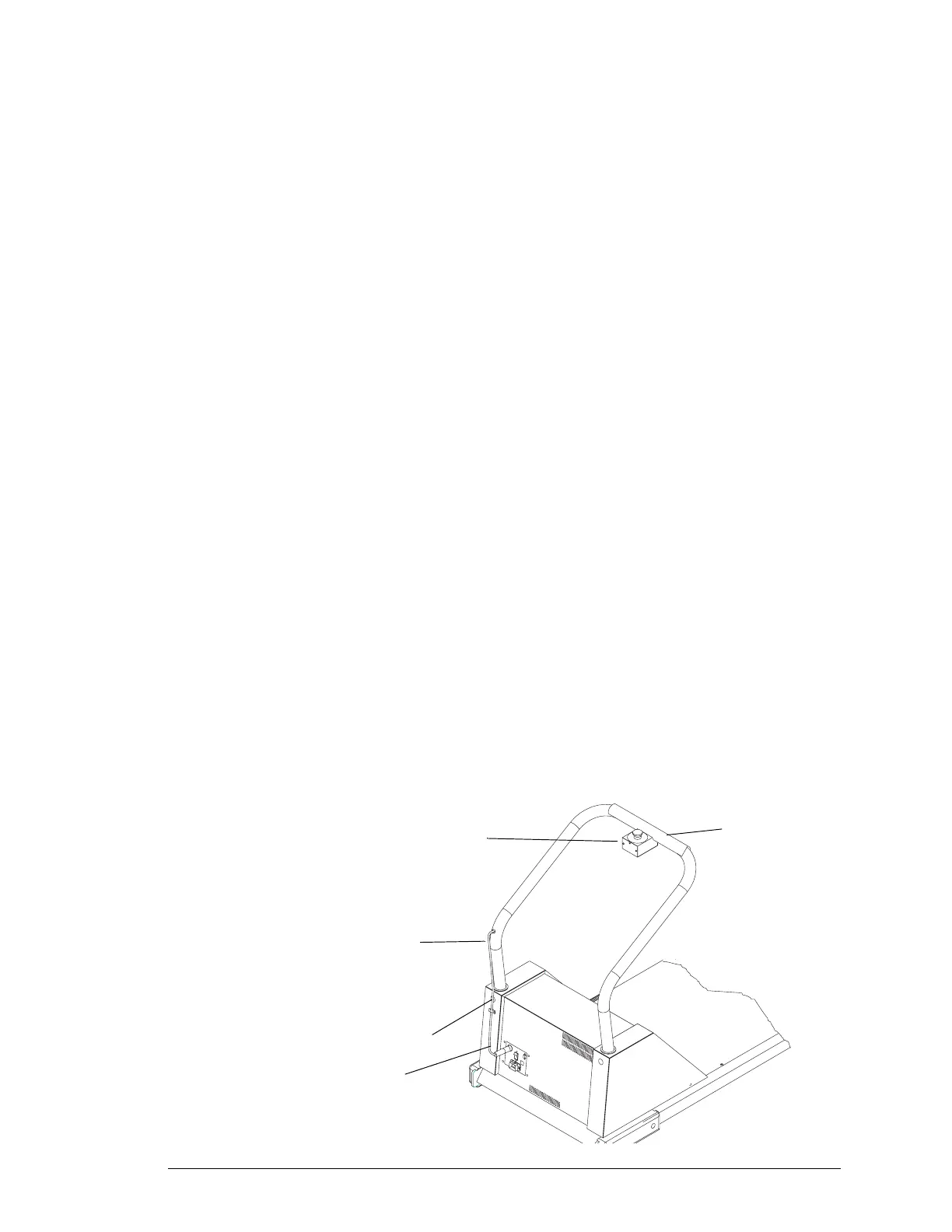
Replacing the Emergency Stop Switch
1. Turn off the treadmill circuit breaker and disconnect the power cord
from the outlet.
2. Remove the seven screws from the switchbox cover and remove the
cover.
Handrail Cover
Emergency Stop Button
Strain relief at
Elbow of Handrail
Emergency Button
Cable
Connector
(You may run the cable
on the outside of
the handrail)


 To Next Page