【Maintain】Display log information, version information, stream statistics, and online
user and set the factory default, automatic maintenance.
【Shutdown】Log off from the user menu, turn off the machine, restart the system,
and switch user and other operations.
2.3 The Video Inquiry
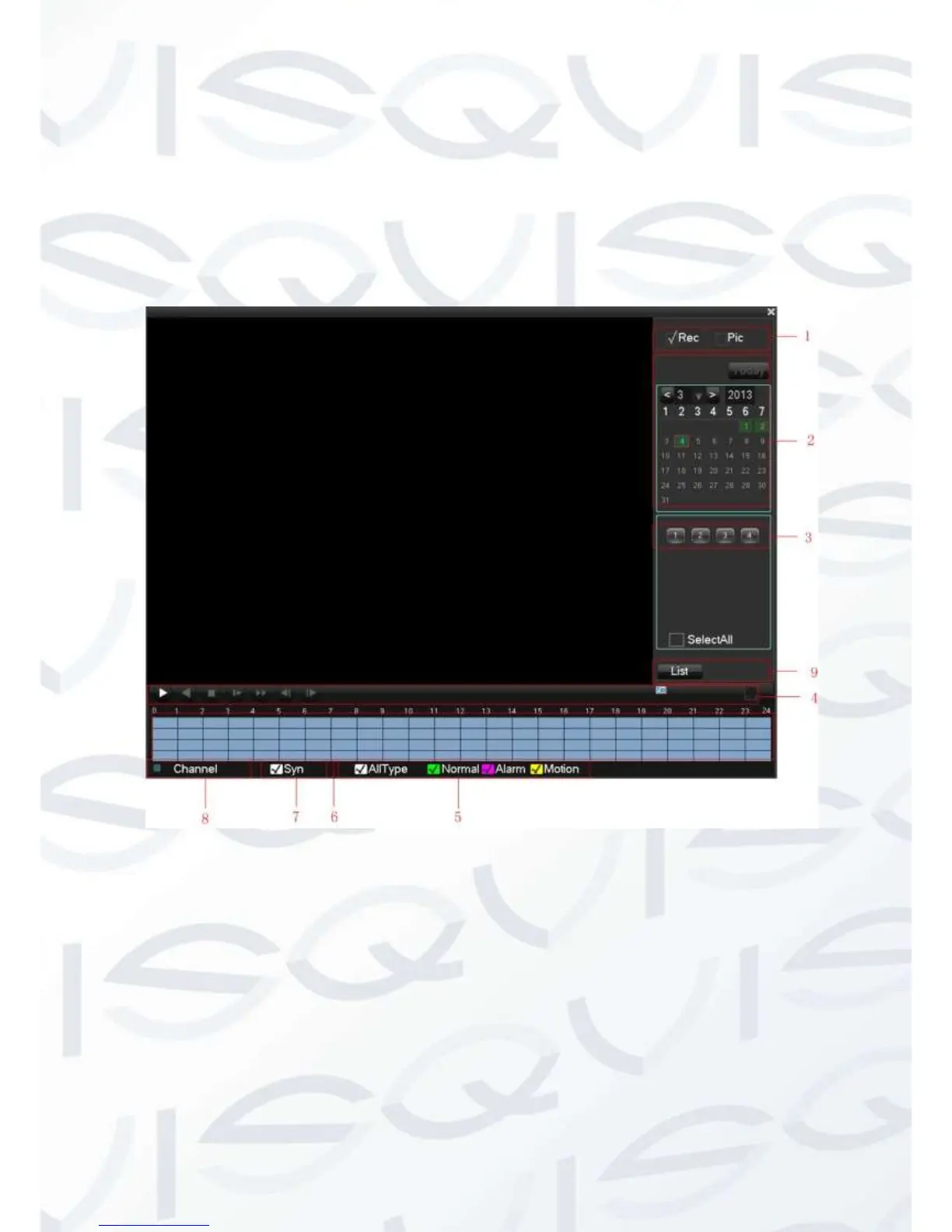
In real-time monitoring screen, right click and select【search】to enter the searching
interface.



 To Next Page