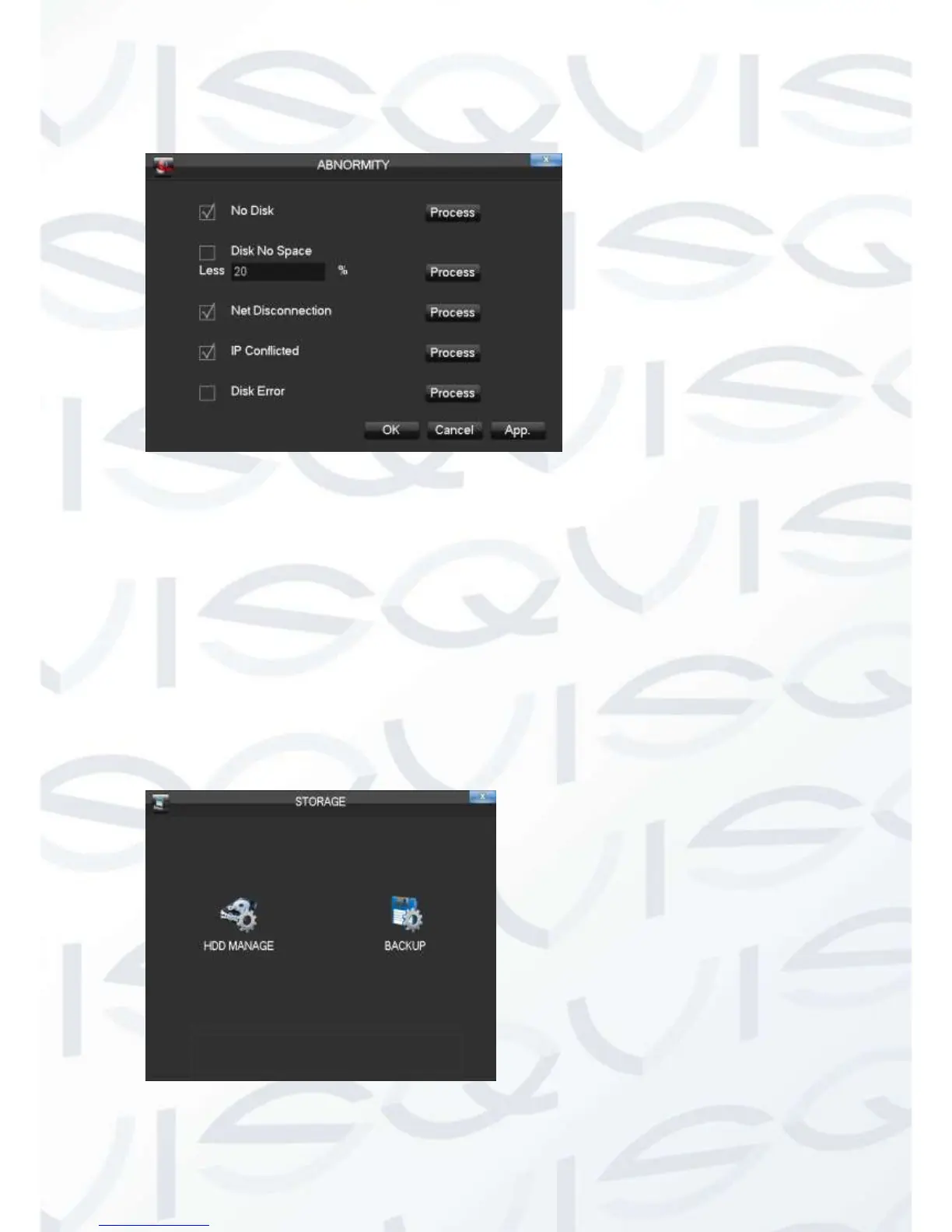
2.4.6 Abnormity
Firstly enable: 【No Disk】, 【Disk No Space】, 【Network Failure】, 【IP Conflict】
and 【Disk Error】.
【No Disk】alarms when HDD is not present or it can’t be detected.
【Process】You can choose【Alarm Output】, 【Display On Screen】 and 【Send
Email】 and 【pushed to phone】to show abnormal events occurring.
2.5 Storage
2.5.1 HDD Management



 To Next Page