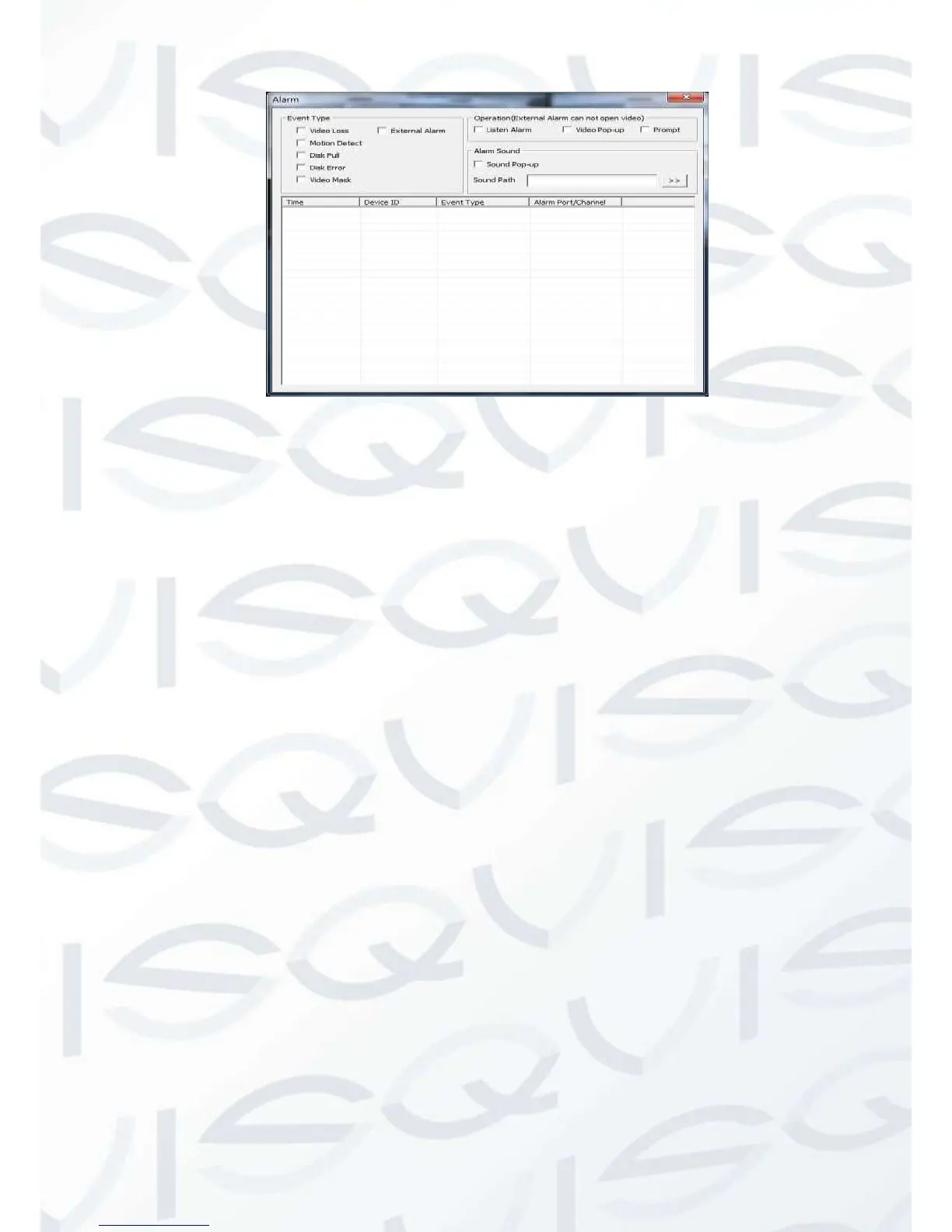
Alarm configuration
Choose a type of alarm on the menu. These options include; monitor video loss, motion
detection, disk full, disk error, video mask and external alarm.
Click 【Video Pop-up】, this opens the video loss, motion detection, hard disk full, hard
disk failure, video block and video encoder alarm pop-up linkage.
Click 【prompt】opens the prompt: When an alarm occurs in real-time monitoring it will
make a popup alarm window appear in the menu.
Click 【Sound Pop-up】, you can choose a pre-recorded alarm tone on the local hard
drive when an alarm occurs, tone file in WAV format.



 To Next Page