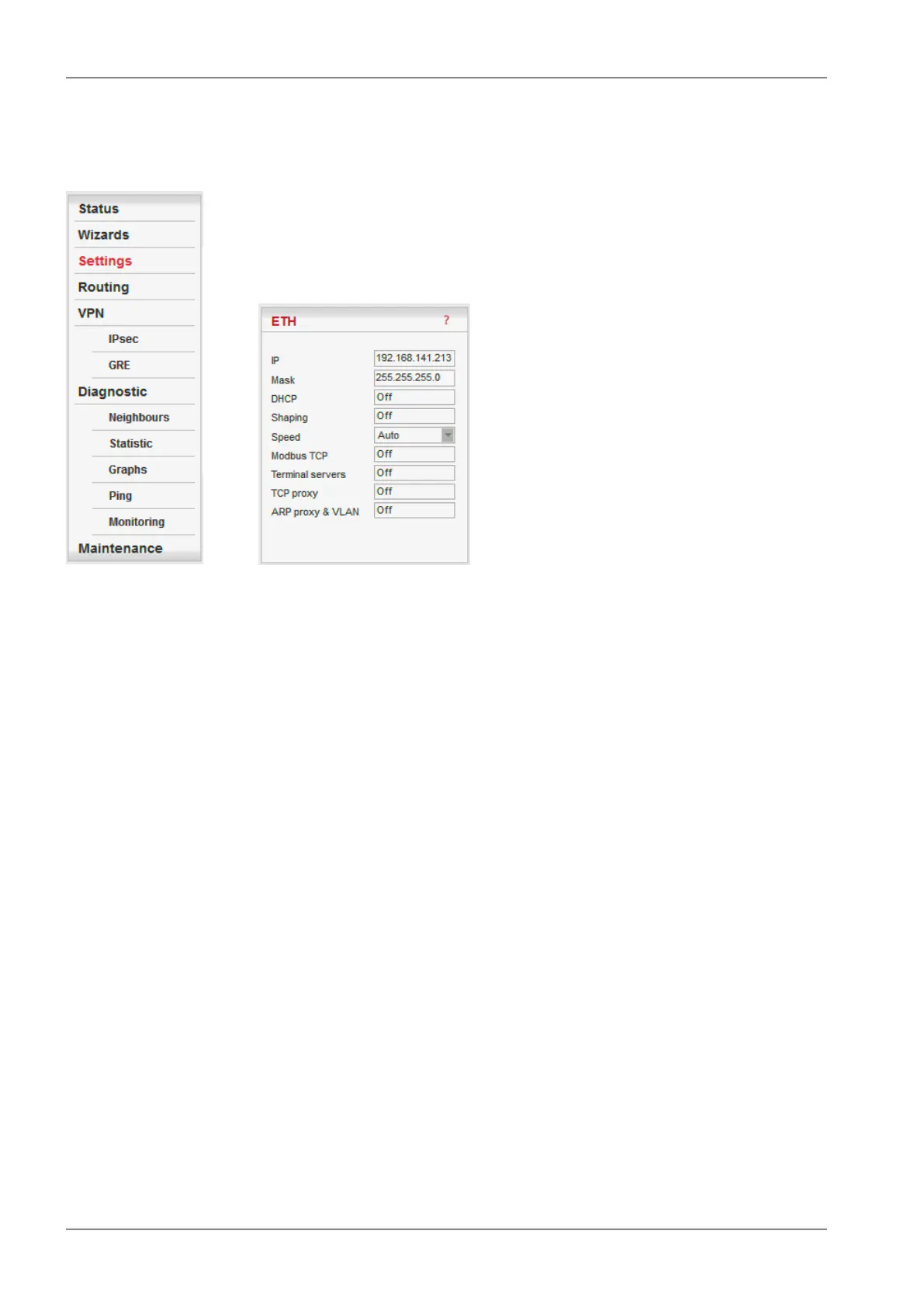
7.3.3. ETH
* Active only when Router mode
■ IP
Default = 192.168.169.169
IP address of ETH interface
■ Mask
Default = 255.255.255.0
Mask of ETH interface
■ Default GW
Default = 0.0.0.0 (= not active)
When Operating mode is set to Bridge, it is the default gateway (applies to whole RipEX). When
Operating mode is set to Router, it is not displayed here. Default GW can be set only in the Routing
menu.
■ DHCP*
List box: Off, Server
Default = Off
Server
DHCP (Dynamic Host Configuration Protocol) Server in RipEX sets network configuration (IP address,
Mask, Gateway) in connected DHCP clients. They have to be connected to the same LAN as the
ETH interface of RipEX. The Mask set is the same as on RipEX ETH, the Gateway is the IP address
of ETH interface of RipEX. Typical DHCP client is e.g. a PC used for configuration of RipEX.
IMPORTANT:
Never activate the DHCP Server when ETH interface of RipEX is connected to LAN, where another
DHCP server is operating.
RipEX Radio modem & Router – © RACOM s.r.o.134
Advanced Configuration


 To Next Page