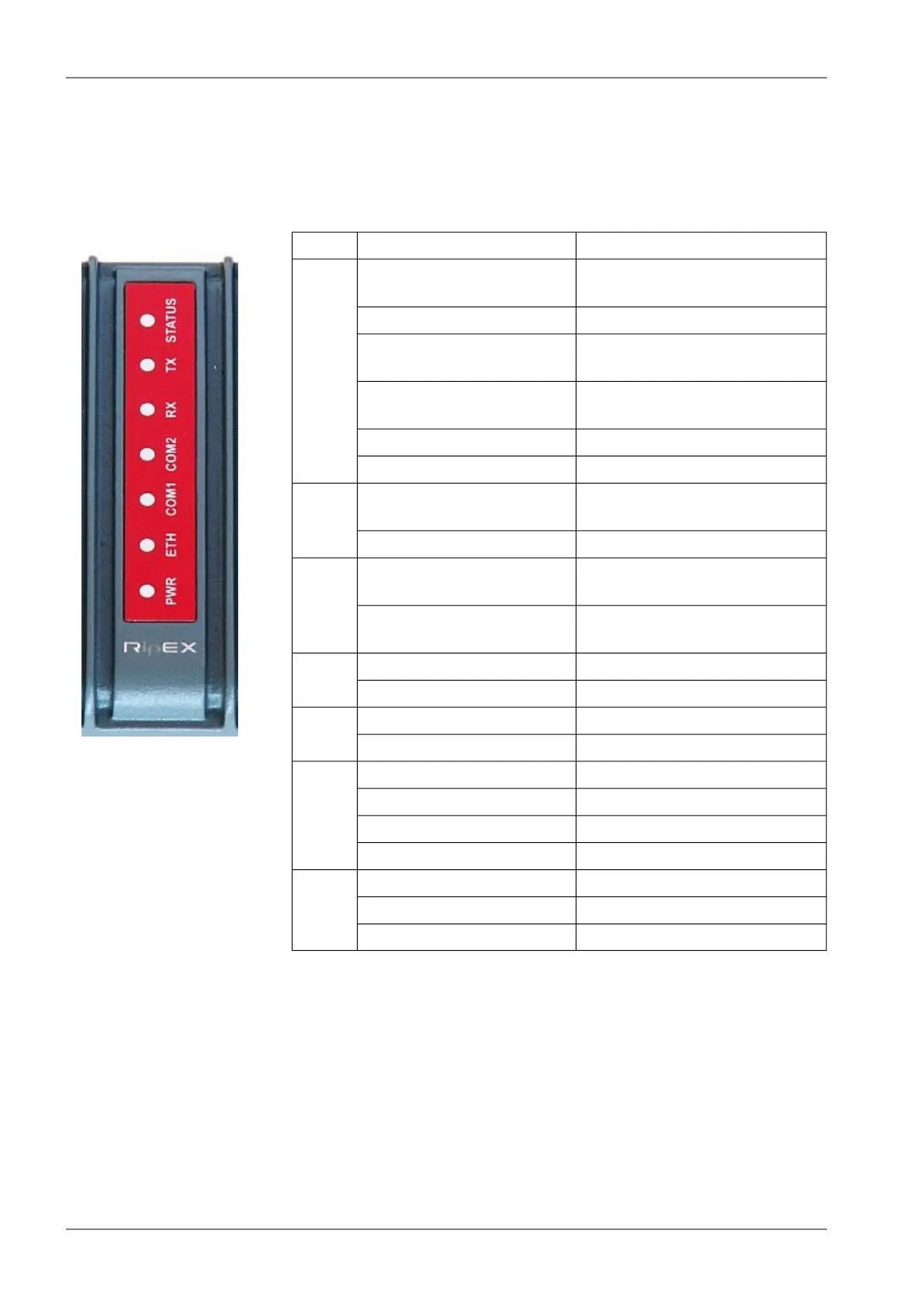
4.3. Indication LEDs
Fig. 4.15: Indication LEDs
Tab. 4.5: Key to LEDs
DescriptionColor
The RipEX OS (Linux) is running
successfully
Green
STATUS
Reset button has been pressedDark
reset after five-seconds pressing
the Reset button
Green flashes slowly
default access after 15-seconds
pressing the Reset button
Green flashes quickly
EmergencyRed flashes quickly
AlarmRed
GPS module synchronized,
for RipEX-xxxG model only
Green
blinks with a period of 1 sec
TX
transmitting to radio channelRed
receiver is synchronised to a
packet
Green
RX
there is a signal stronger than
−80 dBm on Radio channel
Yellow
data receivingGreen
COM2
data transmittingYellow
data receivingGreen
COM1
data transmittingYellow
100 Mb/s speedYellow ON
ETH
10 Mb/s speedYellow OFF
connectedGreen ON
Ethernet dataGreen flashes
powered successfullyGreen
PWR
Save modeBlinks with a period of 1 sec
Sleep modeFlashes once per 3 sec
Alarm – is “On” when any controlled item in Alarm management, (see Adv. Conf., Alarm man-
agement for more) is in alarm status (out of thresholds) and “SNMP Trap", "HW Alarm
Output" or "Detail graphs start” for any line in the Alarm configuration table are checked.
Emergency – Emergency status is an undefined RipEX status either because of a SW or HW problem
when RipEX does not function properly. Maintenance web page is mostly accessible
even in Emergency status. If the problem cannot be eliminated after a power cycle, send
the unit to RACOM for repair.
RipEX Radio modem & Router – © RACOM s.r.o.54
Product


 To Next Page