When your SSL certificate consists of two files, fill in the Key file, or browse your disk in order to find
the file.
When file(s) is selected, it can be uploaded.
• Upload – when pressed, the selected Certificate is uploaded into the RipEX, however it is not active
yet.
• Apply – when pressed, the uploaded certificate is activated. Afterwards the unit automatically reboots
itself.
• Default – when pressed, the default RACOM SSL certificate is uploaded. To be activated, Apply
button has to be executed.
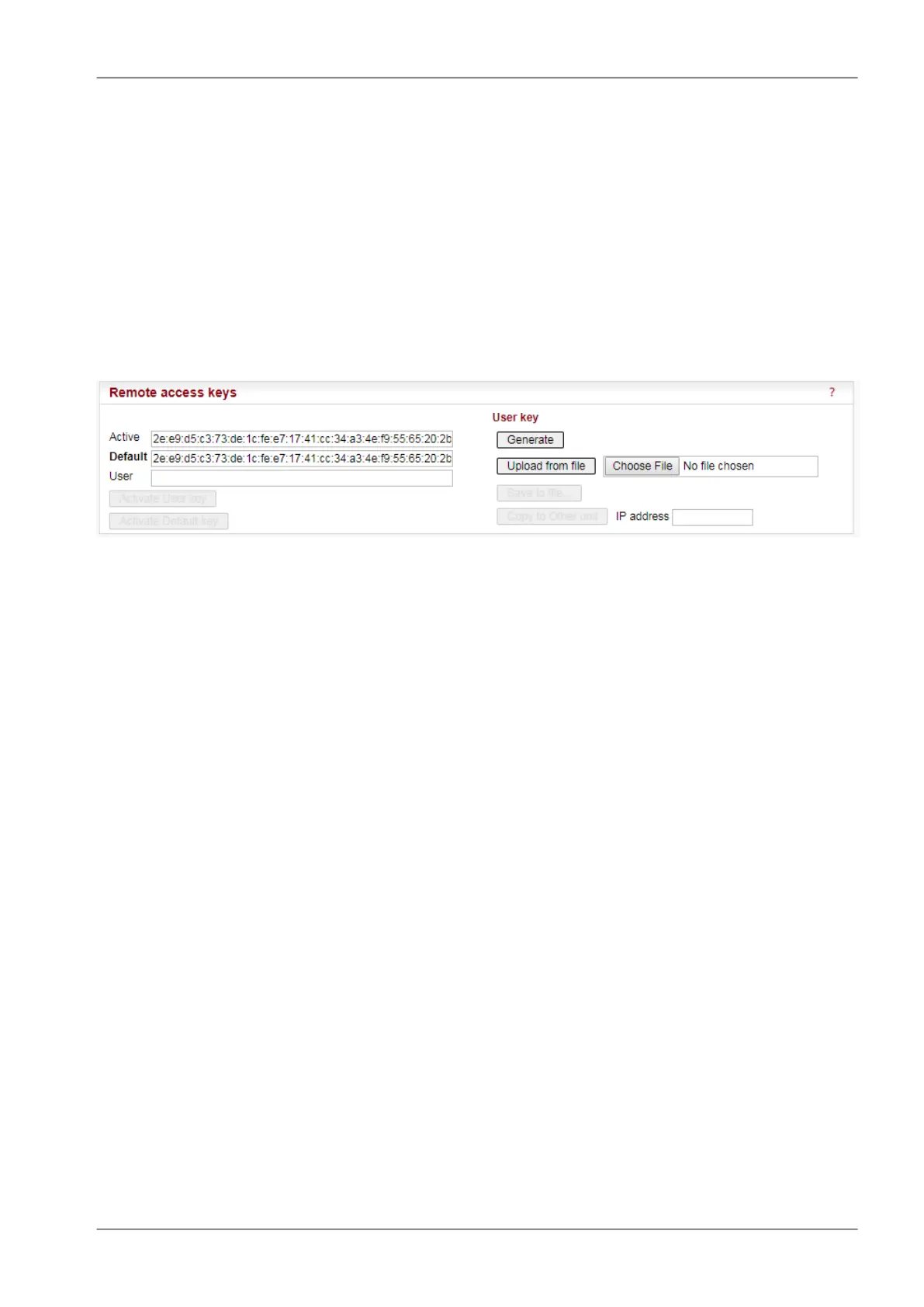
7.7.7. Remote access keys
Fig. 7.19: Menu Maintenance Remote access keys
The "Fast remote access" is a secured communication channel over the Radio interface based on a
modified ssh protocol. It is possible to use own security keys for this communication.
NOTE: It is not possible to use the Fast remote access between two RipEX units with different Remote
access keys. When you want to change the Remote access key in a network, start from the most remote
unit.
• Active – Information only, the Active key is displayed here
• Default – Information only, the Default key is displayed here
• User – Information only, the User key is displayed here after the Generate button has been pressed.
Activate User key
– when pressed, the User key displayed above is activated. When the User key is already active, the
button is not active (grey).
Activate Default key
– when pressed, the Default key displayed above is activated. When the Default key is already active,
the button is not active (grey).
User key
There are several possibilities to create User key, which is displayed in the User box afterwards:
• Generate
– the system generates a random User key. It is saved in the flash. This can be done only locally;
this button is not active in the remote unit while using Fast remote access.
• Upload from file
203© RACOM s.r.o. – RipEX Radio modem & Router
Advanced Configuration


 To Next Page