7.7. Maintenance
7.7.1. SW feature keys
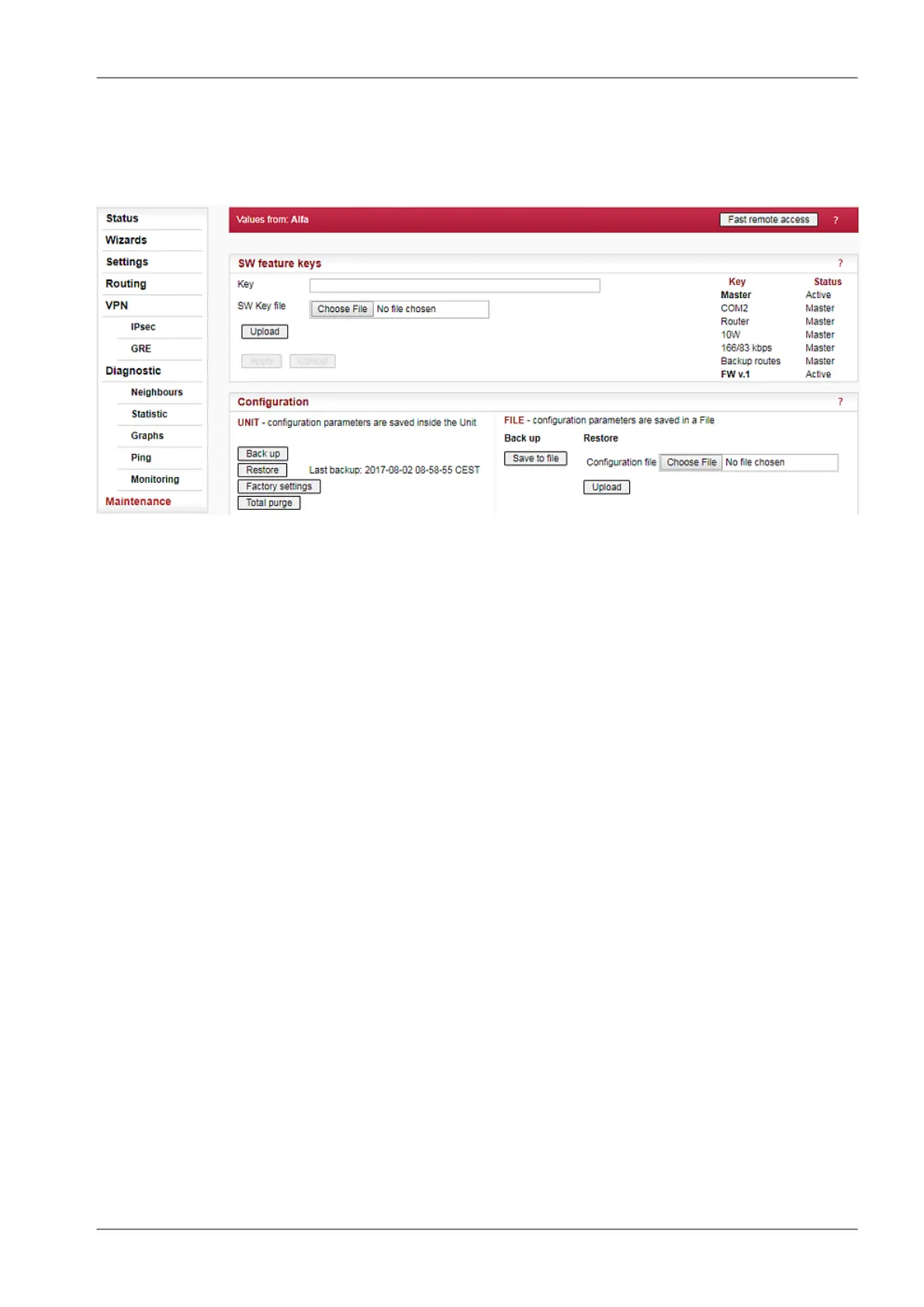
Fig. 7.14: Menu Maintenance SW feature keys
Certain advanced RipEX features have to be activated by software keys. On the right side one may
see the list of available keys and their respective status values.
Possible status values are:
• Not present
• Active
• Active (timeout dd:hh:mm:ss) – the key can be time limited. For such a key, the remaining time
of activity is displayed (1d 07:33:20). Time of activity of a key is counted only when the unit is
switched on. Time limited key can be put on hold, i.e. temporarily deactivated. Press the correspond-
ing Hold button (possibly several Hold buttons for several selected keys) and then press the Apply
button to put the selected key(s) on hold.
On hold (timeout dd:hh:mm:ss) – the key is On hold, i.e. temporarily not active. To re-activate
such a key, press the Activate and then Apply buttons.
• Master – when Master key (unlocks all keys) is active.
• Master (On hold) – The time-limited key for a specific feature is On hold, however the feature is
active because of the Master key.
There are two ways to input the SW key into RipEX: Fill in the key you have received from RACOM or
your distributor in the Key box using copy/paste or the SW key can be uploaded from a file. Fill in the
SW Key file, or browse your disk in order to find the file. When a file is selected, it can be uploaded.
• Upload – when pressed, the selected SW key is uploaded into the RipEX, however it is not yet
active. You can subsequently upload more keys.
• Apply – when pressed, all the uploaded keys are activated and/or status values of Time limited
keys are changed following their respective buttons Activate or Hold have been pressed. Afterwards
the unit automatically reboots itself.
NOTE: SW feature key can be downloaded also from USB flash. Read details in the Firmware paragraph.
199© RACOM s.r.o. – RipEX Radio modem & Router
Advanced Configuration


 To Next Page