certificate. You must install this certificate into your web browser (Mozilla Firefox, Internet
Explorer). The first time you connect to the RipEX, your computer will ask you for au-
thorisation to import the certificate into your computer. The certificate is signed by the
certification authority Racom s.r.o. It meets all security regulations and you need not
be concerned about importing it into your computer. Confirm the import with all warnings
and exceptions that your browser may display during installation.
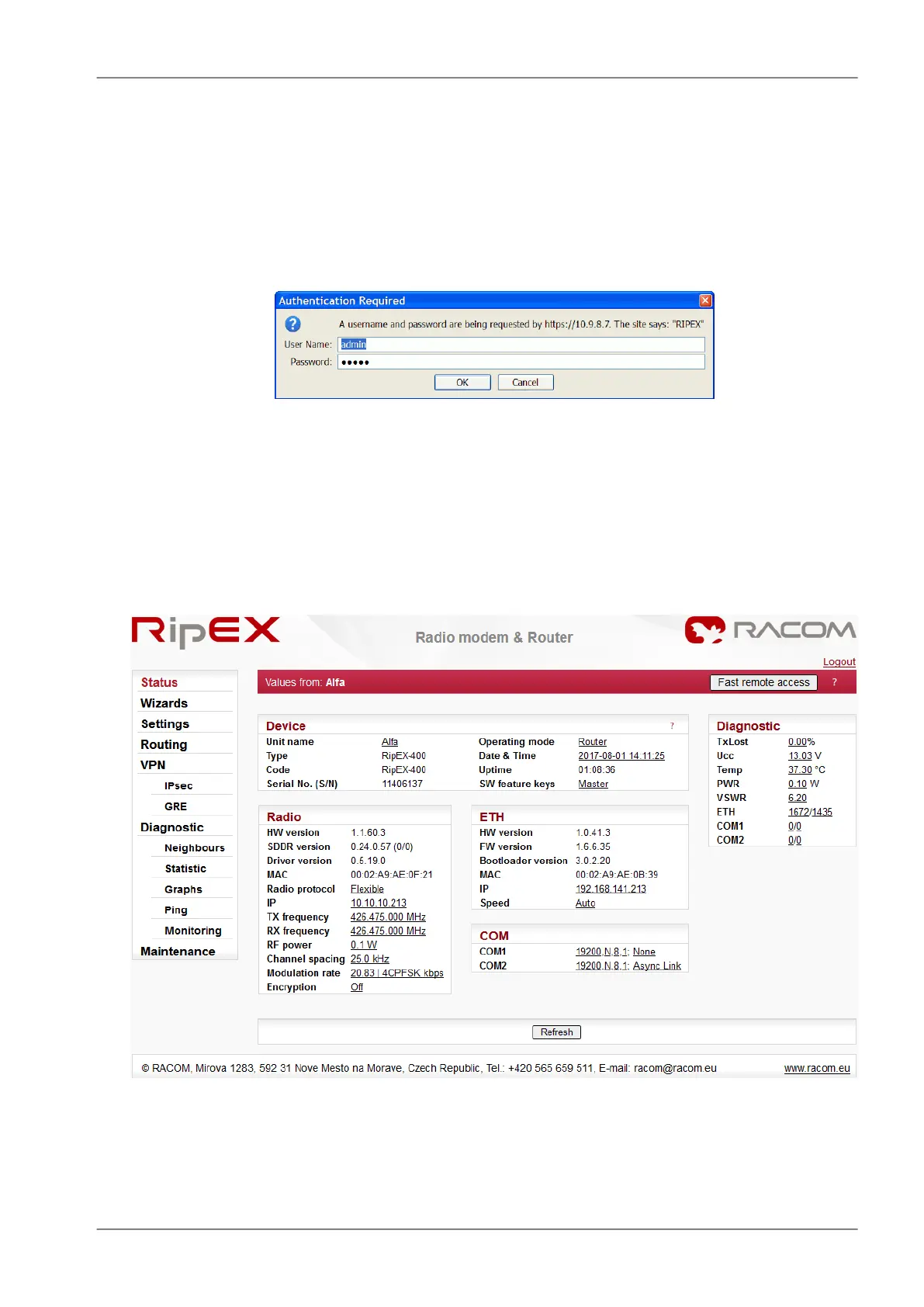
The login screen appears:
Fig. 5.4: Authentication
The default entries for a new RipEX are:
User name: admin
Password: admin
Click OK.
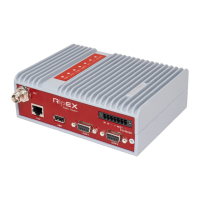
Initial screen should appear then:
Fig. 5.5: Status Menu
83© RACOM s.r.o. – RipEX Radio modem & Router
Bench test


 To Next Page