When a Remote RipEX is successfully connected, the Disconnect button shows up. When the
Disconnect process is executed, the Local RipEX (IP address in the Local box) can be managed
and the Unit name in the "Values from" box changes accordingly.
• Logout
Use the Logout link in the top right corner of the screen to logout the current user from the Local
unit.
Web browser tab description
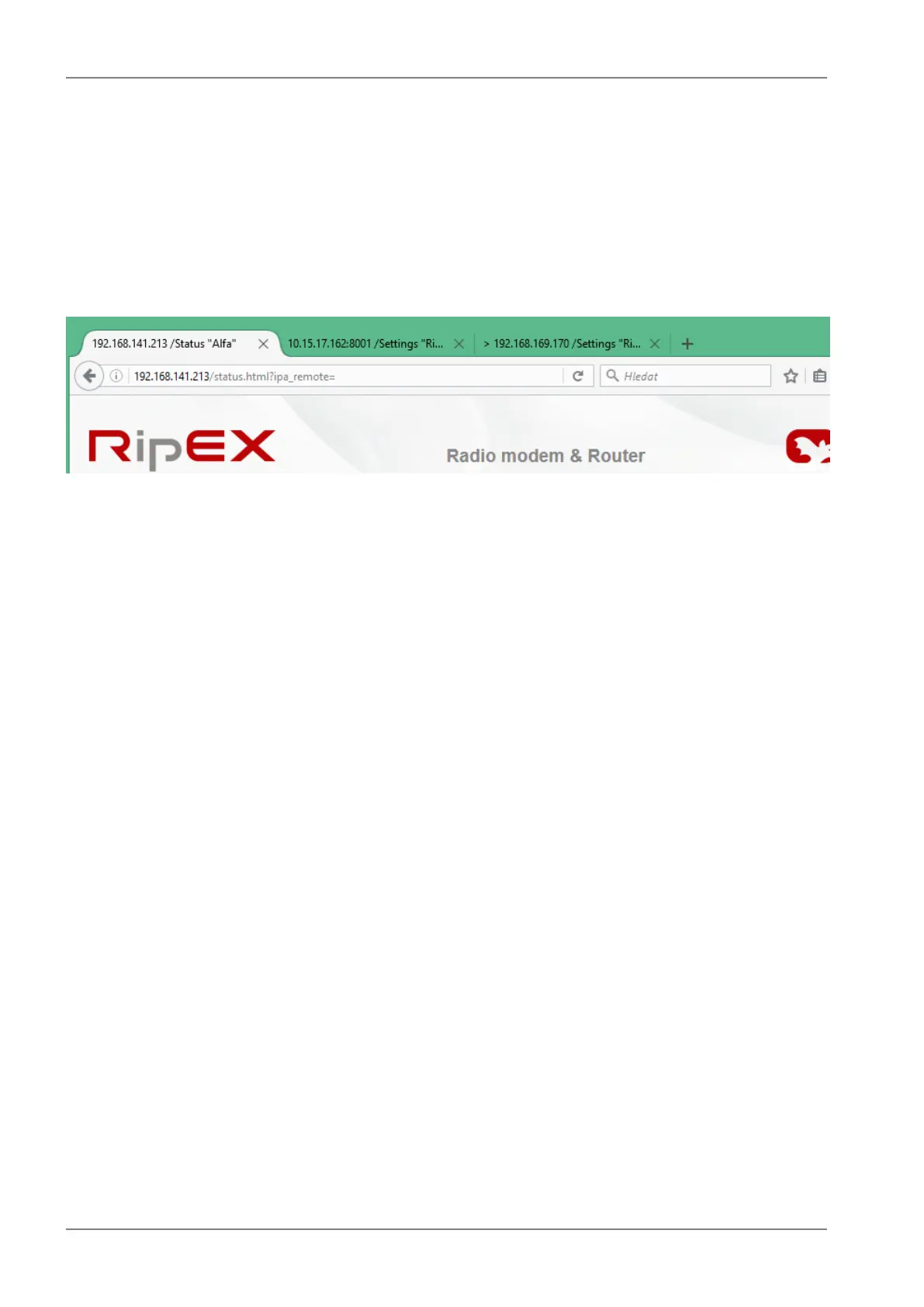
Fig. 7.2: Web browser
To facilitate management of multiple RipEX units at the same time, Web Browser tab names change
dynamically.
The tab name contains:
• IP address
• RipEX Ethernet interface IP address or IP address if connected via IP tunnel
• UDP port number if connected via IP tunnel
• ">" mark when Fast remote connection is used (optional)
• /Menu name "Unit name"
RipEX Radio modem & Router – © RACOM s.r.o.92
Advanced Configuration


 To Next Page