RC2
PLUS
USER MANUAL REV 9
small peak amplitudes so if the instrument is rapidly moved then small peaks may
be missed.
• OFF – raw data only, no data averaging
• 3P - 3-point averaging
• 5P - 5-point averaging
• 10P - 10-point averaging
Data Transfer - This option configures the data transfer settings.
• MEM - Data will be stored in internal memory
• OFF - No data will be stored.
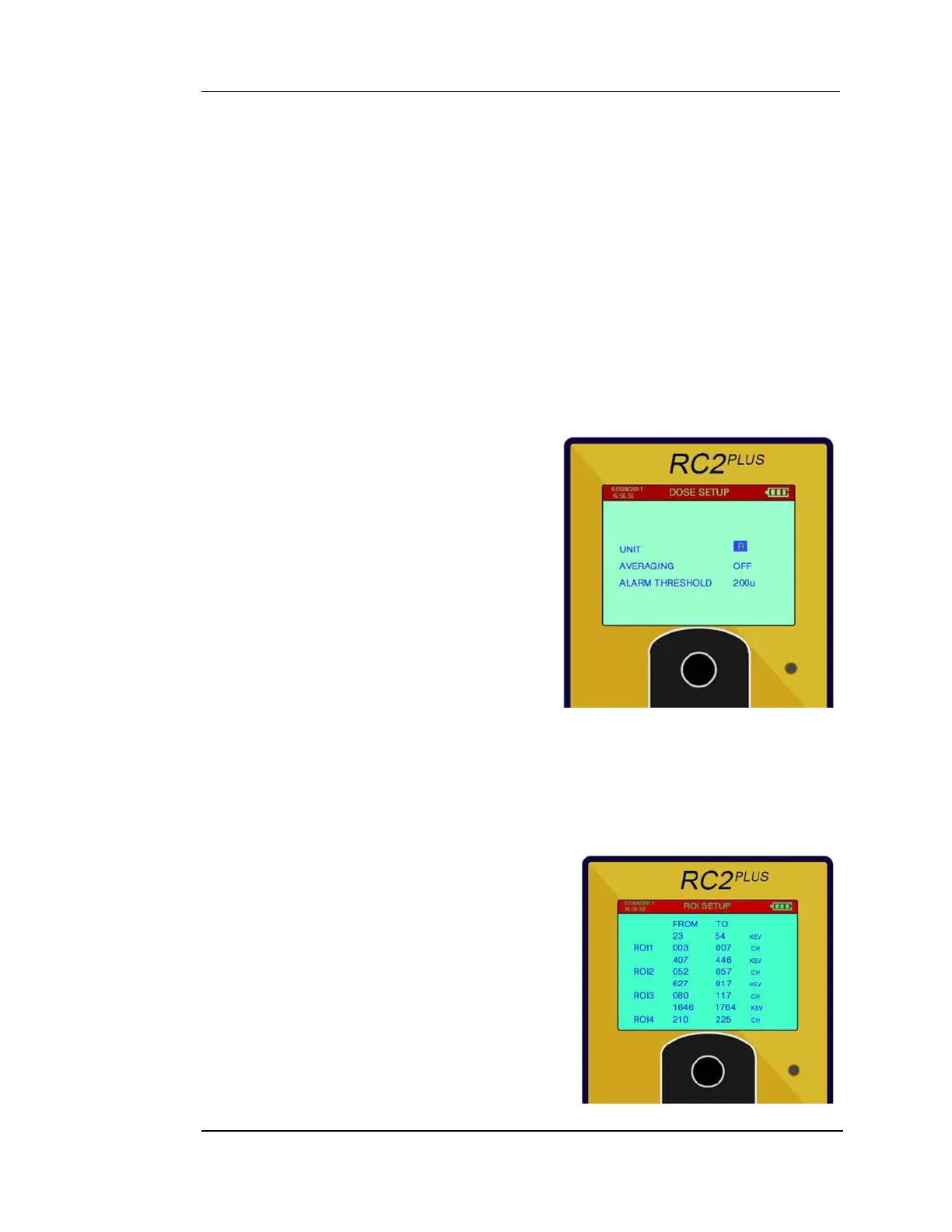
5.5.2 DOSE SETUP
5.5.2.1 UNIT
Unit sets the measurement units –selections
are R for radiation exposure and Sv for
radiation dose.
5.5.2.2 AVERAGING:
Averaging selects data averaging. Settings
are OFF, 3P, 5P, 10P. This uses a selectable
running means updated at the sample rate.
So a sample rate of 1 second and an
Averaging of 3P means that the data is a 3
point average updated every second.
5.5.2.3 ALARM THRESHOLD:
This sets the DOSE Alarm Level in micro units. Once set, if the Dose exceeds this
level the audio will alarm to warn the user.
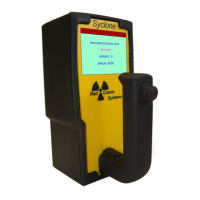
5.5.3 ROI SETUP
• ROI SETUP is for Users that are familiar with
Gamma Energy Spectroscopy. The system
can be optimized with ROIs energy ranges
that enhance the detection capability for
specific isotopes. The system is supplied
with default ROIs ranges for
241
Am,
192
Ir,
137
Cs and
60
Co. Also, the system includes a
default Total Count Range that cannot be
adjusted to ensure the maximum range of


 To Next Page