9. You will be warned that the device will be reset. If all the values are correct, click OK.
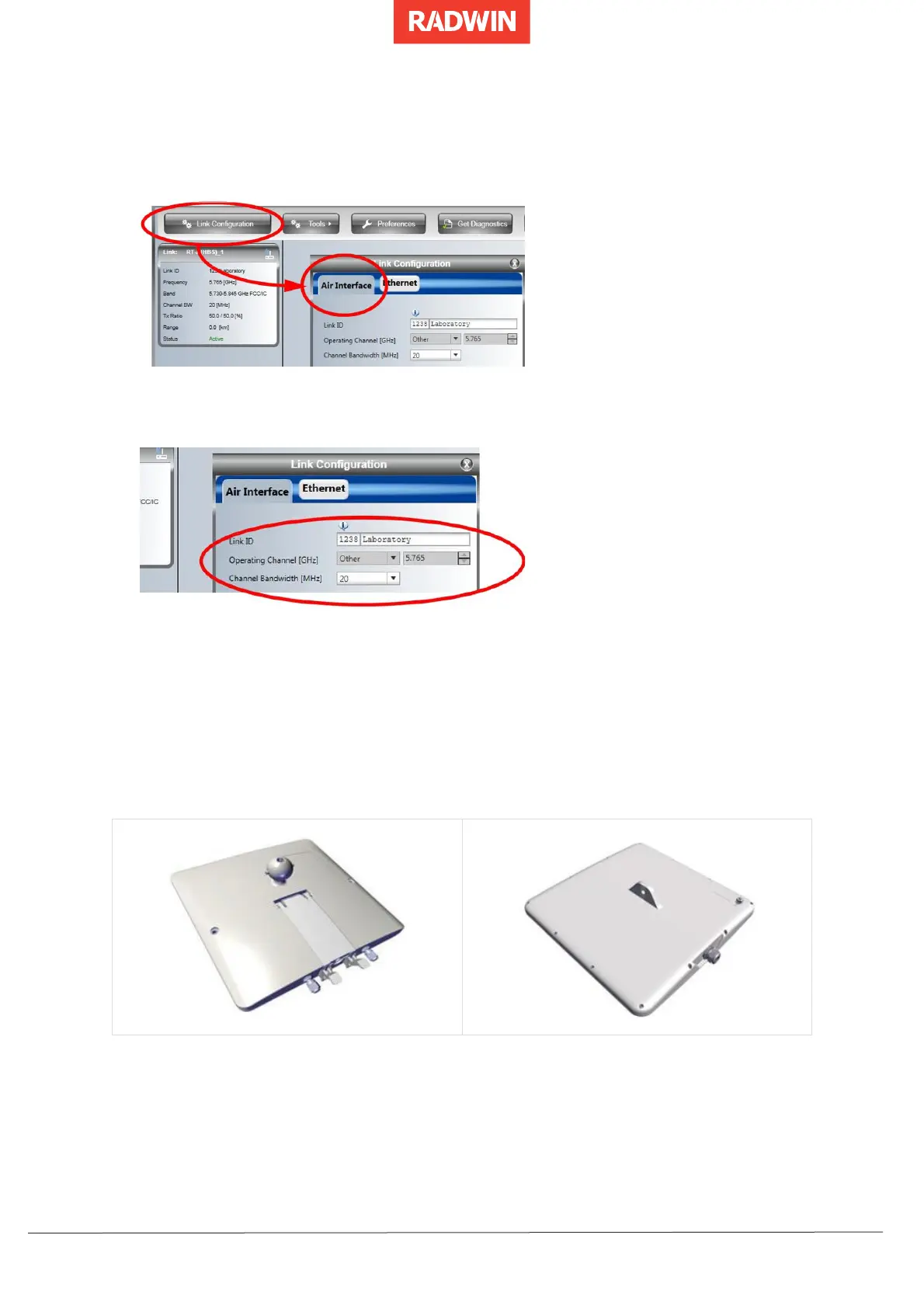
10. Click the Link Configuration button from the main window.
11. Select the Air Interface tab.
12. Enter the Link ID and the Channel Bandwidth in the indicated fields.
13. Click OK when done.
14. From a command line, ping the ODU using the new IP address to verify the changes.
15. Disconnect the ODU and prepare it for deployment in the field.
3.4.2 Configuring RADWIN 2000, Alpha EMB and RADWIN 2000
Alpha INT ODUs (3.x, 5.x and 6.4) for Connectivity
1. If you have not already done so, connect the ODU to your PC/network and power via
its input port.
2. In a browser, enter its IP address (default value: 10.0.0.120).
3. In the login page, enter the following credentials:
o username: admin


 To Next Page
 Loading...