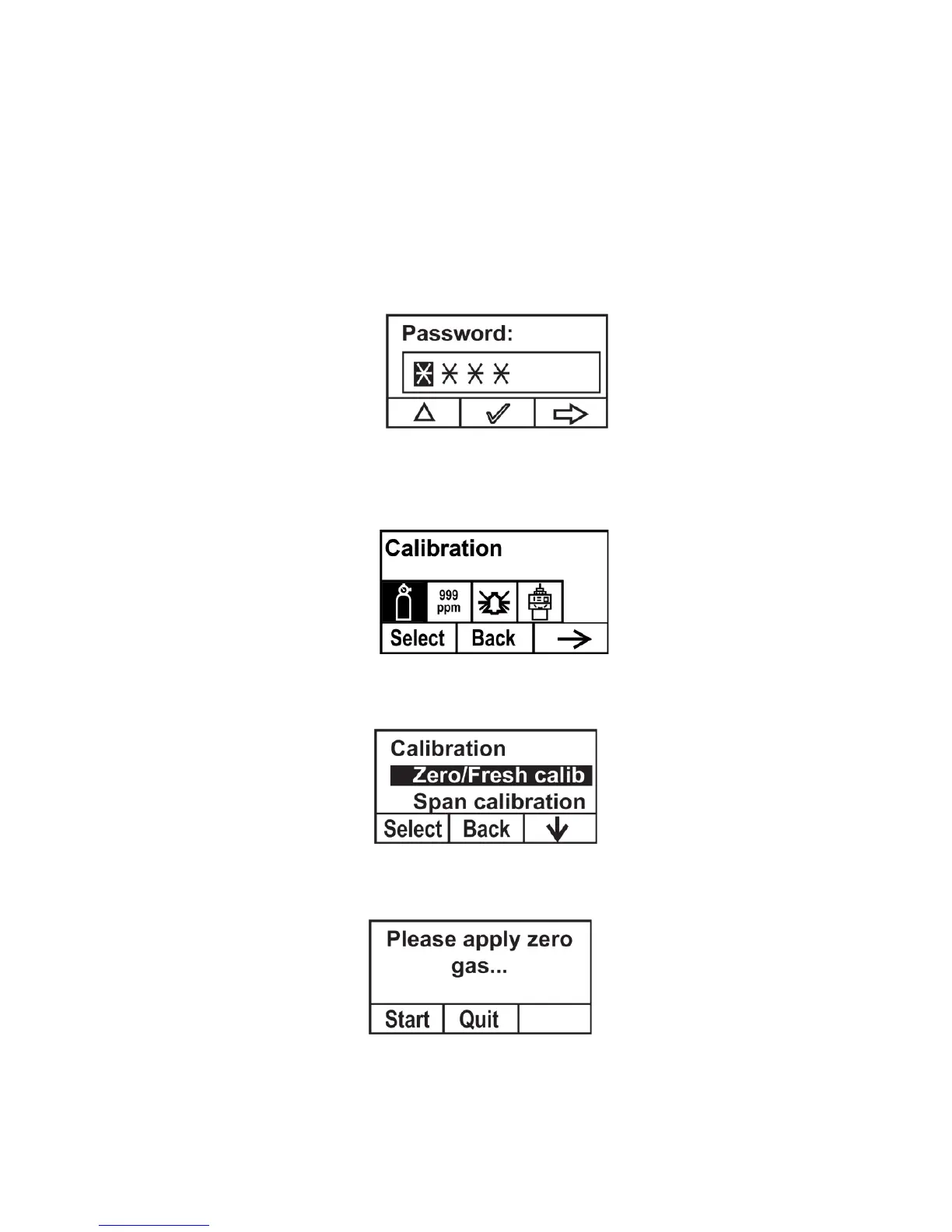
10.1 Zero Calibration
1. Connect the zero gas cylinder to the gas inlet port on the
RAEGuard2 PID using the provided calibration adapter.
2. In measurement mode, use the magnet key to press [+],
[-], and then [MODE] in sequence.
3. Input your password, followed by [-].
The instrument enters the calibration menu.
4. Press [+] to enter the Calibration menu.
5. Press [-] until “Zero/Fresh calibration” is highlighted.
Press [+], and this screen appears:
6. Start the gas flow.



 To Next Page