10.2 Span Calibration
1. Connect the calibration gas cylinder to the gas inlet port on
the RAEGuard2 PID using the provided calibration adapter.
Note: Make sure the labeled concentration of calibration gas
matches the value that is set in the RAEGuard 2 PID.
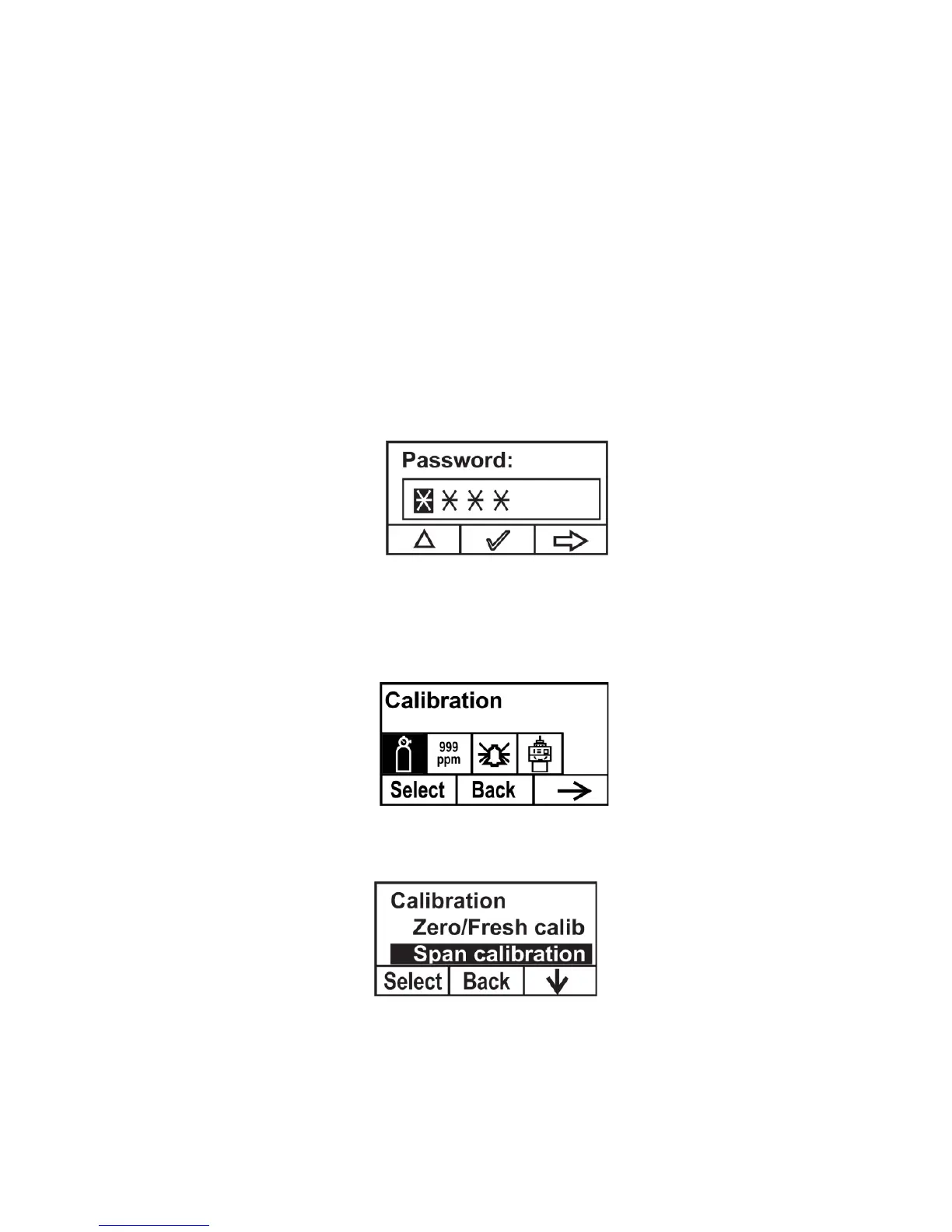
2. If the RAEGuard 2 PID is not already in Programming Mode,
use the magnet key to press [+], [-], and then [MODE] in
sequence.
3. Input your password, followed by [-].
The instrument enters the calibration menu.
4. Press [+] to enter the Calibration menu.
5. Press [-] until “Span calibration” is highlighted.



 To Next Page