GETTING TO KNOW YOUR INSTRUMENT PANEL 109
Stored Messages
Push and release the up or down ar row
button until the Messages Menu item is
high
lighted. This feature shows the number of
stored warning messages. Push and release the
right
or left arrow button to cycle through
st
ored messages.
Settings
Head-Up Display (HUD) – If Equipped
NOTE:
The HUD feature Settings are available at any
vehi
cle speed.
Push and release the up or
down ar row
button until the Settings Menu icon/title is
h
i
g
h
lighted in the instrument cluster display. Push
and release the left or right arrow button
un
til the HUD Menu icon/title is highlighted in the
i
n
s
t
rument cluster display. Push and release the
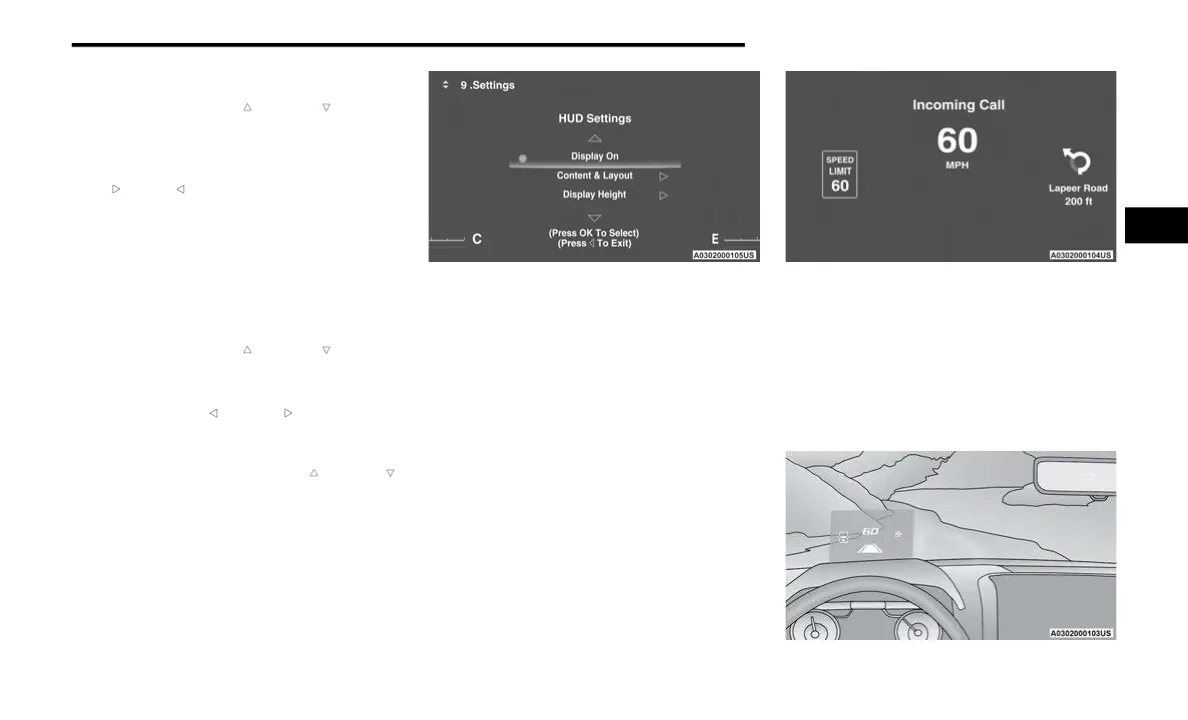
OK button to enter HUD. Use the up or down
arr
ow button to select a setting, then push and
r
e
l
e
ase the OK button to adjust the setting.
ON/OFF
HUD ON/OFF
When “Display On” is selected, the HUD will
disp
lay on the windshield. When it is not
selected, no display on the windshield.
Content and Layout
Simple: Speed, Speed Limit
Standard: Speed, Speed Limit, Navigation
Standard Mode
When “Standard” mode is selected, the HUD
imag
e is split into thirds with the speed limit
indicator shown to the left, vehicle speed in the
center, and turn-by-turn navigation to the right.
Advanced: Speed, Speed Limit, Navigation,
Driver Assist (ACC/Cruise, LaneSense,
Highway Assist/Highway Assist+), Gear
Advanced Mode
3



 To Next Page