1168233 46-R3
ROUBLESHOOTING
T
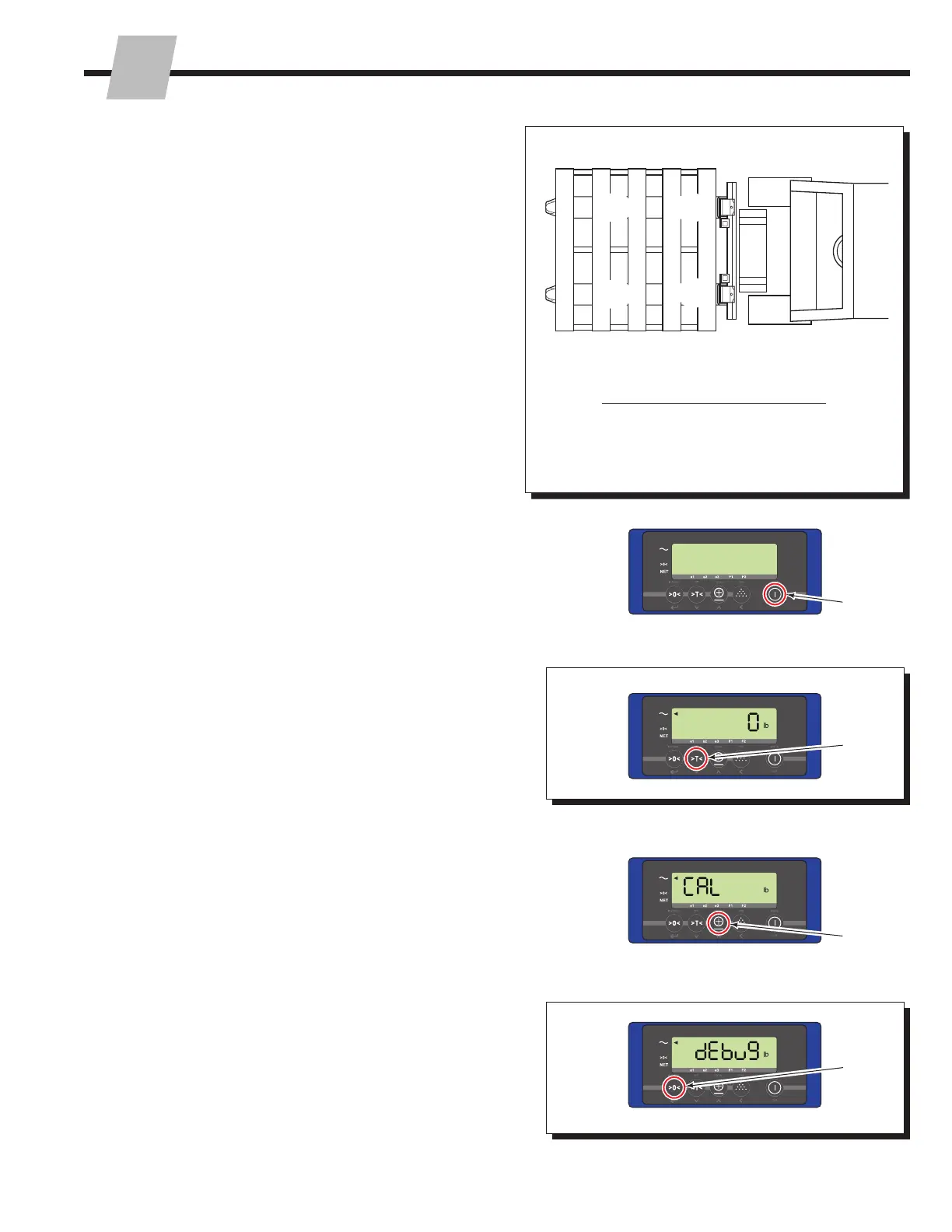
2.3-3 Debug Mode
NOTE: This procedure is recommended for scale
technicians.
Debug mode is a useful service tool for dealing with display
instability problems or when calibration is lost. Each iFork
assembly transmitter module has two AD (analog-to-digital
converter) chips and each load cell has one AD chip.
When the display is in debug mode, the number of counts
received from each AD chip is shown, individually. This
helps isolate which load cell could be the problem.
NOTE: The AD values shown on the display should be
close to each other for calibration.
NOTE: Both iFork assemblies must be turned on.
A
B
C D
Corner
(load cell
location) Display Arrow
A
B
C
D
e1
e2
e3
F1
Load Cell Layout and Corresponding Display Arrow
1 If required, turn on display.
2 Press and hold the "Tare" button for 25 seconds.
3 Press "Total" button until "DEBUG" shows.
4 Press the "Zero" button to enter debug mode.
Procedure continued on next page
FK0242.eps
1
4
2
3



 To Next Page