ERVICE
S
28 6823346-R3
3.1-5 Change Units
NOTE: Some software versions may not offer this
parameter.
NOTE: This procedure requires calibration settings to be
converted to the changed unit (lb or kg).
CAUTION: Verify that the display is version 2.13 or greater.
Earlier versions before 2.13 will require recalibrating the
iForks. Contact Cascade.
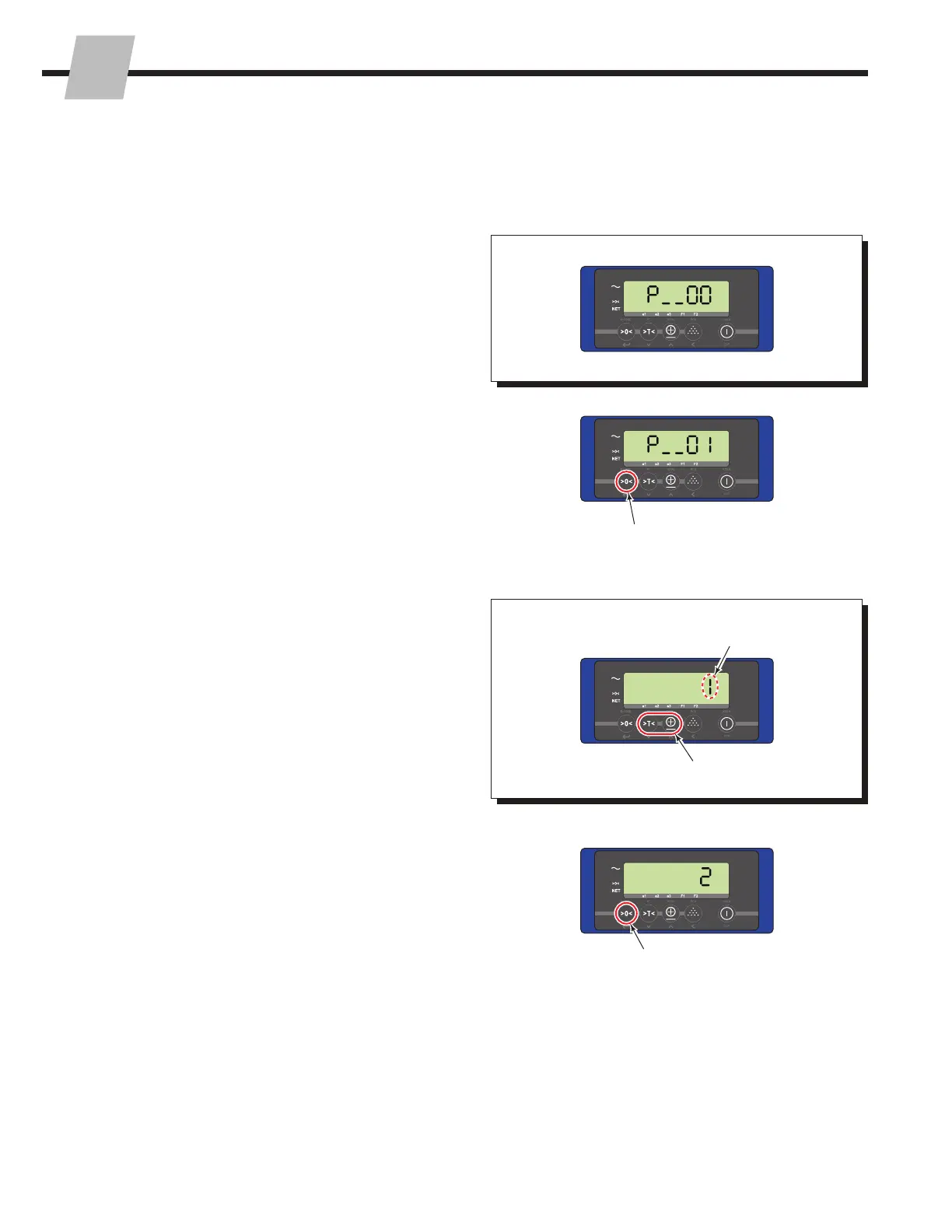
1 Access the Parameters Menu as described in Section
3.1-1.
4 Change the parameter from kg to lb or lb to kg using
the "Total" button. Refer to "Changing A Parameter's
Settings", Section 3.1-2, Step 5.
5 To accept the changed unit, press the "Zero" button.
2 Change the current parameter menu number to "01".
Refer to "Changing A Parameter", Section 3.1-2, Steps 2
and 3.
3 Press the "Zero" button to enter the selected parameter.
FK0278.eps
1
2
3
4
5
Change units
Use the "Tare" and "Total" Buttons
Procedure continued on next page



 To Next Page