ERVICE
S
30 6823346-R3
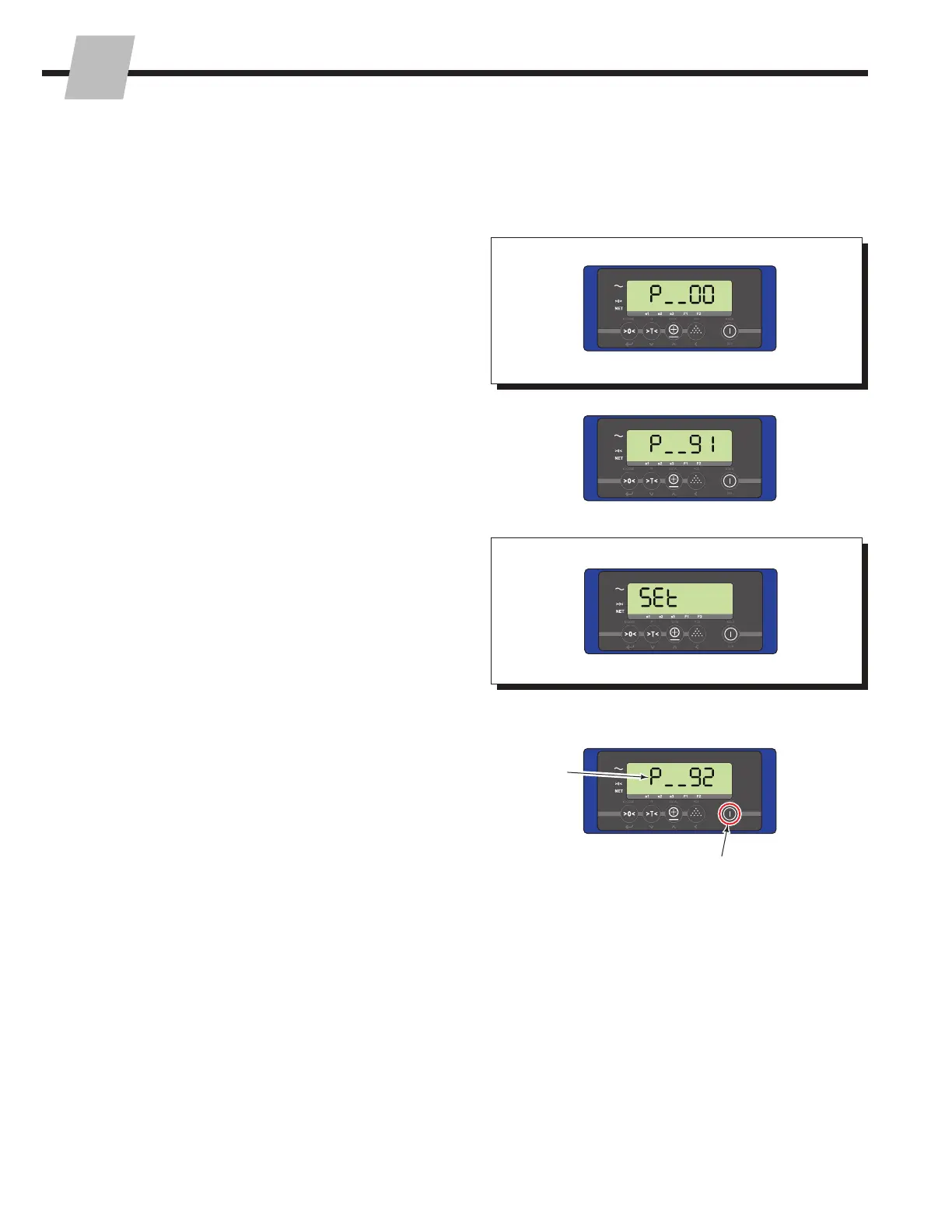
3.1-6 Reset Current Parameter
and Calibration Settings To
Default (Factory) Settings
4 The display will revert to the parameter menu, showing
parameter 92.
5 To exit, press the "On/Off" button two times.
3 The display will show "Set" for ten seconds.
2 Change the current parameter menu number to "91".
Refer to "Changing A Parameter's Settings", Section
3.1-2, Steps 2 and 3.
1 Access the Parameters Menu as described in Section
3.1-1.
FK0280.eps
1
2
3
4
5
IMPORTANT: Initial parameter settings are backed up
at the factory. The following procedure recovers factory
parameter settings.



 To Next Page