ERVICE
S
34 6823346-R3
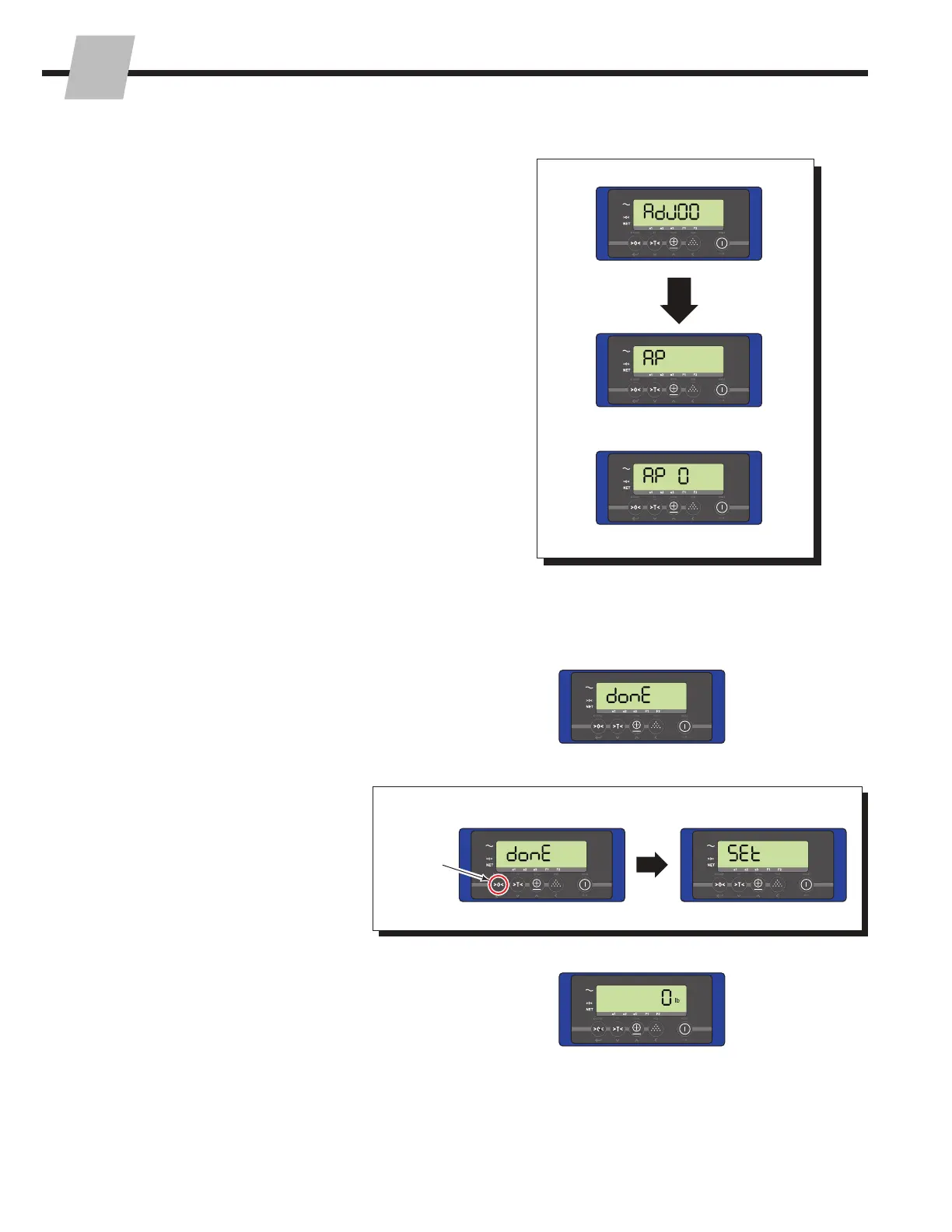
6 Software Versions 2.13 or newer – Then the display
will show "done".
• While "done" shows, press and hold the "Zero" button
for three seconds. This will store the calibration
value. The display will show "Set" while storing the
calibration value.
7 The display is zeroed and will return to normal weighing
mode.
3.2-3 Zero Calibration (continued)
To Store Zero Calibration Value:
Press and
hold the
"Zero"
button
for three
seconds
6
7
5
5 After the system has zeroed, the display will show "AP"
or "AP 0".
OR



 To Next Page