5
Manual No. 016-0159-822 Rev E 39
CONSOLE PROGRAMMING AND CALIBRATION
6. Press ENTER.
ENTERING DATA IN THE DATA LOCK MODE
1. Press the button of the variable to be edited.
2. Press ENTER. A message prompting for the data-lock code will appear.
3. Enter the data-lock code. If the code is correct, E will appear on the display.
4. Enter the data to be changed as usual.
CLEAR THE DATA-LOCK CODE
The Data-Lock feature may be disabled so that a data-lock code is not required in one of two ways. The code can
be changed to 0 as outlined in the Change the Data Lock Code section on page 38, or the console can be reset,
clearing the data-lock code from the system.
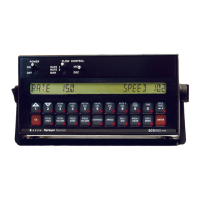
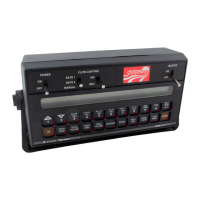
IMPORTANT: All calibration values entered into the SCS 440 console will be lost and must be reprogrammed.
To reset the console:
1. Turn the POWER ON/OFF switch to the OFF position.
2. Press CE and hold while turning the POWER ON/OFF switch to the ON position.
DECIMAL SHIFT FEATURE
IMPORTANT: When entering data for Rate 1 Cal and Rate 2 Cal, remember that 2 GPA [20 lit/ha] is entered as 2.0 [20.0]
when the decimal is unshifted, but is entered as 2.00 [20.00] when shifted.
IMPORTANT: When shifting or unshifting the decimal place, recheck all calibration values to verify they are correct.
The Decimal Shift feature is used to increase the system’s accuracy at low application rates. The following table
illustrates how shifting the decimal point can increase the system’s accuracy.
US Metric Turf
Unshifted Shift Unshifted Shift Unshifted Shift
Rate Display 000.0 00.00 0000 000.0 00.00 00.00
Rate Cal 000.0 00.00 0000 000.0 00.00 00.00
Tank Volume 0000 000.0 0000 000.0 000.0 000.0
Total Area 000.0 000.0 000.0 000.0 0000 0000
Total Volume 0000 000.0 0000 000.0 000.0 000.0
Field Area 000.0 000.0 000.0 000.0 0000 0000
Field Volume 0000 000.0 0000 000.0 000.0 000.0
Vol/Minute 0000 000.0 0000 000.0 000.0 000.0
Area/Hour 000.0 000.0 000.0 000.0 0000 0000
Rate +/- 000.0 00.00 0000 000.0 00.00 00.00
Low Tank Level 0000 000.0 0000 000.0 000.0 000.0
Low Vol/Min 0000 000.0 0000 000.0 000.0 000.0


 To Next Page
 Loading...