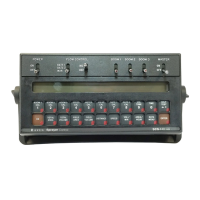
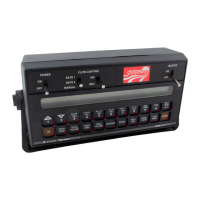
25
4) DISPLAY SMOOTHING ON/OFF
A) RATE display will show "diSP". DATA display will show "on".
B) Depressing
momentarily changes the DATA display between "on" and
"oFF". A value of "on" means smoothing is enabled; a value of "oFF" means
smoothing is disabled. The percent smoothing is determined by the third
digit of VALVE CAL value as shown:
Brake Point Digit
(3rd digit) of VALVE CAL 2 1 2 3
0 = 1% + Deadband 5 = 25% + Deadband
1 = 3% + Deadband 6 = 30% + Deadband
2 = 7% + Deadband 7 = 35% + Deadband
3 = 10% + Deadband 8 = 40% + Deadband
4 = 20% + Deadband 9 = 45% + Deadband
Actual rate is displayed if unit does not reach deadband within 10
seconds. "oFF" means RATE displays the actual rate at all times.
C) Momentarily depress
to advance to FAN RPM.
5) FAN RPM
A) RATE display will show "FAn". DATA display will show actual FAN RPM.
B) Momentarily depress to advance to LEFT SHAFT FAULT ON/OFF.
6) LEFT SHAFT FAULT ON/OFF
A) RATE display will show "SHFT". DATA display will show "loFF".
B) Depressing
momentarily changes the DATA display between "loFF" and
"l on". A value of "l on" means fault detector is enabled; a value of "loFF"
means fault detector is disabled.
C) Momentarily depress
to advance to RIGHT SHAFT FAULT ON/OFF.
7) RIGHT SHAFT FAULT ON/OFF
A) RATE display will show "SHFT". DATA display will show "2oFF".
B) Depressing
momentarily changes the DATA display between "2oFF" and
"2 on". A value of "2 on" means fault detector is enabled; a value of "2oFF"
means fault detector is disabled.
C) Momentarily depress
to advance to BIN LEVEL FAULT ON/OFF.


 To Next Page
 Loading...