84
FUNCTION BOARD ALARMS
Alarm Cause Description and Solution
AL_1: Function brushes ammeter Brush ammeter protection
Check the brush function mode of use. High brush motor working current
detected.
AL_2: Function vacuum ammeter Vacuum ammeter protection
Check the absorption of the vacuum motor. High brush motor working cur-
rent detected.
AL_3: Function powerstage fail Powerstage damaged Brush or vacuum powerstage damaged: replace board.
AL_4: Function overcurrent Overcurrent on brush or vacuum outputs
Overcurrent detected on brush or vacuum motor output:
Check motor connections and status.
AL_5: Function overtemperature
Thermal protection on brush/vacuum
stage
Brush and vacuum powerstage overheating:
check absorptions.
AL_6: Function Act1: endsw fail
Fault on brush actuator limit switch rea-
ding
Fault in the limit switch con guration. Check brush actuator limit switch
connections and status.
AL_8: Function Act1: timeout
Brush actuator:
nal position not reached
Position of brush actuator not reached in the maximum time allowed. Check
actuator connections and/or for any mechanical obstructions.
AL_9: Function Act2: timeout
Squeegee actuator:
nal position not reached
Squeegee actuator position not reached in the maximum time allowed.
Check actuator connections and/or for any mechanical obstructions.
AL_20: General EEprom fail Internal memory reading error Replace board.
AL_21: General Key-o failure Wrong key sequence.
Rebound detected on the key signal:
Check connections and key contact status.
AL_22: General main rele fail
General remote control switch damaged
or vacuum motor disconnected
The general remote control switch seems damaged: check the connections
and operation of the vacuum motor; check the fuse for the power electric
board and make sure that the remote control switch operates correctly. Re-
place the remote control switch if damaged.
AL_23: General overvoltage Overvoltage.
Overvoltage detected on the function board.
Check battery connections.
AL_24: Traction batt connection
Battery not connected to the function
board
Check the traction function mode of use. High traction motor working cur-
rent detected.
AL_25: General keyboard fail No dashboard-functions communication Check connections between keyboard and functions.
AL_26: General RX-TX traction No traction-functions communication Check connections between traction board and functions.
NB: For information on the alarms, contact the Assistance Service.
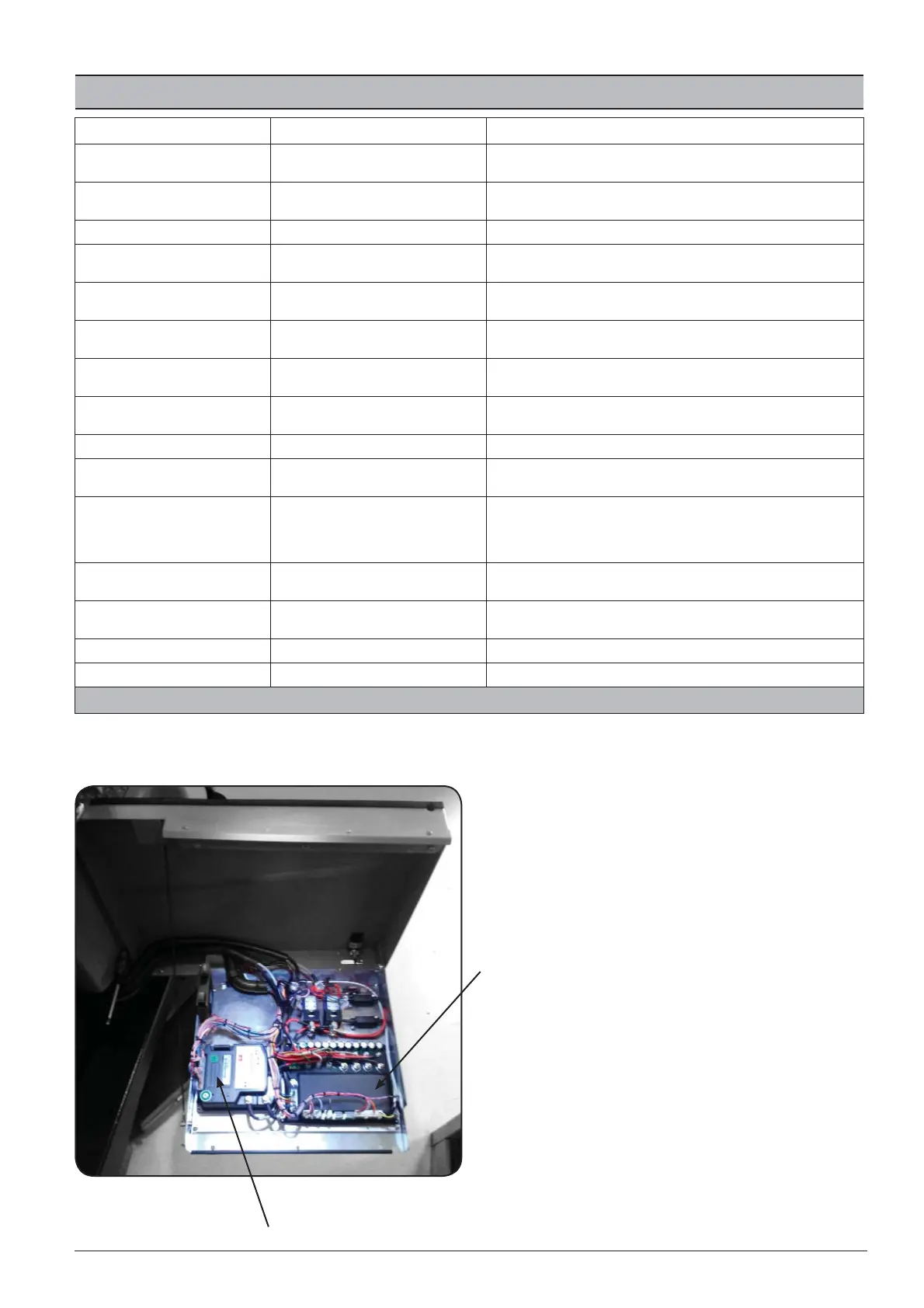
FUNCTION BOARD
INVERTER TRACTION



 To Next Page