DIGITAL INCUBATOR
2. Before use
12
(3) APS Assembly / Speed Control /
Tube Replacement/ Storage and Cleaning
1 drop per 3 sec.
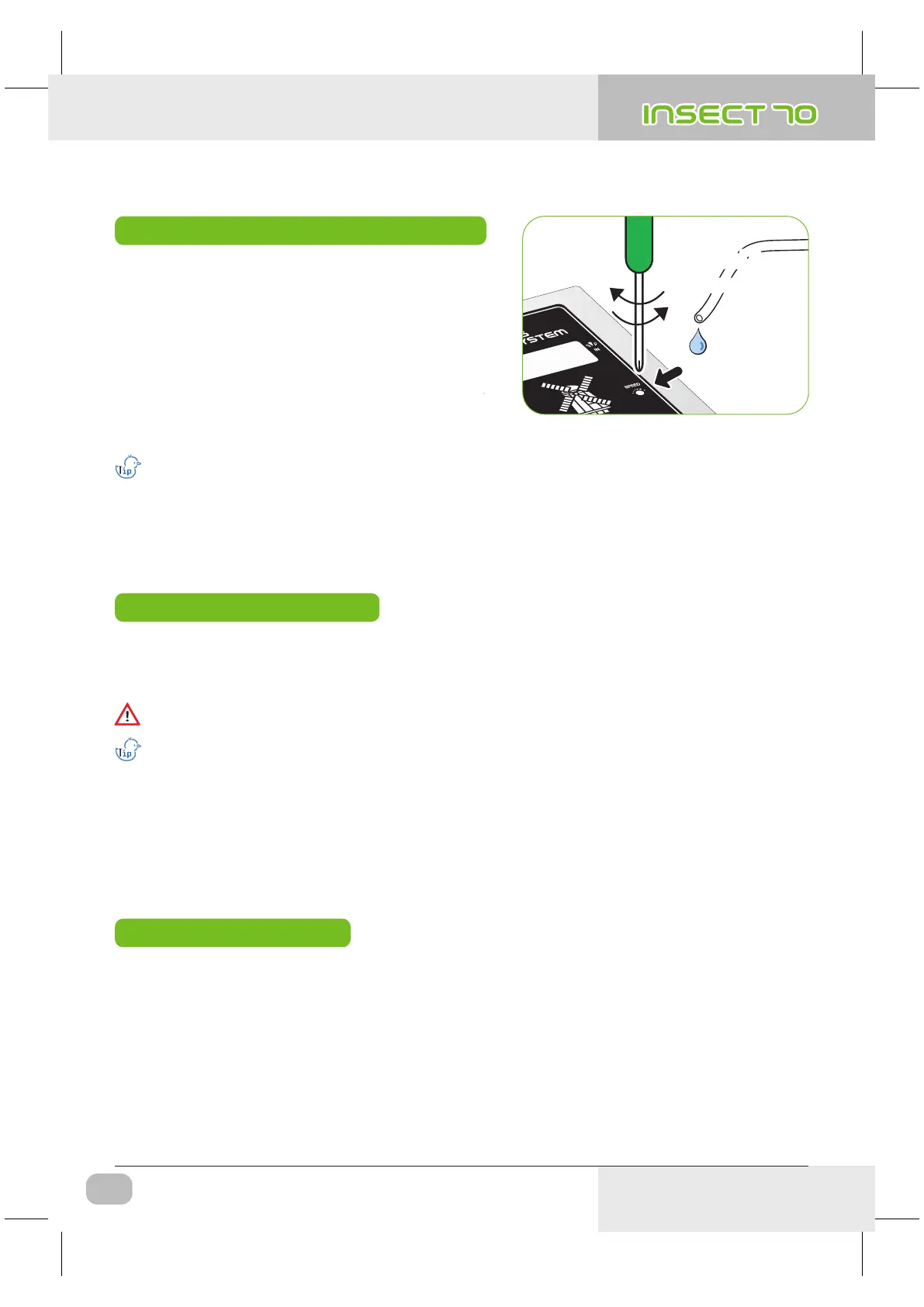
How to Control Water Flow Speed in APS
How to Replace the Tube
Humidity will raise up very slowly as artificial intelligence function check and memorize ambient conditions
to keep incubator inside with optimum conditions.
If water does not flow out even if pumping motor is working, check if silicon tube is blocked or folded.
Be sure to use the silicon tube supplied from Autoelex(Rcom). (Ø2.6 × 3.5)
▶ The amount of water for humidification can be easily
controlled with APS.
▶ With cross type screw driver, turn "Speed" clockwise
to increase water flow and vice versa to decrease.
Storage and Cleaning
▶ Do not wash APS with water but wipe with soft cloth.
▶ When assembling again, stretch the tube to open the hole in case the tube is blocked.
▶ In case of long time storage, detach the silicon tube from the APS and remove the water from the tube.
Keep the tube unkinked. It stops the tube hole from blocking.
▶ To prevent water over flowing and dropping down in to
the chamber, it is recommended to use the APS with
lowest water flow speed. (1 drop of water in 3 sec.)
▶ If the silicone tube wear out and it does not pump water effectively, you should replace silicone tube.
[Refer to the page 13]
※ If it failed in pumping water, check direction of IN and OUT again, and also check if motor is turning with anti-
clockwise. Also, length of silicon tube should be 35mm and inserted correctly. [Refer to the page 13]
USA & Canada Official Sales & Service https://www.R-Com-Hatcher.com
Insect Incubator Rcom Max 70 User Manual



 To Next Page