DIGITAL INCUBATOR
3. Incubation
(2) Incubation Start /
Incubation Termination
15
POWER INLET
PUMP POWER
OUT
IN
Pump Power
Power Cord
Pump Power
Power Cord
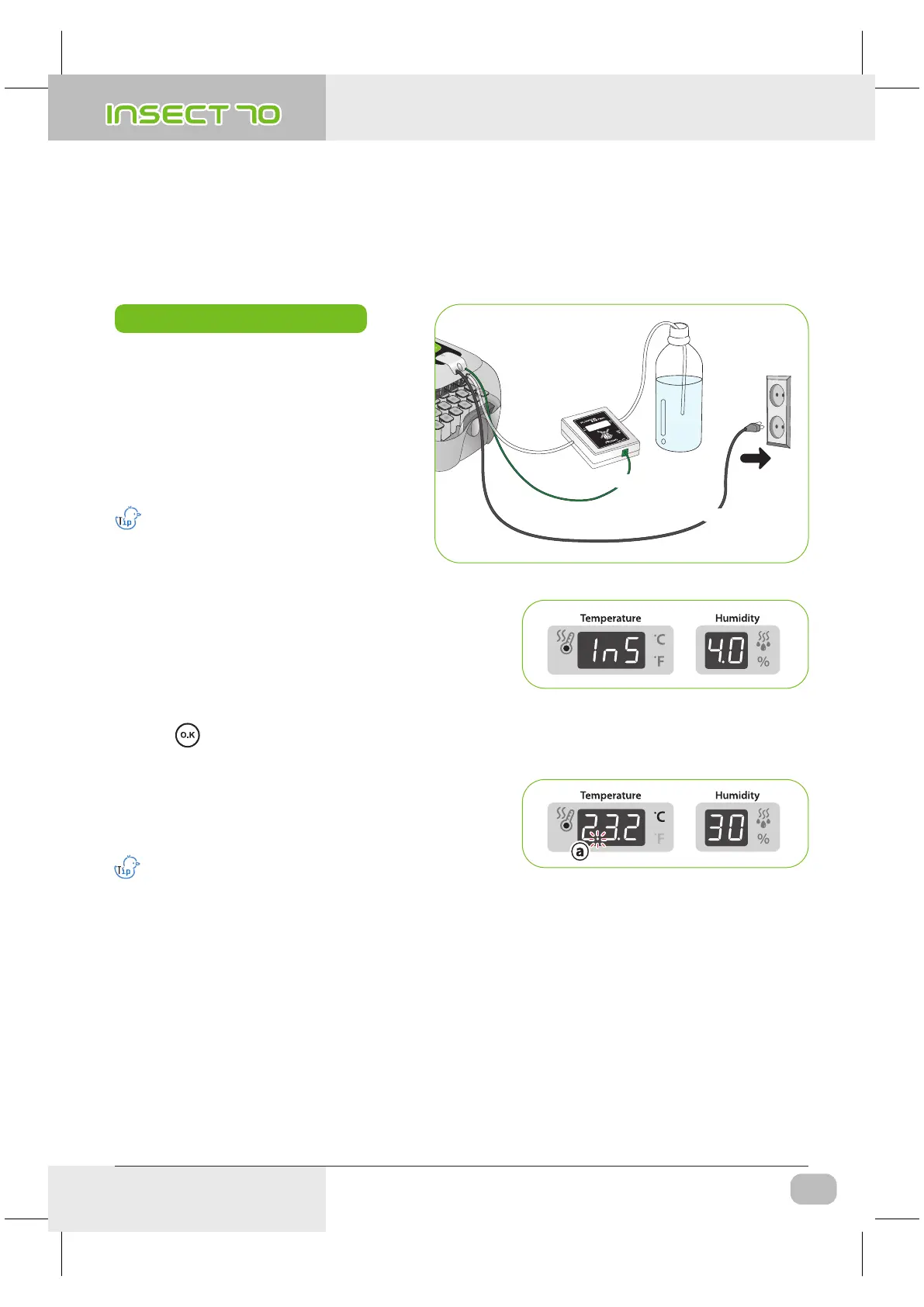
How to Start Incubation
▶ If you connect power cord, incubator starts
incubation with factory set conditions.
[Factory setting : Temperature 35.0℃ (95℉),
Humidity RH 60%]
※ Start incubation with required temperature
& humidity for your species of birds.
There can be some odor the first time
you use incubator, which is normal.
▶ The first time you connect power, FND light will blink and
pump will work for about 2sec. Then, incubator version
will be indicated on FND for about 1 sec.
▶ After version indication, buzzer sounds for about 15sec.
At the same time, present temp. & humidity displayed and
power failure alarm indication ⓐ is blinking.
▶ Press button to remove buzzer and alarm indication.
(Buzzer will be removed automatically after 15sec.)
※ Notice of Power Failure : If power is turned off and then
on again because of power failure or by mistake, first dot
will blink.
▶ Incubator display current temperature and humidity, and it goes to setting conditions within an hour.
Quick Start : If you just connect power, it automatically
starts incubation with factory setting. [Factory setting :
Temperature 35.0℃ (95℉), Humidity RH 60%]
※ The artificial intelligence system memorizes and classifies ambient conditions for keeping optimum temperature,
and temperature can move up slowly at the first stage.
USA & Canada Official Sales & Service https://www.R-Com-Hatcher.com
Insect Incubator Rcom Max 70 User Manual



 To Next Page