DIGITAL INCUBATOR
22
6. Product Information
(1) How to Replace
the Fuse
How to Replace the Fuse
▶ If power does not turn on even if you connect the plug,
check fuse.
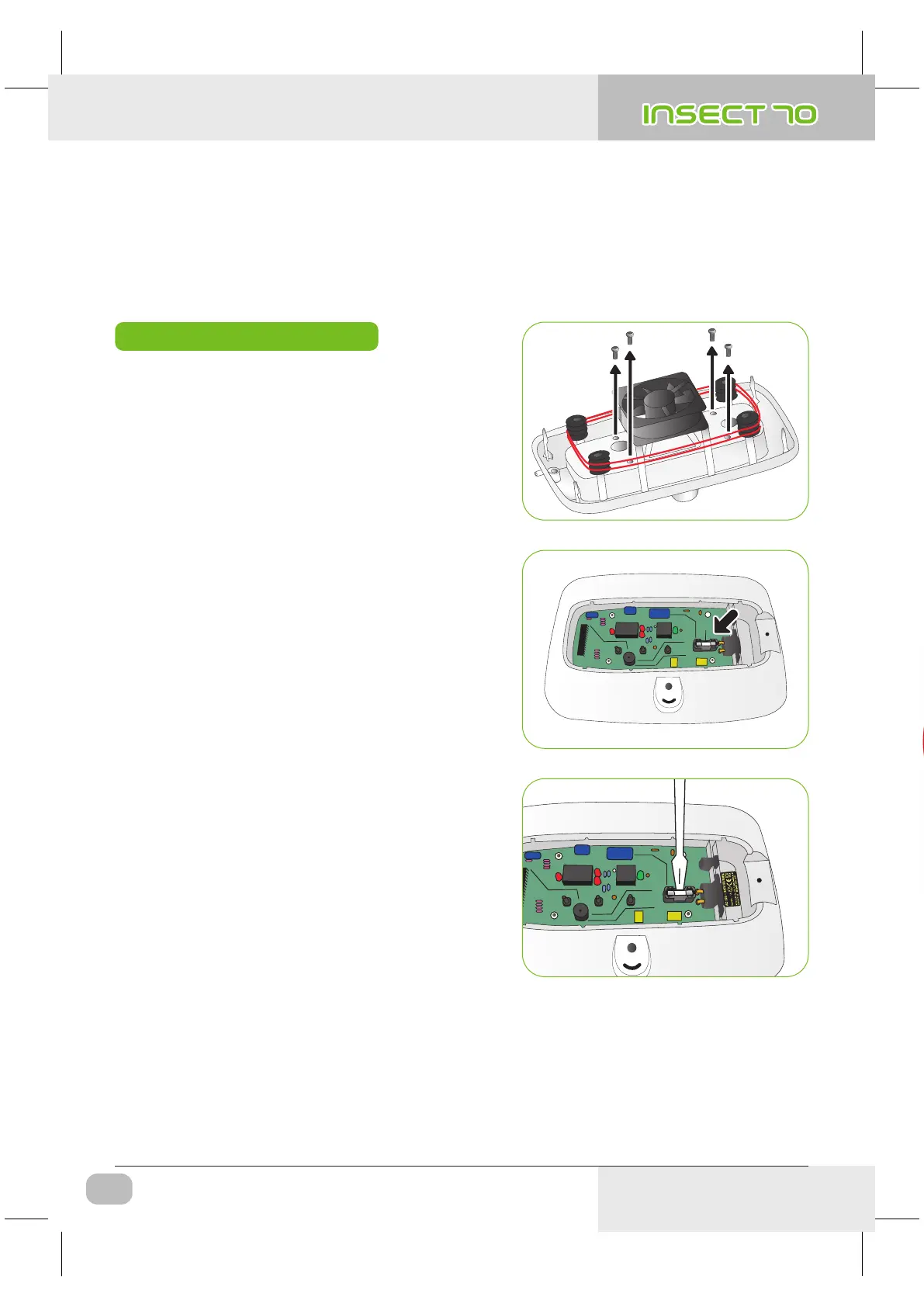
▶ Open the cover as Fig. then you can see fuse equipped
PCB. Remove damaged fuse with screwdriver.
※ If the cover is not completely closed, moisture preventing
ring will not attached correctly and moisture can be flow
in to the PCB part.
▶ Replace with new fuse.
( 250V 2.0A Ø5*20mm )
▶ Reassemble with the opposite order of disassemble.
USA & Canada Official Sales & Service https://www.R-Com-Hatcher.com
Insect Incubator Rcom Max 70 User Manual



 To Next Page