DIGITAL INCUBATOR
5. Management
20
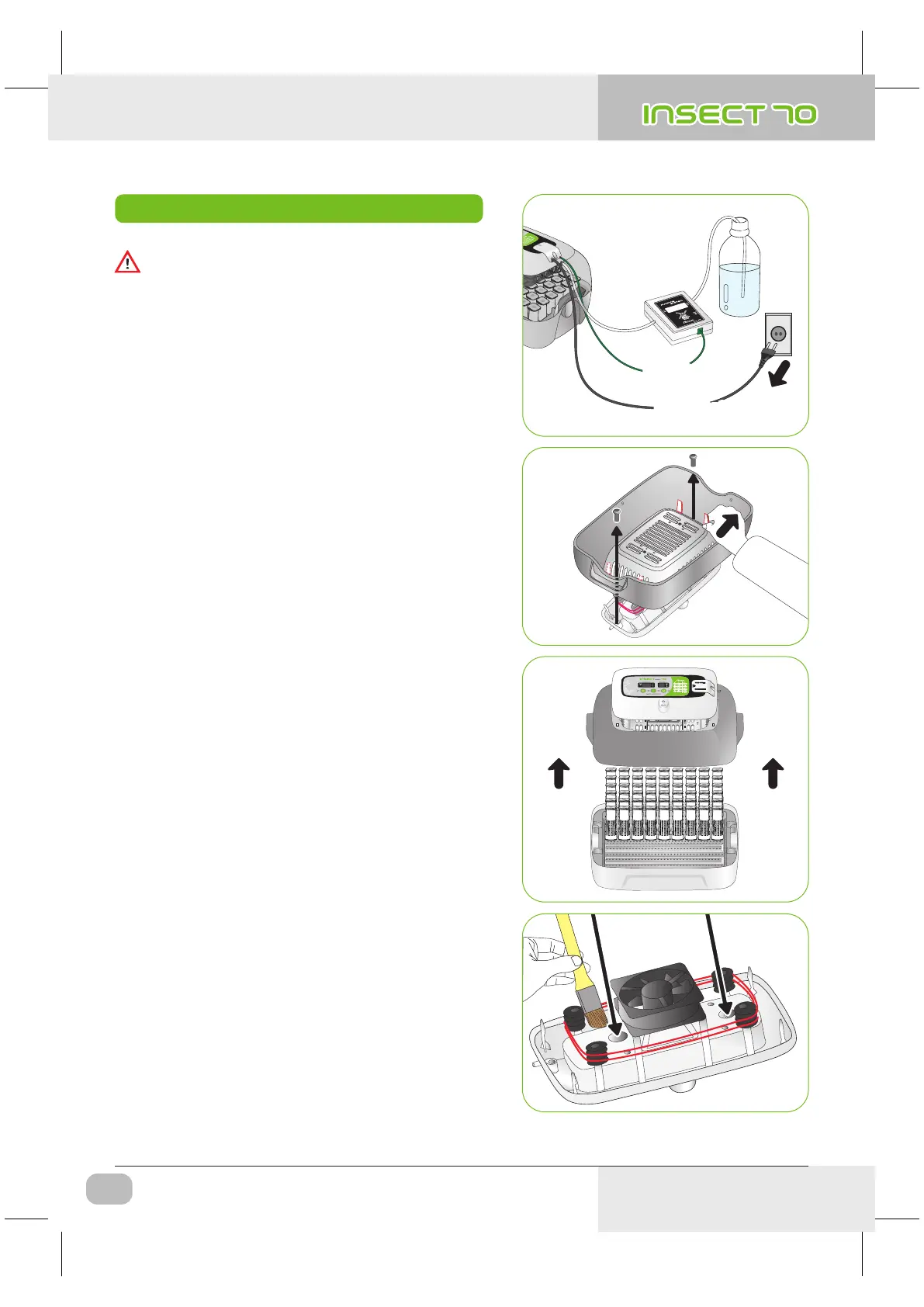
(1) How to Disassemble
and Clean the Incubator
POWER INLET
PUMP POWER
OUT
IN
Pump Power
Power Cord
Pump Power
Power Cord
▶ After incubation terminated, never leave the incubator
covered with view window.
Moisture inside of the incubator vaporizes and it can stick
to electric parts causing operation failure.
Be sure to dry the incubator perfectly.
How to Disassemble and Clean the Incubator
Be sure to take off power cord before cleaning the
incubator.
▶ Remove main controller from view window.
[Refer to the page 9]
▶ Wipe the main controller smoothly with soft brush.
Be careful not to give impact to sensor part or heating
part.
▶ Temp. & Humidity sensor is assembled with connector
for easy replacement in case of trouble.
USA & Canada Official Sales & Service https://www.R-Com-Hatcher.com
Insect Incubator Rcom Max 70 User Manual



 To Next Page