DIGITAL INCUBATOR
POWER INLET
PUMP POWER
OUT
IN
Pump Power
Power Cord
POWER INLET
PUMP POWER
HOLD
OUT
SPEED
3. Incubation
4. Function Settings
16
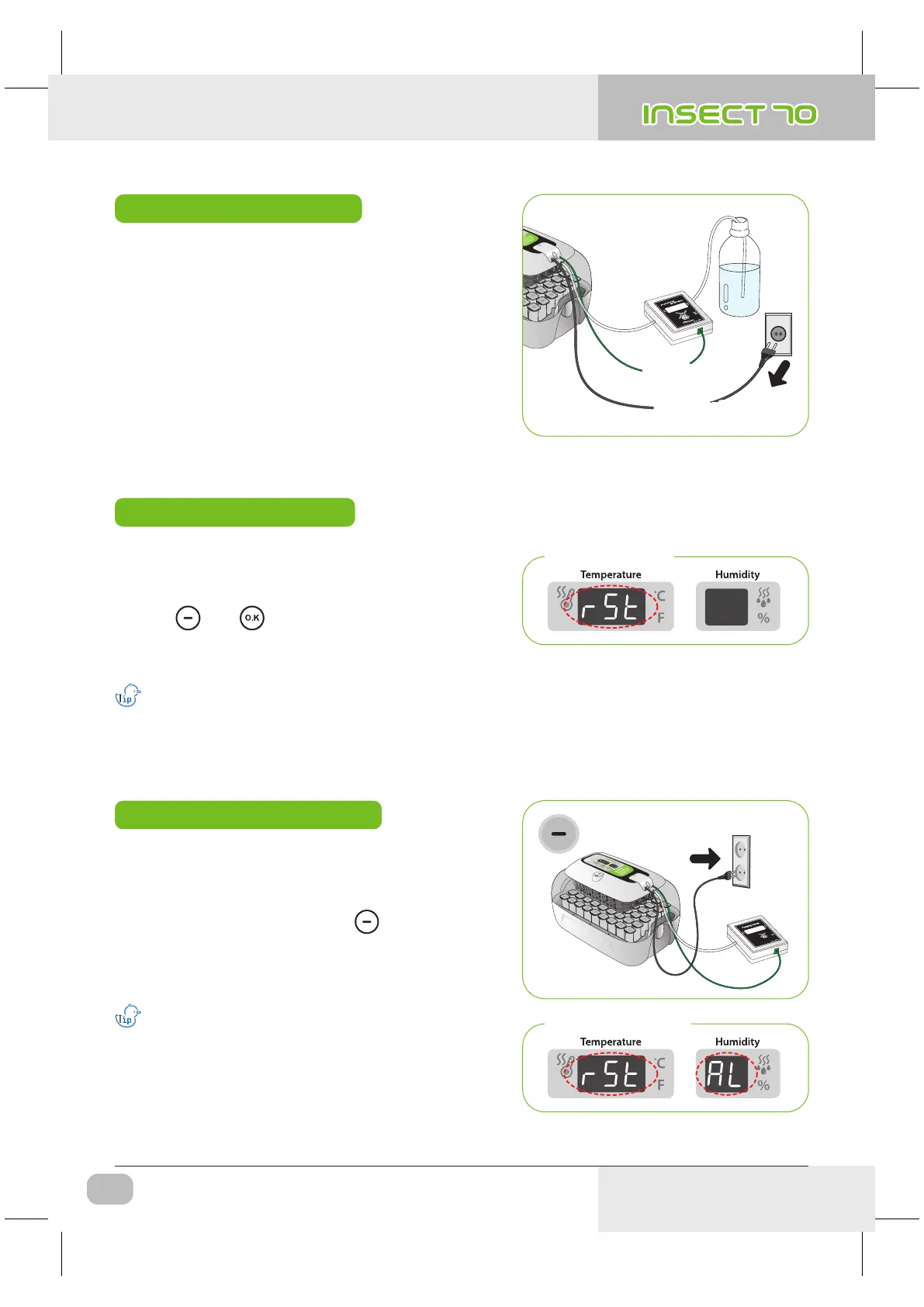
(2) Incubation Start / Incubation Termination
(1) Incubator Initialization / Return to Factory Setting
Incubation Termination
▶ There is no specified ON or OFF button on the incubator.
Just turn off the power cord after hatching.
▶ It is not necessary to do Incubator Initialization with
Insect MAX 70 incubator after hatching. Just connect
power again when you want to start incubation.
Pump Power
Power Cord
Calibrated setting value will not be initialized with this function.
[If you need to initialize calibrated setting, refer to FACTORY SETTING next page.]
▶ This function can be used when user input wrong setting,
or incubation termination.
▶ Press and button at the same time for about
5sec. then display will show "rSt" and incubator returns
to default setting.
Incubator Initialization
Initialization Display
▶ Unplug power cord. Replug during button is press
ed. Then, "rSt AL" will indicated in display, and incubator
return to factory setting. [Default setting]
▶ This function is for return incubator to factory setting.
Return to Factory Setting
Calibrated temperature and humidity will also return
to factory setting.
Factory Setting Display
USA & Canada Official Sales & Service https://www.R-Com-Hatcher.com
Insect Incubator Rcom Max 70 User Manual



 To Next Page