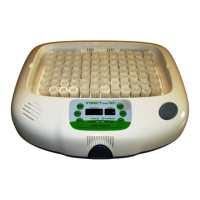
DIGITAL INCUBATOR
4. Function Settings
Function Key
Function
Dispaly
Default Setting
Temp.
35.0℃
tEP
Humidity
60%
rH HI
2℃
Abnormal high
temp. alarm
LO
-3℃
Abnormal low
temp. alarm
℃
℃ / ℉
Centigrade / Fahrenheit
17
(2) Temperature Setting&Humidity Setting /
How to Set Abnormal High Temp. Alarm
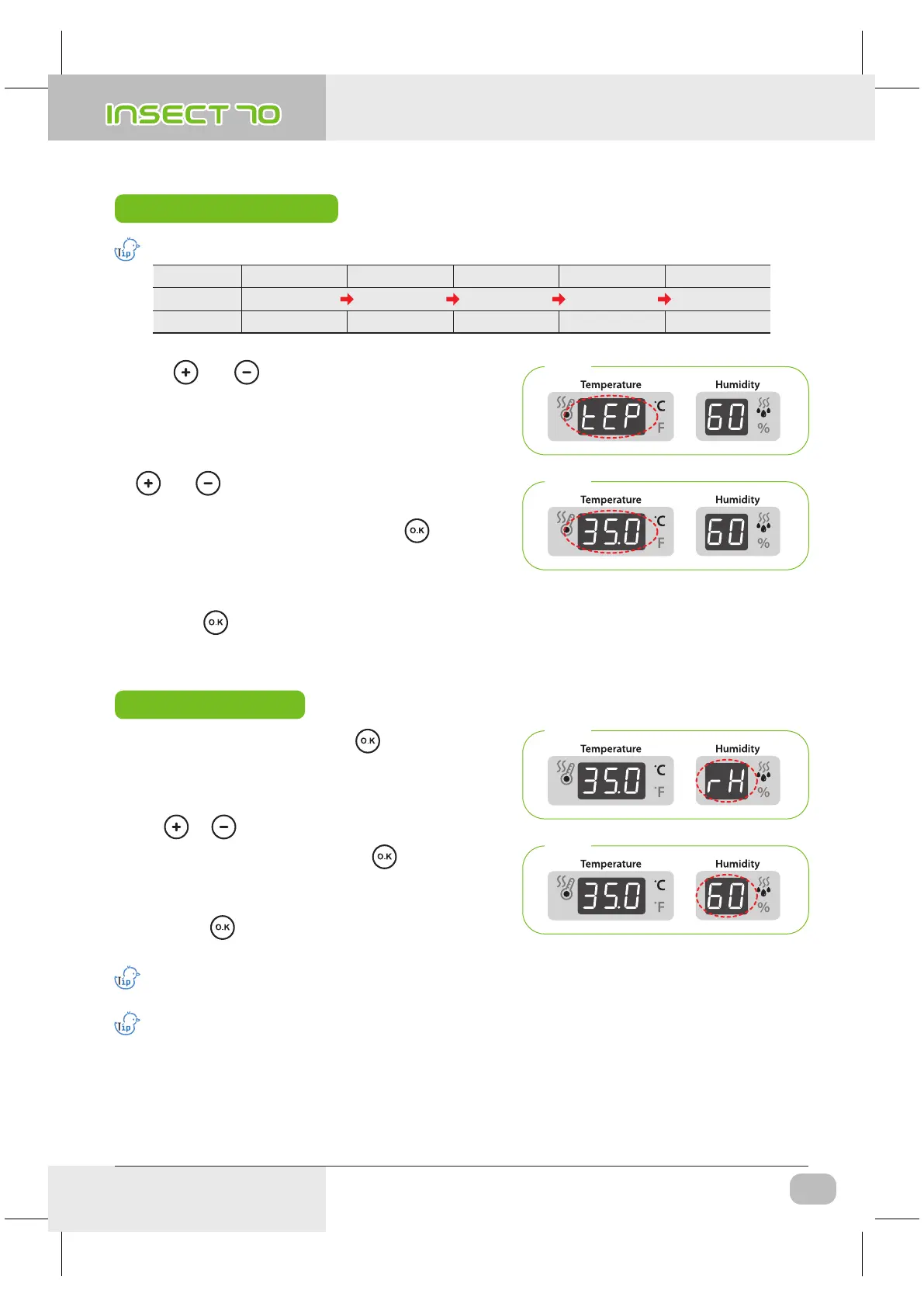
Temperature Setting
Step 2
Step 1
※ Just press button if you do not need to change setting.
▶ Press and button at the same time then “ tEP ”
will be indicated for about 0.5sec. and then temp display
will blink.
▶ Then, you can adjust temperature with
and button. [Default setting: 35℃ (95℉)]
▶ After setting required temperature, press button
once then setting will be stored.
Next, “rH” will indicated in humidity display for about 0.5
sec. and then humidity display will blink.
Step 3
Step 4
Humidity Setting
▶ When humidity display is blinking, adjust humidity setting
with or button. [Default setting : RH 45%]
▶ After setting required humidity, press button once
then setting will be stored. Next, “HI” will be indicated for
about 0.5sec.
※ Just press button if you do not need to change
setting.
The temperature and humidity level is optimized according to the international standard at the time of ship
ping. It could be recalibrated by the user if the user wishes to do so, but this is not recommended.
When in need of adjustment, please refer to our homepage (www.Rcom.co.kr → Information → User Manual
Category) or contact the place of purchase. Commercially available thermometer and hygrometers may have
drastic measurement deviations, so it is recommended to use thermometer and hygrometer designated for
this purpose. [Designated Thermometer and hygrometer – Refer to Rcom Homepage]
Insect MAX 70 is available to automatic humidity raise only, if you want to control low humidity level,
please adjust "Air Controlling Lever" by manual [refer to page 13]
▶ From the temperature setting, press
button once and
“rH” (Humidity) will be displayed for 0.5 second and humidity
display will blink.
USA & Canada Official Sales & Service https://www.R-Com-Hatcher.com
Insect Incubator Rcom Max 70 User Manual



 To Next Page