EC9000i / 9100i / 9600i Series Scanner User Guide Maintaining your scanner
Cleaning the outside cabinetry
Use a damp cloth and mild soap.
Cleaning the inside of the scanner unit
1. Remove the front cover and the endorsement printer cover.
2. Use a dusting brush designed for use with electronic equipment or a compressed air duster to
clean inside the scanner.
3. Replace the covers.
Cleaning the image sensor
Caution: Always disconnect the unit from its power source before cleaning the image sensor.
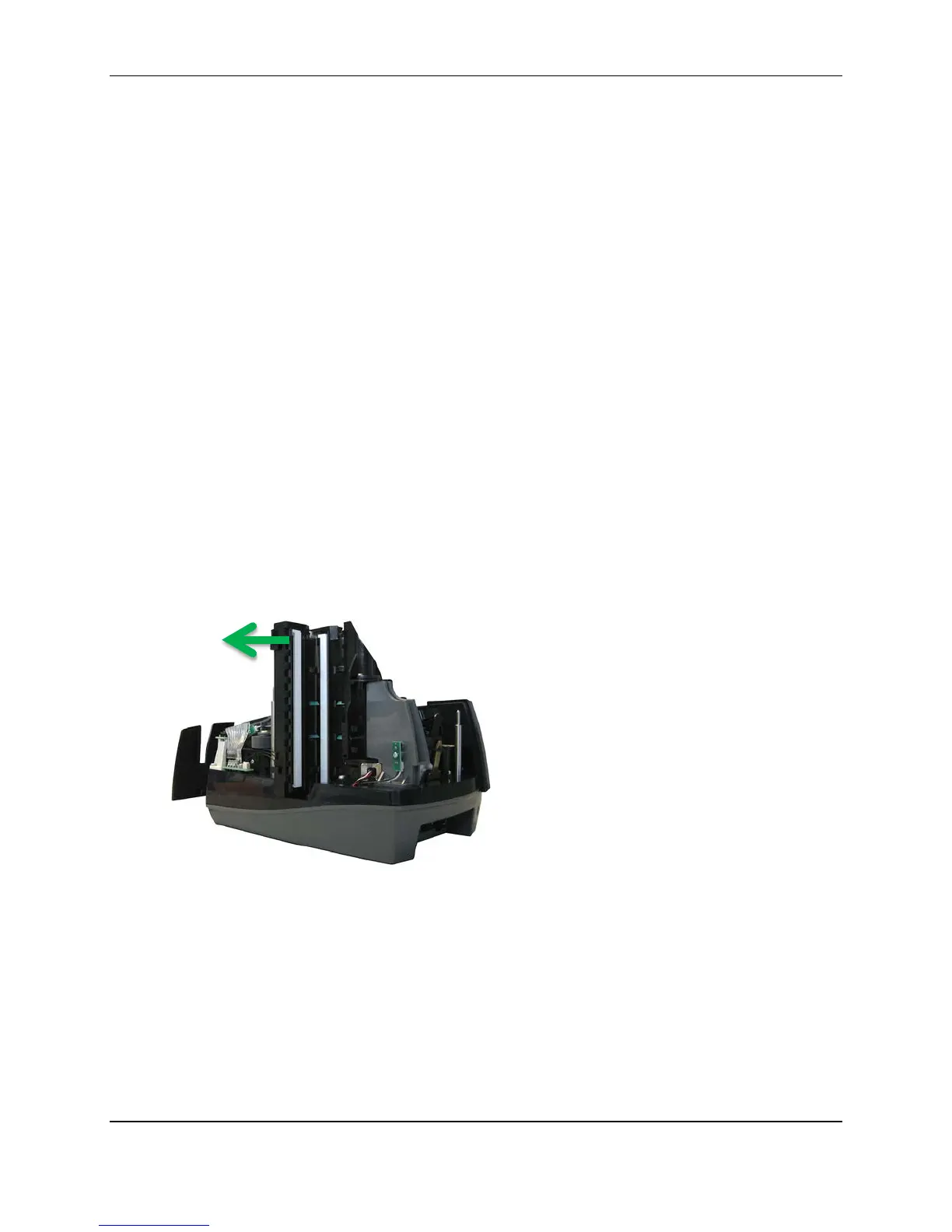
1. Remove the front cover and the endorsement printer cover.
2. Open both the front and back panels that cover the image sensor.
The front panel can open up to 90°. The back panel opens only a few degrees.
3. Use any of the following to gently remove any ink or dust from the image sensor.
• A lens cleaning tissue.
• A damp lint-free cloth.
• A cotton swab dampened with rubbing alcohol.
4. Clean the glass on each panel thoroughly.
5. Replace each of the covers.
©2015 RDM Corporation Page 30



 To Next Page