EC9000i / 9100i / 9600i Series Scanner User Guide Setting up your scanner
Connecting the EC9600i network scanner
The EC9600i series scanner can connect to your computer via a USB cable or over the network. There
are three ways to hook up the scanner:
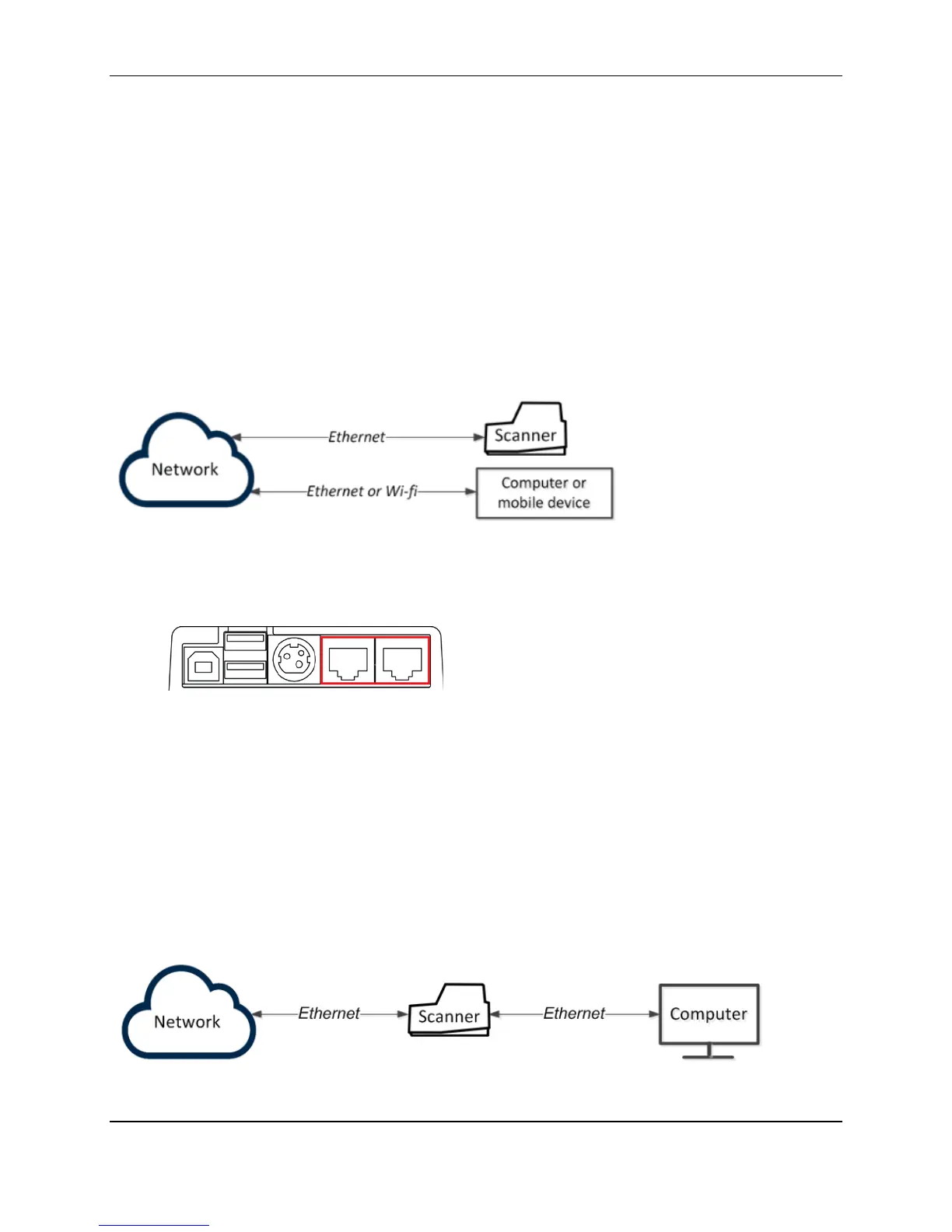
• Scanner and computer have separate connections to the network.
• Computer is connected to the network through the scanner.
• Scanner is connected to the computer using USB.
Option 1: Scanner and computer have separate connections to the network
To hook up:
1. Plug an Ethernet cable into one of the Ethernet ports on the back of the scanner (marked in red
below).
2. Plug the other end into an Ethernet jack.
In this setup, the scanner connects to the network using an Ethernet cable. You need to have an Ethernet
jack available for the scanner. That means that if you are also connecting your computer into the Ethernet
jack, you will need two Ethernet jacks.
This setup allows multiple workstations to access the scanner.
Option 2: Computer is connected to the network through the scanner
In this setup, you connect the scanner to the network. You then connect your computer to the network
through the scanner.
©2015 RDM Corporation Page 19



 To Next Page