WEIGHING
13
4.3 Trailer Weighing
Specifically for weighing applications other than for front-end loaders, e.g. for
trailer weighing, a special feature of the Weighlog 200 allows you to manually
trigger a weighing sample using the REF button. In effect, the REF button
performs the function of a Reference/Direction sensor.
The REF button is normally disabled. It is enabled via CAL Mode 2. It can
also be enabled in addition to a Ref/Dir sensor ('AUTO' setting), in which case
a weight reading is triggered by either the sensor or the REF button,
whichever is triggered first.
Procedure:
1. Lift the tipper body slightly so that the lift
ram becomes pressurised.
NOTE: Always sample the trailer weight with
the tipper body raised to the same
position at which weight calibration was
performed.
Sampling at a different position will
adversely affect weighing accuracy.
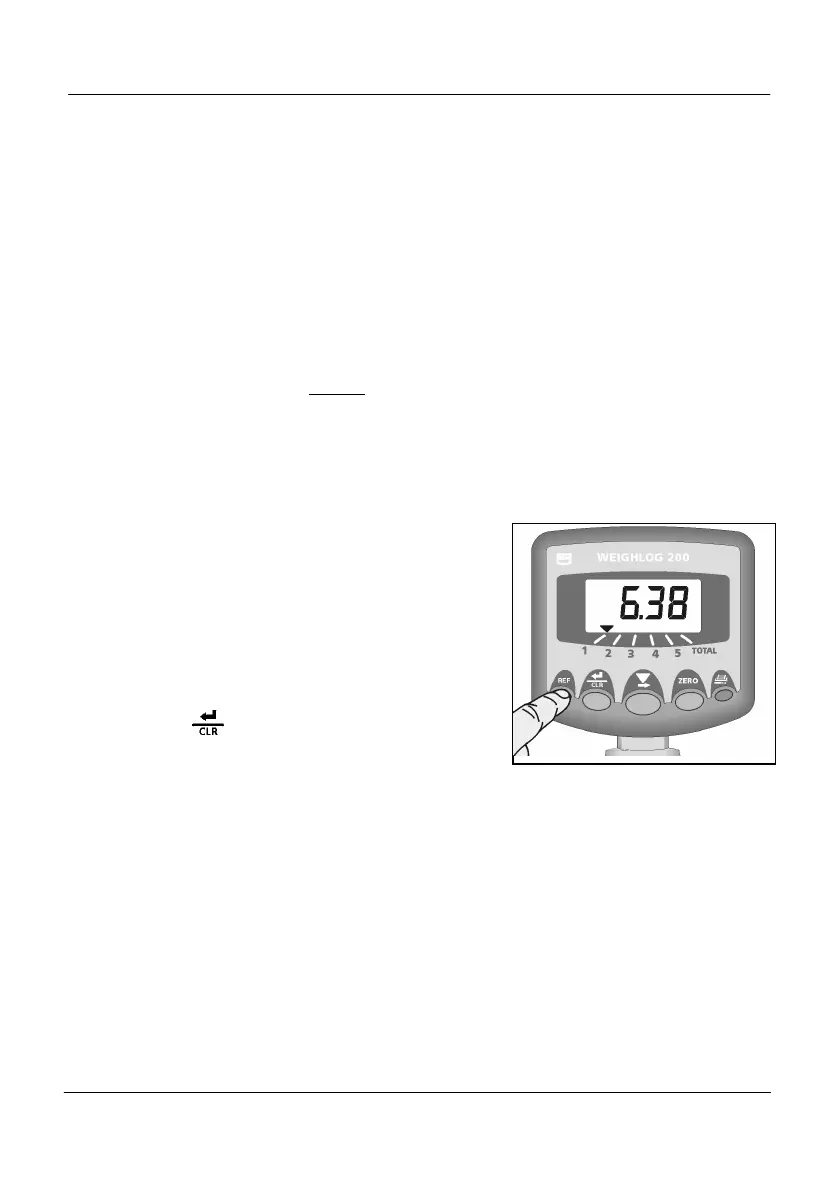
2. Press the REF button (Fig. 12a).
With Static weighing, when the REF Button
is pressed, a live static reading is
displayed. To cancel the weight reading
and return to the sub-total display, press
the REF button again.
3. While the weight is displayed, press either
the button or the Remote Enter
button to add the weight to the sub-total
for the selected channel (and to the
TOTAL channel).
If the selected channel is set up, the
weight will appear on the display for 5
seconds before it cancels to zero.
NOTE: If the “ENT” print mode is enabled, an automatic printout (in the “REC” format)
is made after the REF button is pressed.


 To Next Page