2 -
LM800/ 8000
COMMON CALIBRATION
12
Proportional Scaling
Proportional Scaling is used to compensate for efficiency losses in a dynamic or static lift, and is a scaling
factor based on the maximum load of the machine. It is important to perform the Speed Calibration routine
with the maximum load in the bucket.
The “Prop” factors give the reduction in speed compensation for an empty bucket compared to a full bucket.
Sometimes after an autocal, it is found that the speed correction with a full bucket is OK, but with an empty
bucket there is a larger error (e.g. 50 to 60 kg).
If with an empty bucket, the weight reading is lower at a slower lift speed than at a fast speed, then reduce the
“Prop A” factor by 2 - 3% until the error is removed. “Prop B” for hydraulics, is normally left at 0.00.
The normal setting for "Prop. Scaling" is "On".
2.3.3 Static Speed Compensation Factors (Stat. Comp. Factors)
From the "Calibration" menu, select "5. Stat.. Comp Factors". There are three screens displaying various
factors that can be edited if required. Press to advance to the second screen.
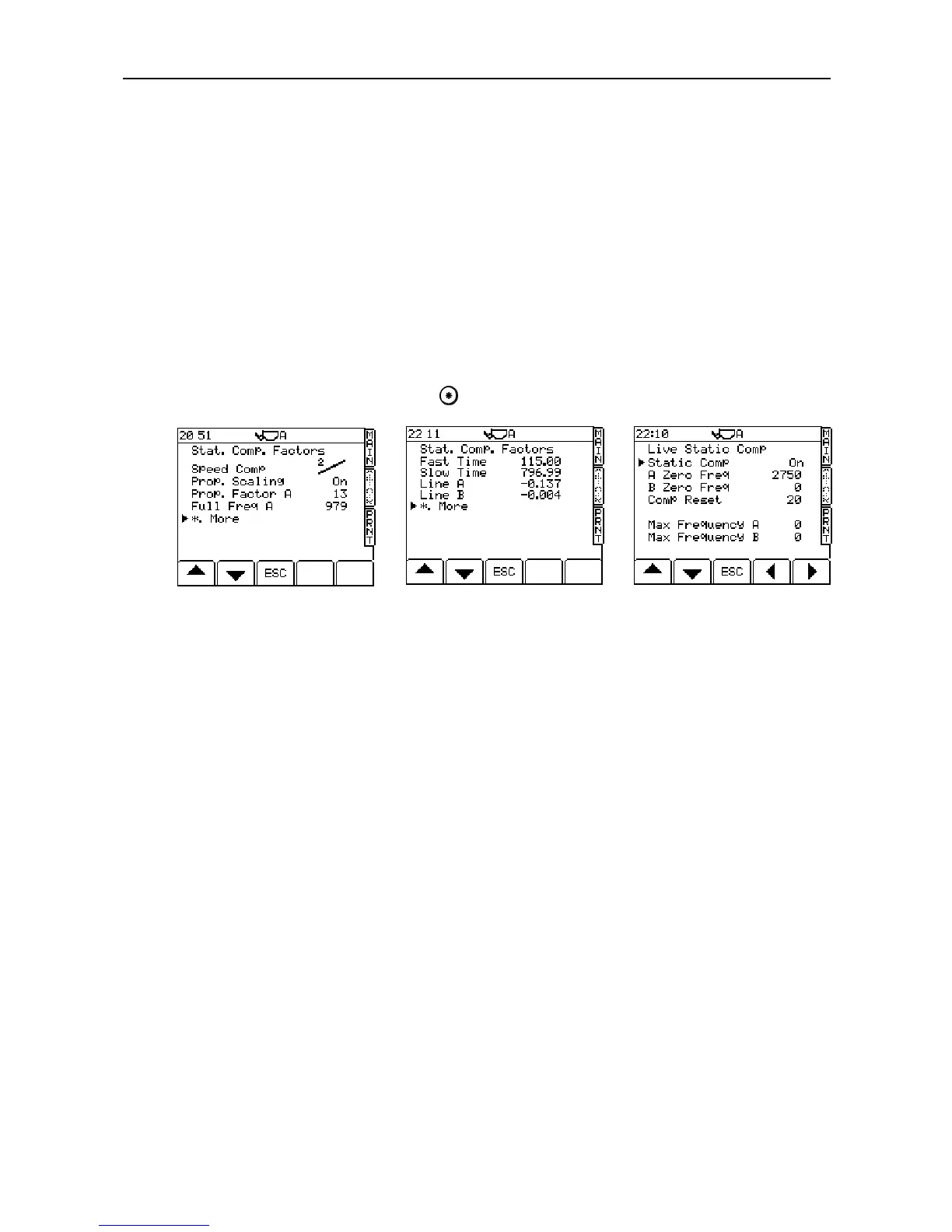
The Static Comp Factors section consists of three pages of factors.
Page one (fig 18a) sets the speed compensation On or OFF, and allows access to the Proportional Scaling
factors. Tests so far have indicated that there is no advantage to be gained from using the ‘Curve’ function
when compensating for lift speed changes in Static weighing, so the recommended compensation system is
the less complicated ‘Line 2’ setting.
Page two (fig. 18b) allows access to the Fast and Slow lift speed limits, and the speed compensation graph
gradient factors (‘Line A’ / ‘Line B’).
NOTE: ‘Line A’ is the factor that should be edited to change the degree of Static Lift Speed compensation where editing
is required. If a fast lift gives a lower weight reading than the slow lift, then the figure should be decreased, and
always –ve e.g. changing –11.0 to –10.0.
Page 3 (fig. 18c) displays the Static Last Bucket live reading compensation values. These factors are display
only and cannot be edited.
"Off / On / Auto" (third screen page)
Some machines using the live static mode may operate more accurately if "Static Comp" is set to "Auto". Set
"Static Comp" to either "On" or "Auto", whichever suits the particular machine.
“Off” No compensation
“On” Uses the calibrated pressure drop compensation curve calculated from the autocal.
“Auto” Produces a live reading, but the reading will only change if there is a change of 1% or more in the
calculated weight.
A / B Zero Freq.
Zero signal from the sensors.



 To Next Page