2 -
LM800/ 8000
COMMON CALIBRATION
5
2 Loadmaster 800i/8000i - Common Calibration
2.1 Sensor Setup
Sensor setup should be done before any other calibration. The sensor settings apply regardless of which
attachment is selected.
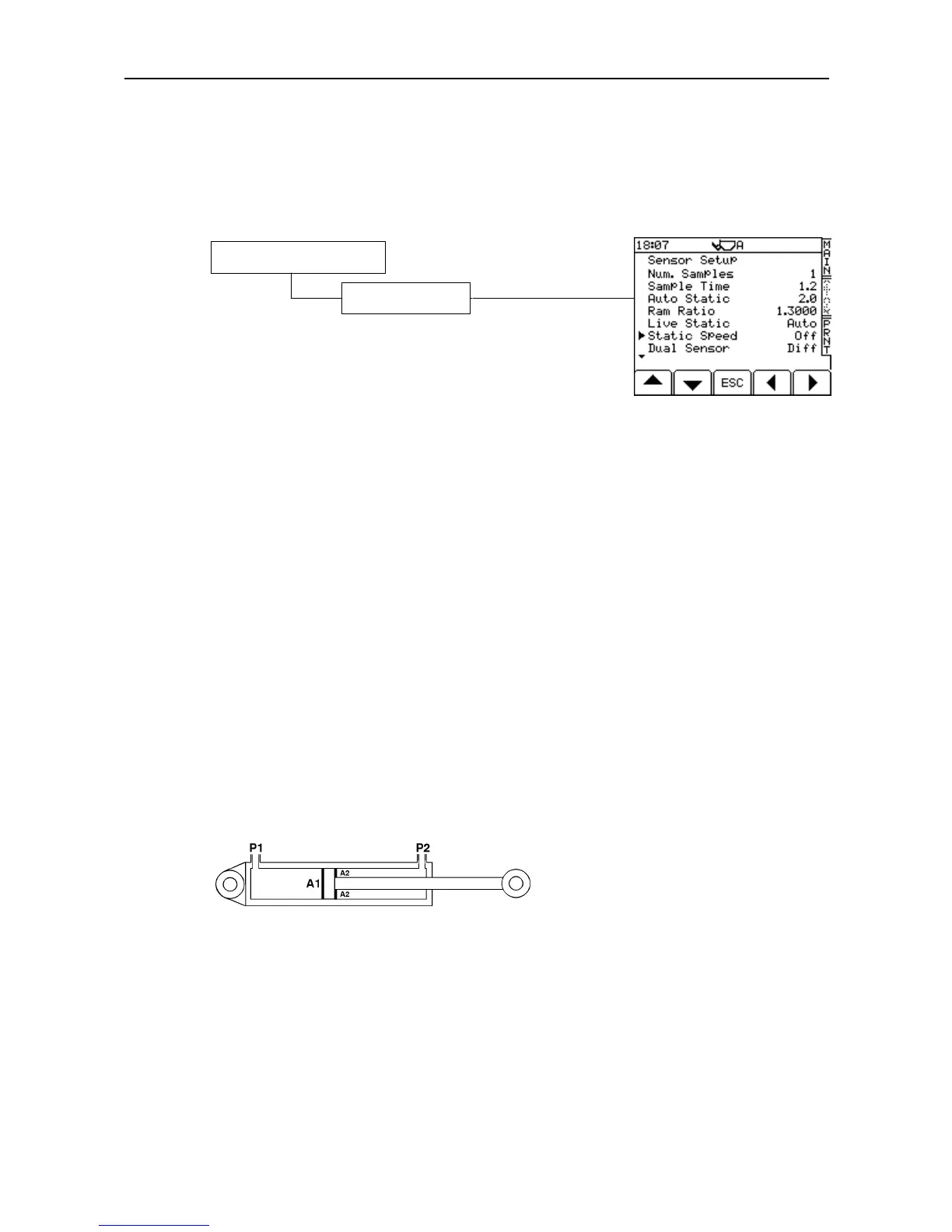
Select the 'Sensor Setup' screen (figure. 2).
*Default Factory PIN = 4084
"No. of samples" is the number of times the instrument takes a signal
from the pressure sensor(s).
"Sample Time" is the time taken for each sample in seconds.
"Auto Static" is the time delay after reaching the weighing position
before the instrument samples the weight. This delay allows the system
to settle down and helps to give consistent readings.
"Live Static" -The 'Off' setting has the effect of 'freezing' the weight reading when weighing in Static weighing
mode. The 'On' setting allows a 'live' readout when the bucket is in the weighing position. This is not suitable for
'weighing on the move' operation. See '2.3.2 Static Compensation' for the best setup for 'live static' weighing.
“Static Speed” - Enables speed compensation for static weighing. This setting needs to be switched ‘On’ for
certain machines, and in particular, CAT 966, 972 and 980 models. The majority of other loaders will not
require ‘Static Speed Compensation’
"Dual Sensor:" "Off" Single load sensor installation
"Dual" (Not used)
"Diff" Dual pressure sensor installations (Static or Dynamic operation). The second sensor measures back-
pressure on the return side of the lift ram circuit.
"Sum" Strain sensor applications. Sensor readings are added.
"Avg" Strain sensor applications. Sensor readings are averaged.
The 'Dual Sensor' setting should always be set to 'Diff'. This enables the system to zero at any lift speed..
"Ram Ratio" is the ratio of the area A1/A2 of each side of the ram piston (figure 3). The default value of 1.3000
is OK initially, for almost all makes and models of machine. You can determine the correct ram ratio by the
following method. Do a slow lift and then a fast lift. If the weight readings are the same, the Ram Ratio is
correct. If the fast lift reading is greater then reduce the ram ratio, and vice versa.
Figure 3
"Nudge Key" - The option to switch off the NUDGE facility so that it no longer appears on the 'SETUP' screen.
"Zero Check" - Enables the "ZERO CHECK” function. (Default 'OFF' for LM800/8000).
"Mode" - This selects which weighing mode should be used. On LM 8000 models, "Dyn/Stat" is the default.
"Dyn" only or "Stat" only can be selected.
"Angle Sensor" Optional.
Enables the angle sensor input and selects the vertical axis orientation of the sensor. Select the icon matching
the orientation of the electrical junction box (looking forwards from the cab).
1. Calibration (Enter PIN*)
8. Sensor Setup



 To Next Page