2 -
LM800/ 8000
COMMON CALIBRATION
13
"Max Freq A / B"
Variable compensation is required depending on the load. The Max Frequency figures log the signals at Max
load. This is set up from the Static Comp. routine in the AutoCal.
In order for the instrument to know when it is lifting a fully loaded bucket (to apply the correct compensation),
the maximum signal from each load sensor is saved here.
"Comp Reset"
If the frequency changes by a set amount on sensor A over the sample time, the compensation resets itself to
the beginning of the routine. This is normally due to a pressure surge after the bucket is crowded back.
The default is 20 Hz (LM 800/8000) & 0 Hz (LM 9000), with "0" being "Off", Max figure 100 Hz.
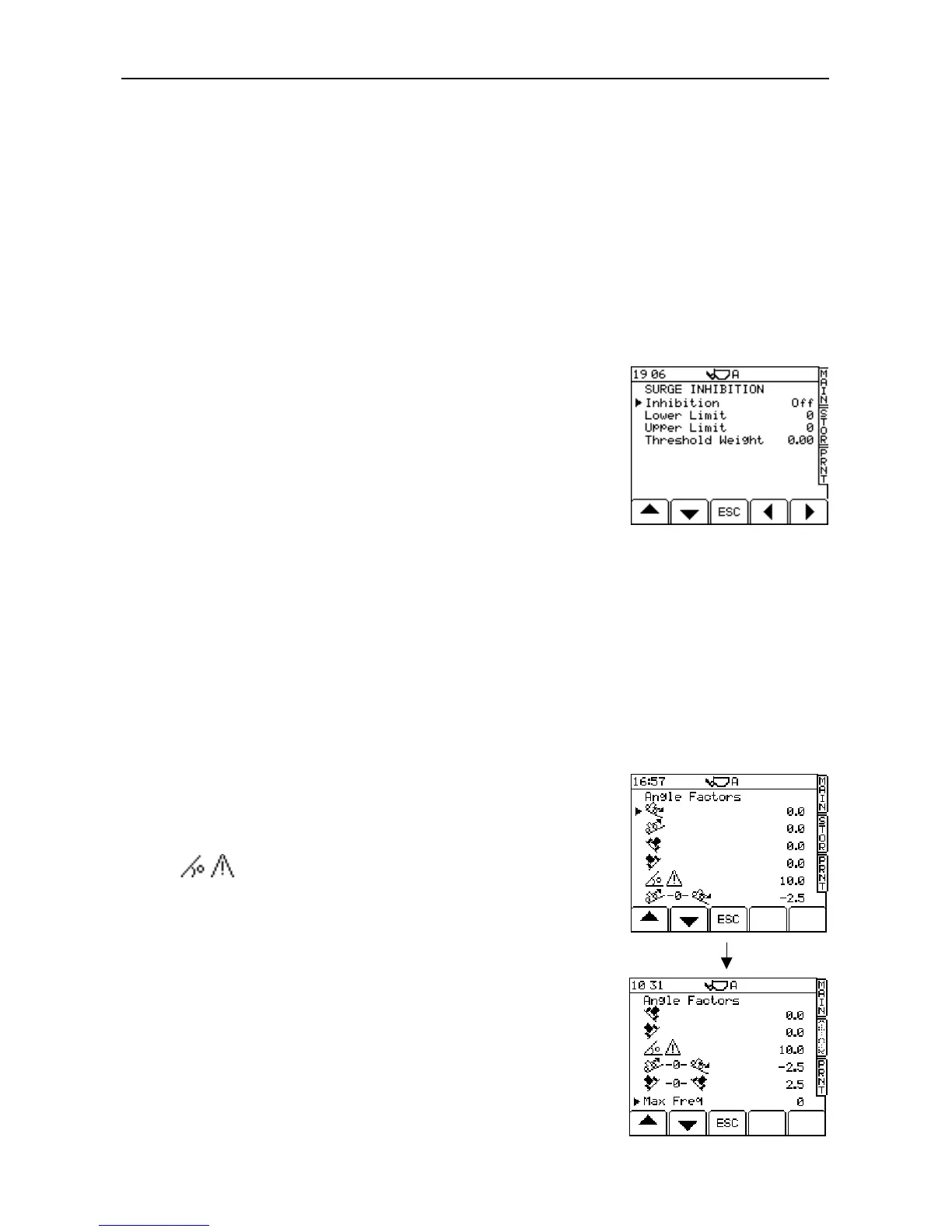
2.3.4 Surge Setup (optional)
This enables the instrument to detect a pressure surge due to machine
bounce or acceleration, which may cause an inaccurate weight
calculation. If the pressure surge exceeds an upper or lower limit, a
warning "TOO MUCH BOUNCE" is displayed on the MAIN operating
screen and weighing is inhibited.
For the LM 800i/8000i, this is normally switched off. It should only be
used if necessary. Start with the default settings.
"Upper Limit" / "Lower Limit"
The "Lower Limit" figure (Hz) is used when the bucket weight is below the "Threshold Weight". The "Upper Limit"
is used when the bucket weight is above the "Threshold Weight".
Raising the settings produces a less sensitive Surge Inhibit Alarm
Pre-set values are defined by the certification option selected (section 3.3.1) from the "Sensor Setup" menu.
Once the machine is used, the upper/lower limits can be adjusted if necessary.
"Threshold Weight"
The threshold weight = 50e. E.g. if the Scale Interval 'e' is 20kg, then the threshold weight is 1 tonne.
2.3.5 Angle Factors (Optional Angle Sensor)
Weighing is inhibited when the system is used at angles exceeding those
set on this screen (fig. 20). An alarm will sound and the angle error will
be displayed on the MAIN operating screen.
indicates the angle at which weighing will be inhibited.
The other compensation factors are calculated from the angle
compensation routine in Auto Cal.
NOTE: If re-calibration of the angle factors is required, make sure that all the
factors for Up/Down/Right/Left are manually set to zero before carrying
out an AutoCal.
Figure 19



 To Next Page