2 -
LM800/ 8000
COMMON CALIBRATION
15
2.5 Calibrating alternative attachments
2.5.1 Programming an attachment
By default the LM 800i/8000i is programmed to recognise only one
attachment. The Auto Cal routine will therefore calibrate for attachment
'A'. You can programme the instrument for up to 8 attachments as
follows: -
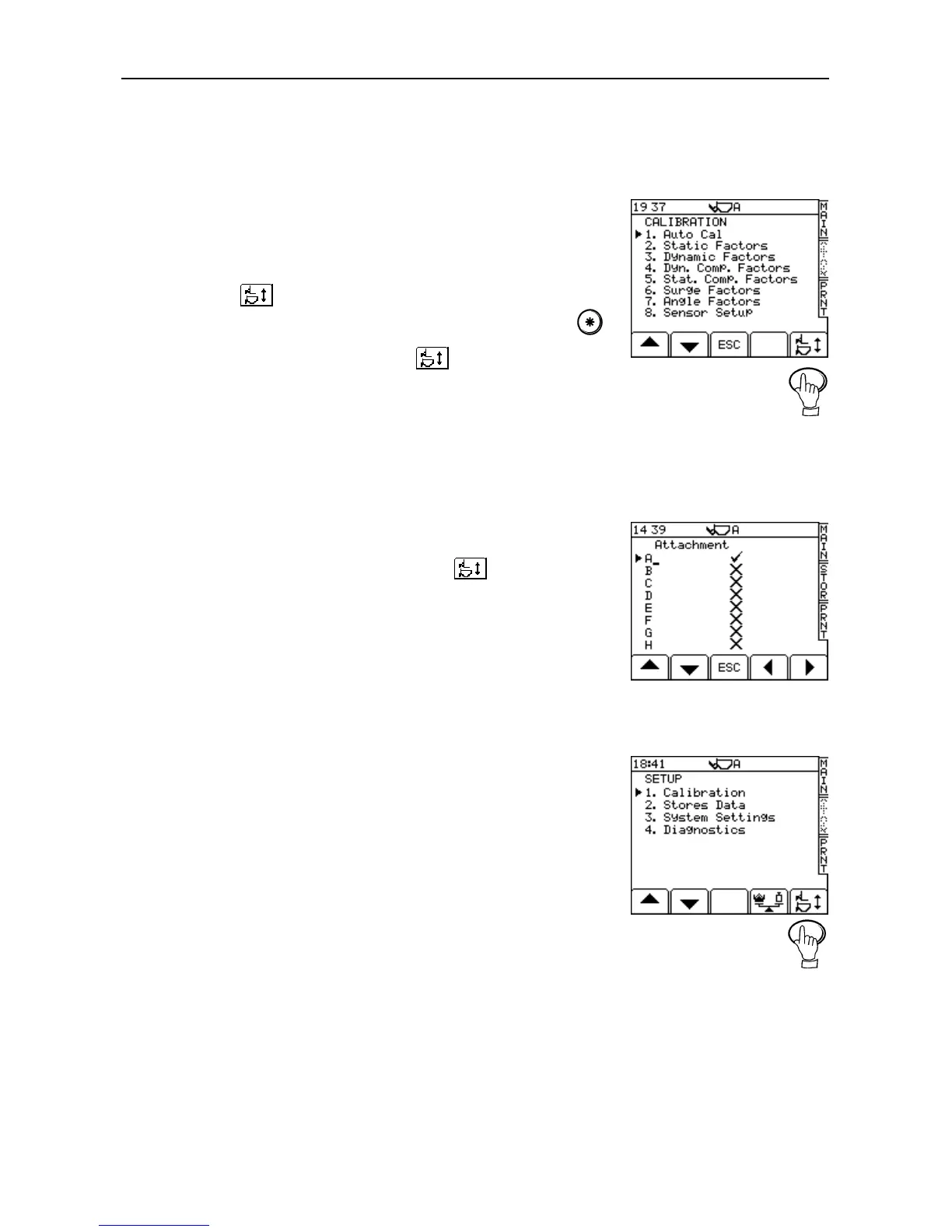
1. From the "SETUP" menu, select "1. Calibration" (PIN entry required).
2. Press the key (fig. 25) to select the "Attachment" screen (fig. 26).
3. Select from the list 'B' to 'H' using the arrow keys and then press the
key to switch on the attachment. Only those that are have a tick against
them will appear to the operator via the key on the SETUP menu.
4. If required, programme an attachment description (up to 20
alphanumeric characters). Simply position the flashing cursor under the
attachment letter using the right arrow key; enter the description using
the alphanumeric keypad.
5. Press "ESC" twice to get back to the "SETUP" screen.
2.5.2 Select an attachment for calibration
1. From the "SETUP" menu (fig.27), press the key to select the
"Attachment" screen.
2. Simply select the appropriate one using the up / down arrow key, and
then press "ESC". The instrument is now ready to be calibrated for that
attachment.
NOTE: The current attachment is always displayed at the top of every screen.
2.5.3 Calibrating an alternative attachment
Select the attachment from the list,
In the Auto Cal, carry out the Zero function only to set the "Zero Tracking
Device". (Picks up large Zero change during use).
Select the attachment from the list, and then use the NUDGE function to
adjust the calibration. (No need to carry out Diff/Speed comp etc. in the
AutoCal)
REMEMBER! You must re-calibrate using the NUDGE function, each time you
change an attachment.
NOTE: If an attachment is subsequently repaired or modified in any way that
affects its weight or centre of gravity (e.g. new bucket cutting edge, teeth
etc), then it should always be re-calibrated



 To Next Page