2 -
LM800/ 8000
COMMON CALIBRATION
14
2.4 'NUDGE' Calibration
You can nudge the calibration figures up to 10%. If the error is more than
10%, the instrument will prompt you to re-calibrate ("Cal Weight" in the
Auto Cal menu).
This function is switched on or off from the 'Sensor Setup' screen in the
SETUP menu “1. Calibration”. By default, it is switched on.
When to nudge the calibration
After performing the initial weight calibration and loading a few trucks,
you may find that the load readings from the instrument are consistently
different from weighbridge (weighscale) readings. This situation can also
occur after maintenance or repair to the loading shovel e.g. changing a
bucket.
How to nudge the calibration
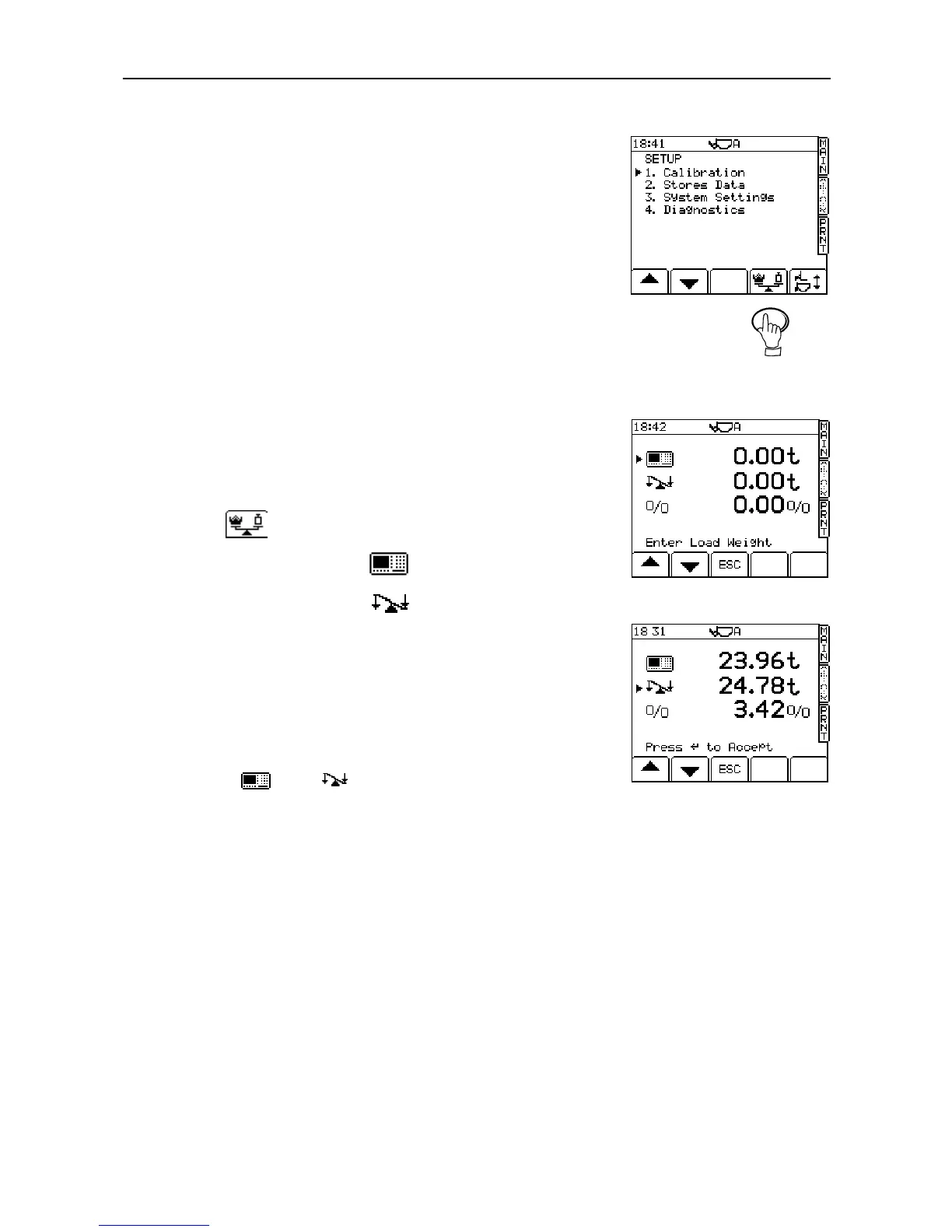
1. Load a truck and note the weighbridge total against the instrument total
for that load, e.g.
Scale reading: 24.78 tonnes
Instrument reading 23.96 tonnes
2. Press to select the 'Nudge' screen (fig. 22).
3. Enter the instrument reading ( ) and press ENTER (fig.23).
4. Enter the weighbridge reading ( ) and press ENTER (fig 24).
The percentage difference between the instrument and weighbridge
totals is then displayed. Press the ENTER key to confirm. All dynamic
and static factors are automatically re-calculated and stored in memory.
The screen displays the message 'New Factors Set'.
5. Press the "ESC" key to return to the "SETUP" menu screen, or select the
MAIN weighing screen to exit Calibration mode.
NOTE: To nudge the calibration by a known percentage, enter 1.000 tonne for
both the and figures, then enter the known percentage
figure and press ENTER to confirm.
Figure 22



 To Next Page