Reach Robotics Confidential Proprietary Information not to be reproduced or made available to third parties without prior consent from Reach Robotics and not
to be used in any unauthorised way. © Reach Robotics Pty Ltd 2022
23
6.2.2 Master Arm Test (If Applicable)
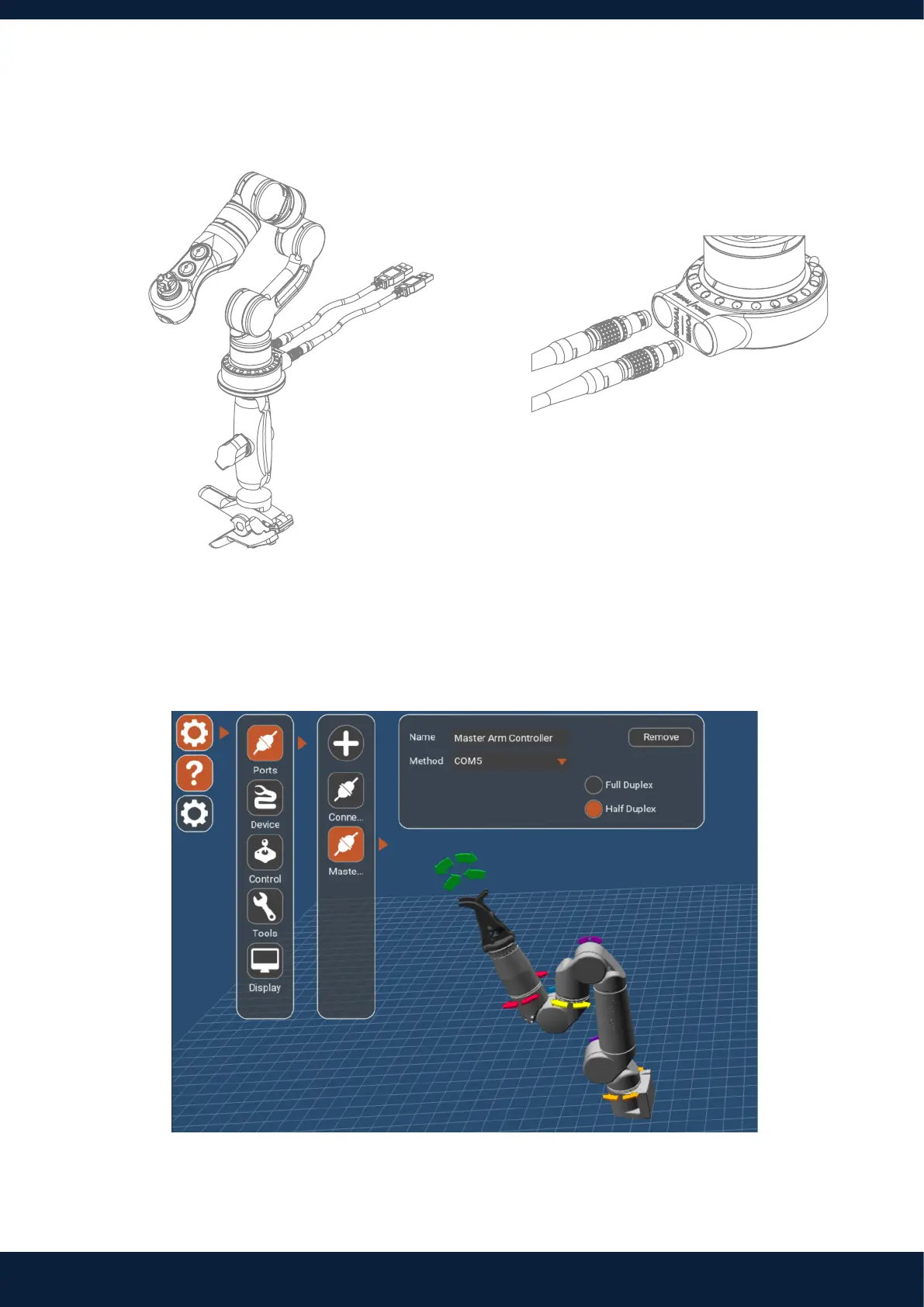
1. Set up the Master Arm with the stand provided. 2. Connect Master Arm to the computer via USB.
3. Once powered, the Master Arm buttons will flash blue.
4. Open Reach Control, Settings (Cog Icon) > Ports > Add.
Assign the new port a Name and select the comm port the Master Arm is communicating on. Ensure half duplex is
selected.
Note: The correct com port can be identified by unplugging the Master Arm, and seeing which com port disappears from
the com port list.



 To Next Page