reachrobotics.com
info@reachrobotics.com | +61 (2) 9519 7651
24
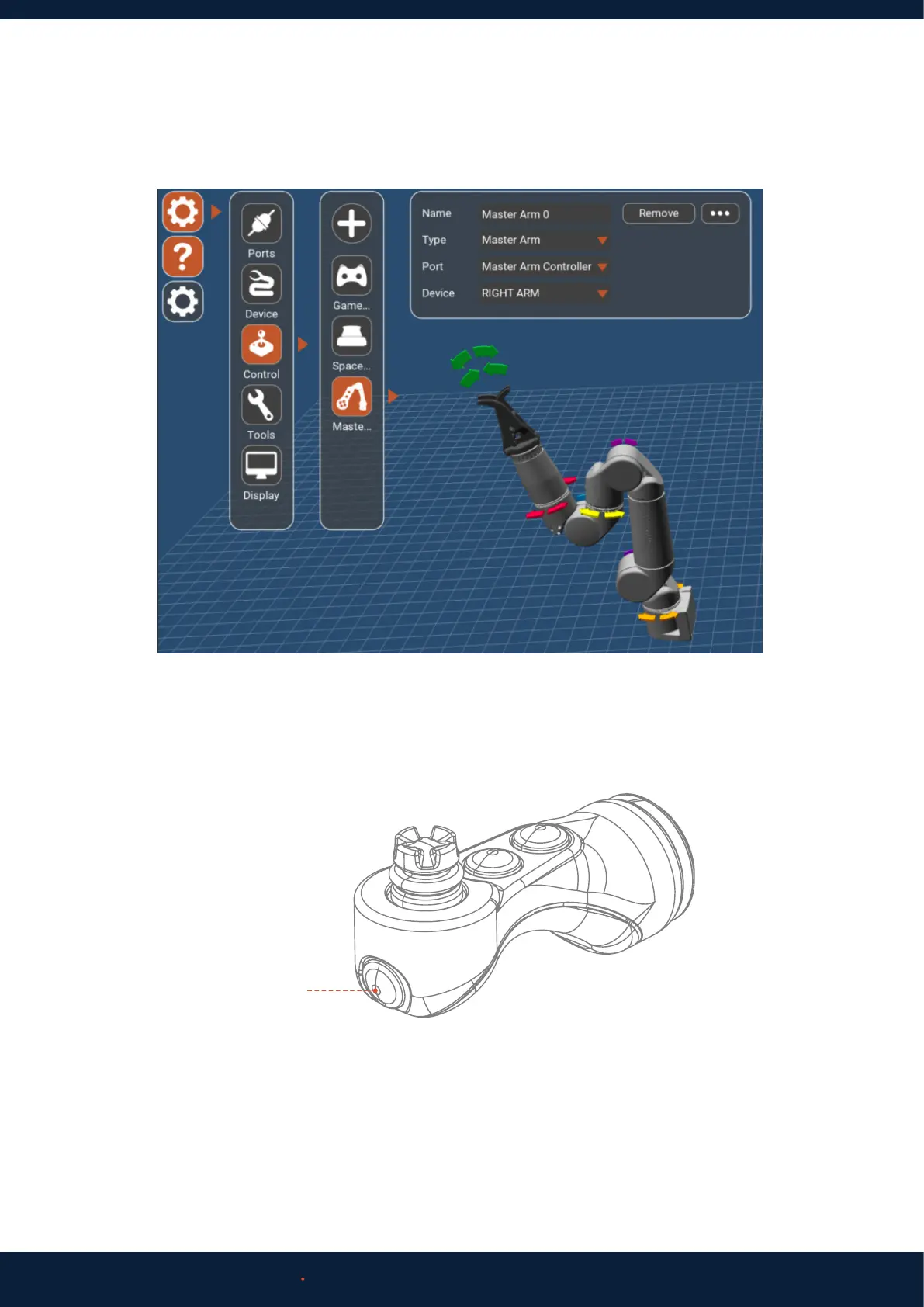
5. Settings (Cog Icon) > Control.
6. The Master Arm is now ready to control the slave manipulator.
If there is no Master Arm option underneath Spacemouse, click Add.
Assign the new Control port a name. Set ‘Port’ to the name of your Master Arm port. Set ‘Device’ to the name of the
Slave arm you wish to control.
Making sure it is safe to do so, press the Master Arm Pause Button to activate the Master Arm. Blue lights should
become solid.
Double tap the Pause Button to deactivate.
Check that:
a. The corresponding joint on the slave arm responds.
b. The joint moves in the correct direction.
c. The motion of slave to master is a 1-to-1 ratio.
d. The motion is smooth and complete.
7. Move each Master Arm joint through its full range of motion. Note: J1 and J2 are controllable from the Master Arm Joystick.
Pause Button



 To Next Page