Installing the Gateway Recon Blockage Plus™ Installation Manual
600840-000069, rev 1.0 Page 20 of 35
1. Position the gateway (153010-000085) on the mounting bracket (353070-000079). The
gateway can be mounted on the bracket in any direction, but the connectors should not
face up when the bracket is mounted on the air cart or tractor.
2. Secure the gateway to the mounting bracket using the provided screws (356060-
000303), washers (352012-000002), and nuts (356060-000241) as shown in Figure 18.
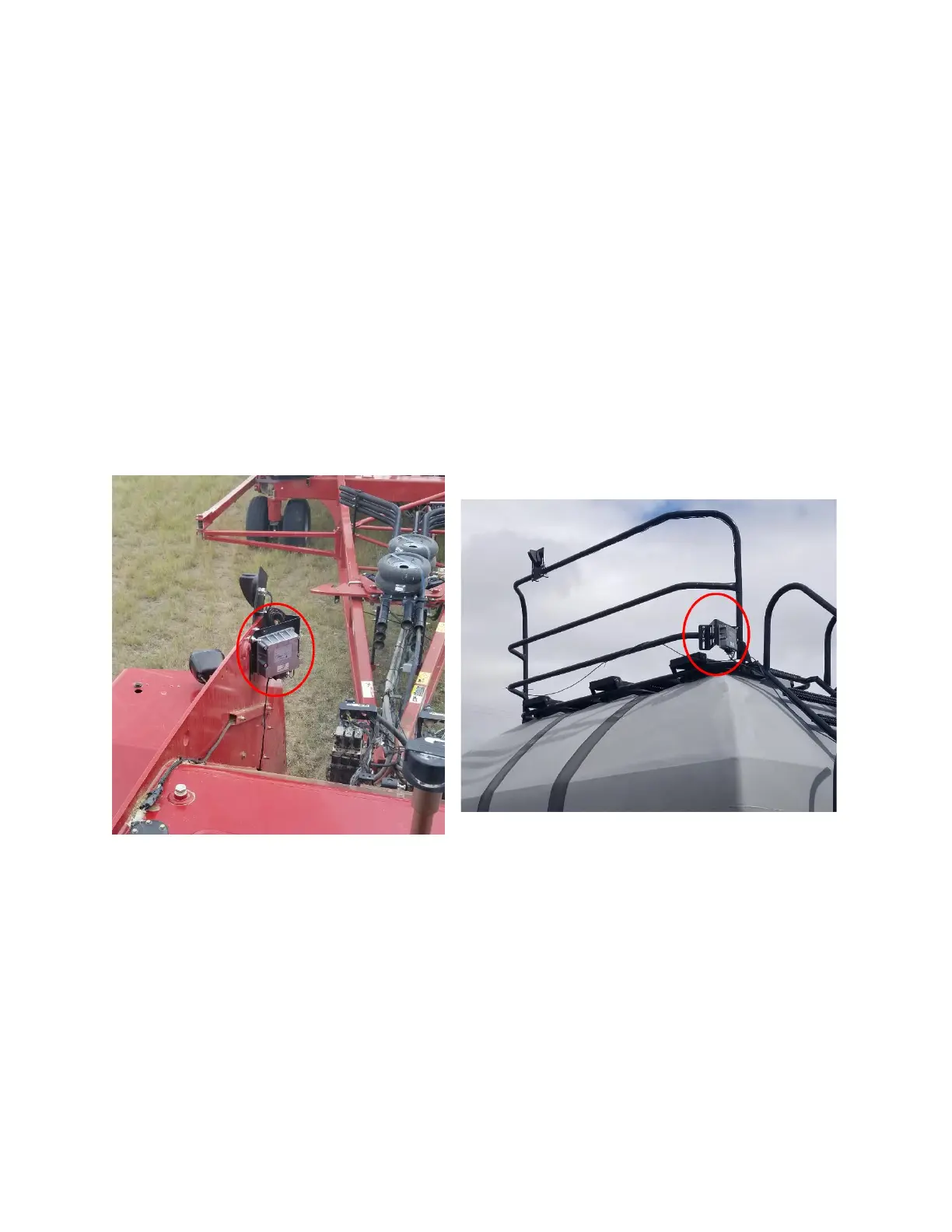
3. Mount the gateway according to the instructions below for your air cart configuration.
The mounting location must be at least 8 inches (20 cm) away from the operator to
ensure safe operation.
• Tow-behind: Mount the gateway on the exterior frame of the tractor or inside the
cab. Make sure that the gateway is within reach of the antenna cables. Secure it to
the mounting location using u-bolts and the included u-bolt hardware or locknuts
(356060-000094) and washers (356060-000239).
• Tow-between: Mount the gateway on the rear of the air cart catwalk, facing
rearward. Make sure that the gateway is within reach of the antenna cables. Secure
it to the mounting location using u-bolts and the included u-bolt hardware or locknuts
(356060-000094) and washers (356060-000239).


 To Next Page