Installing the Wi-Fi Antenna Recon Blockage Plus™ Installation Manual
600840-000069, rev 1.0 Page 22 of 35
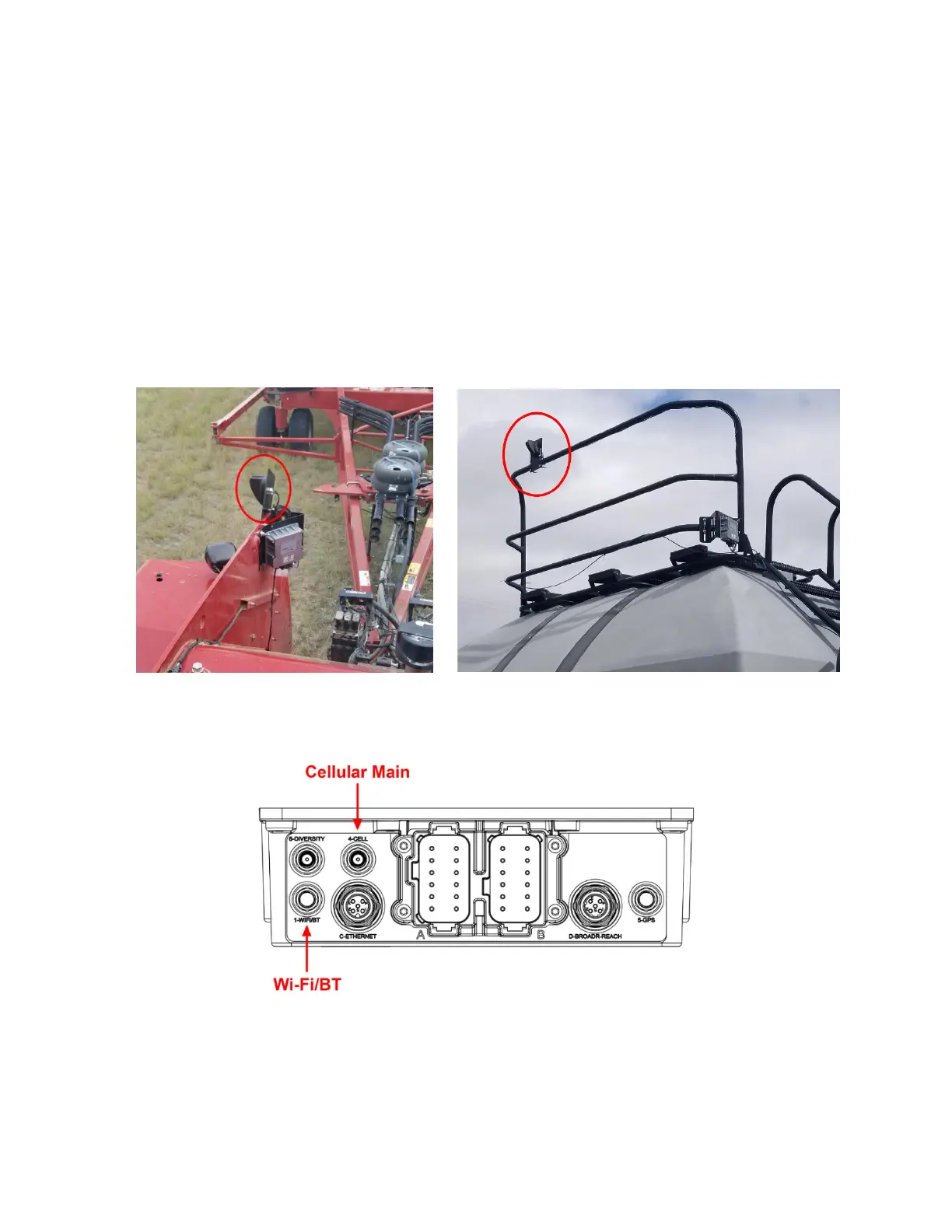
1. Thread the Wi-Fi antenna (252005-000010) cables through the hole in the mounting
bracket (353070-000083) and through the nut. Tighten the nut to secure the antenna to
the bracket. Do not over-torque.
2. Mount the antenna and bracket according to the instructions below for your air cart
configuration. The mounting location must be at least 2 feet (60 cm) away from the
operator and at least 8 inches (20 cm) from the gateway to ensure safe operation.
• Tow-behind cart: Mount the bracket high on the exterior of the rear of the tractor
cab using u-bolts (352013-000007 or 356060-000152). Secure with the included
u-bolt hardware or locknuts (356060-000094) and washers (356060-000239).
• Tow-between cart: Mount the bracket on the air cart catwalk using u-bolts (352013-
000007 or 356060-000152). Secure with the included u-bolt hardware or locknuts
(356060-000094) and washers (356060-000239).
Figure 21: Example Wi-Fi antenna mounting locations
3. Connect the Cellular Main and Wi-Fi/BT antenna cables to the gateway.
Figure 22: Gateway connections
4. Cap the 433 MHz antenna cable with the SMA terminator jack (251015-000272). Zip-tie
the cable to the other cables.
5. Cover connectors 5 and 6 with the provided caps (251015-000139).


 To Next Page