33
General Repair
Disconnect, lock out, and tag power at the panel before servicing the
pump.
If a system has any issues found during the troubleshooting process follow the steps below:
1. Remove pressure from system. Ensure no DEF fluid is in the lines in the sump.
2. Carefully disconnect all plumbing, gauges and any pressure relief units in manway as is necessary to allow
removal of the manway cover.
3. Disconnect electrical connections to UMP cable.
4. Loosen and remove manway cover fasteners from tank.
5. Carefully lift bulk head cover from tank with column pipe and UMP connected.
Approximate weight of the submersible DEF pump/piping assembly is 75 pounds (34 kg).
6. Determine clean, safe workspace and carefully set down motor assembly/plumbing and manway cover.
All surfaces in direct contact with DEF shall be free of foreign matter (fuel, oil, grease,
detergent, dust and any other substance). See “Cleanliness Of Surfaces In Contact With
DEF” on page 5.
7. Remove device that is being replaced (UMP, fixed pressure relief or check valve) from system.
Ensure check valve’s flow arrow is correctly oriented (towards manway cover) during its
replacement.
8. Clean all fittings and reapply thread sealant (Loctite 567 recommended).
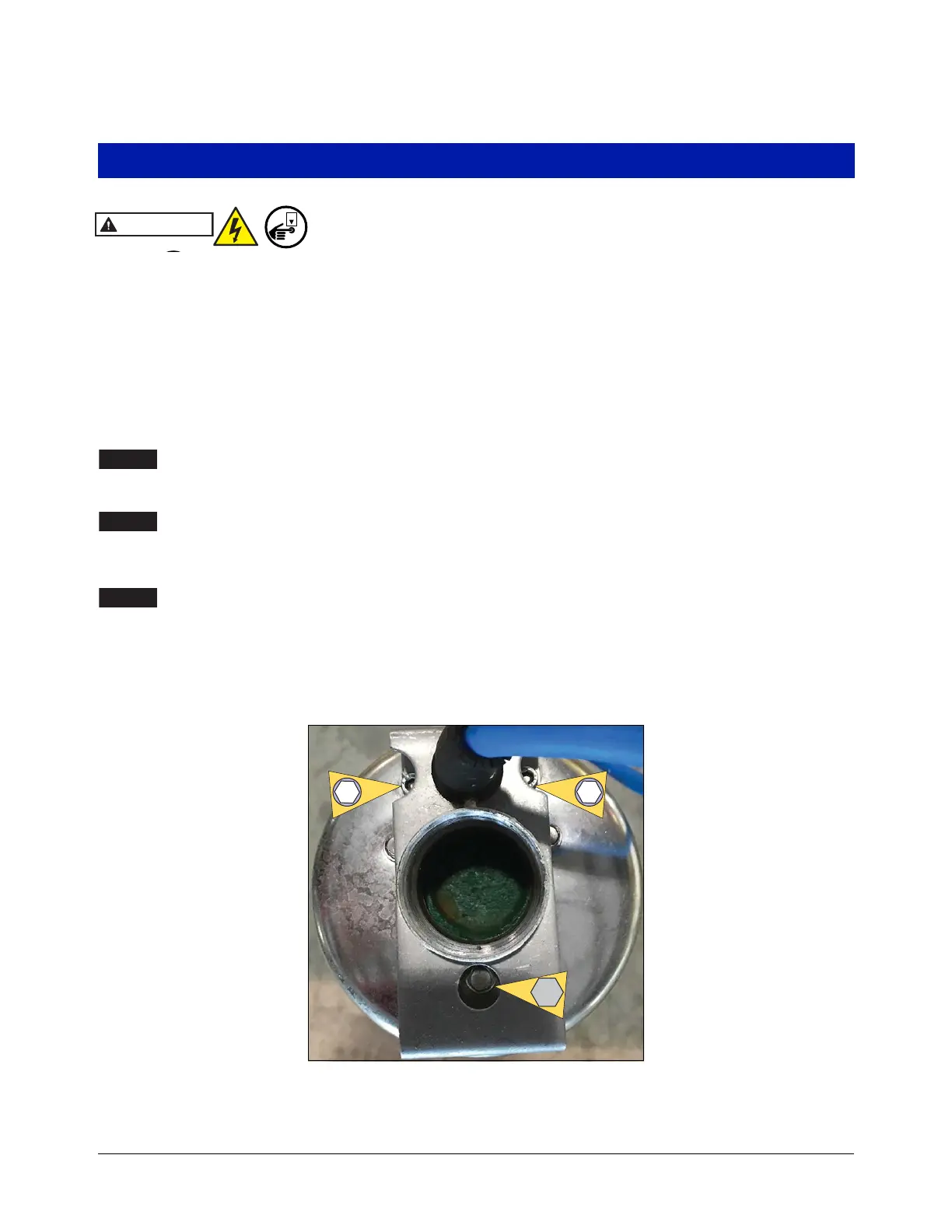
9. Replace cord if damaged with kit 410886-001. Remove the two 5/32” hex socket head screws and the 5/16”
hex bolt holding the UMP cable/bracket assembly and replace (see Figure 30). Torque to fasteners to 10 ft-
lbs. (14 N•m).
Figure 30. UMP Cable Holding Bracket Retaining Screws


 To Next Page