COPYRIGHT © 2016 RED.COM, INC
RED DSMC OPERATION GUIDE: WEAPON/SCARLET-W
955-0116_V6.1, REV-U | 128
RACK FOCUS
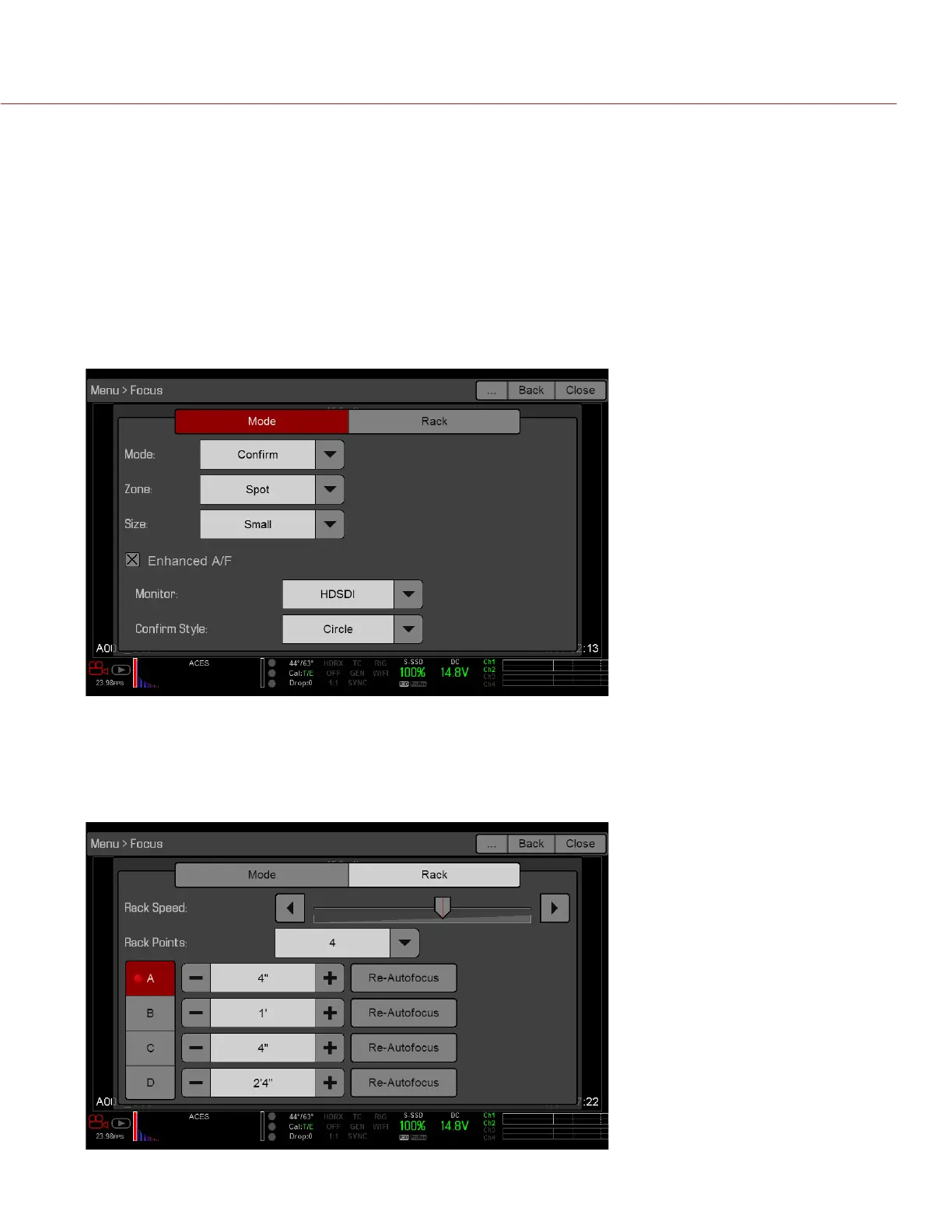
Use the Rack tab to configure up to four (4) focus points and execute rack focus between them.
SET UP RACK FOCUS
1. Ensure that a DSMC Nikon Mount, DSMC Canon Mount, or DSMC Canon MOTION MOUNT is installed and
that a supported lens is attached to the camera.
2. Go to Menu > Focus > Mode.
3. Select Rack from the Mode drop-down menu.
Spot is automatically selected from the Zone drop-down menu, since rack focus only works with Spot zone.
4. Select a size from the Size drop-down menu.
5. Go to the Rack tab.
6. Use the Rack Speed slider to change the speed at which the lens moves. Move the slider to the left for a
slower speed, and to the right for a faster speed.
7. Select the number of rack points (1–4) from the Rack Points drop-down menu.
8. To reset the focus distance to the value calculated by the autofocus algorithm, select Re-Autofocus.



 To Next Page