COPYRIGHT © 2016 RED.COM, INC
RED DSMC OPERATION GUIDE: WEAPON/SCARLET-W
955-0116_V6.1, REV-U | 50
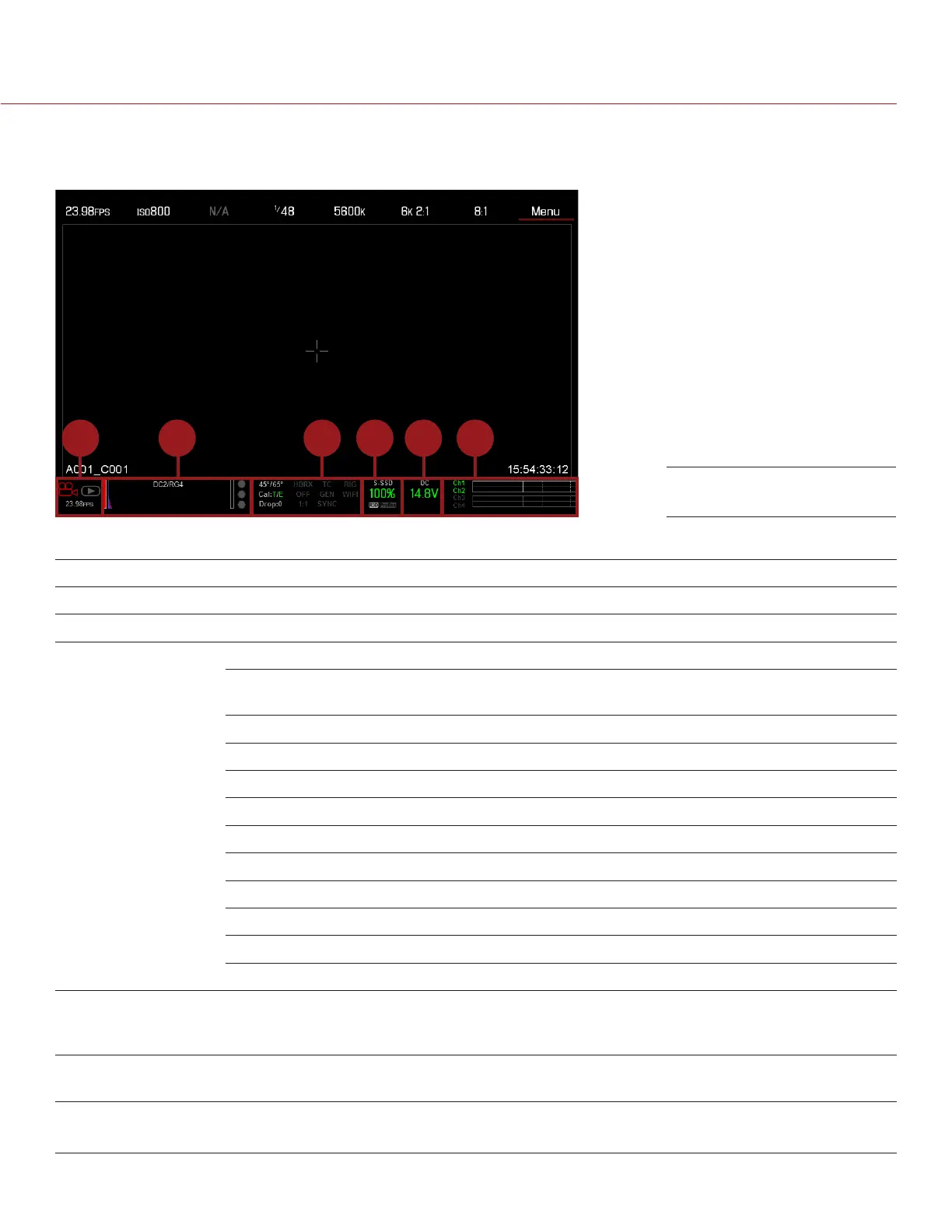
LOWER STATUS ROW
The Lower Status Row provides access to key system information and camera values.
1 3 5 62 4
The Lower Status Row in Motion mode provides key system information and camera values, including:
# ITEM SUB-ITEM/DESCRIPTION FOR MORE INFORMATION, GO TO...
1 Camera Mode Swipe up to toggle Motion/Stills/Playback modes “Camera Mode” on page 51
2 Histogram Histogram; tap to access the Tools menu “Histogram” on page 52
3 System Status
Indicators
Tap to access the System Status menu “System Status” on page 120
Temperature: Camera sensor and core
temperature, respectively
“Sensor Calibration” on page 110
Cal: T/E “CAL: T/E Indicator” on page 52
HDRX: Displays when HDRx mode is on “HDRX Menu” on page 128
False Color Mode: Displays modes “False Color Modes” on page 68
Magnify: Tallies 1:1 if magnify is selected “Magnify” on page 70
Timecode “Timecode” on page 156
Genlock “GEN Indicator” on page 53
Sync “SYNC Indicator” on page 53
LAN “LAN Indicator” on page 53
RIG: Indicates 3D rig metadata is present N/A
WIFI: Indicates WiFi connection “WiFi Indicator” on page 53
4 Media Status Media location and remaining media capacity,
displays when recording R3D and/or Apple
ProRes; tap to access the Media Menu
“Media Menu” on page 123
5 Power Status DC voltage in or % of remaining battery capacity;
tap to access the Power menu
“Power Status” on page 54
6 Audio Meter Audio input selection and levels;
tap to access the Audio menu
“Audio Meter Levels” on page 145
Lower Status Row: Motion



 To Next Page